DJI Agras T100 First Flight Quick Start: Preflight, Manual Takeoff, Landing & Emergency Stop
The T100 Quick Start Guide gives a compact first-flight sequence immediately after the aircraft/remote overview. This page turns that sequence into a field checklist while preserving the boundaries of the source: it covers readiness, manual takeoff/landing and the documented emergency motor-stop input, not every possible operational safety condition.
Quick Answer: Power on the remote controller, make sure DJI Agras is open, then power on the aircraft. Confirm the controller and aircraft are connected and that the status bar in Operation View is green. DJI recommends RTK positioning and recommends a DJI Cellular Dongle for internet connectivity. Start the motors with the combination stick command held for two seconds, push the left stick up in Mode 2 to take off, and hold the left stick down after landing for three seconds to stop the motors. In an emergency, hold C1 + C2 + Flight Pause until the motor stops.

Know the controls you are about to use

Before a first manual takeoff, locate the controls involved in normal and emergency handling. The quick-start diagram labels the touchscreen, connection-status LED, control sticks, RTH button, status/battery LEDs, power button, Flight Pause button, external antennas, C3, spray/spread button, flight-mode switch, ports, dials, internal antennas and C1/C2 buttons.
1. Power sequence and connection check
Power on the remote controller, confirm DJI Agras is open, then power on the aircraft. Make sure the remote controller and aircraft are connected. From the app home screen, tap Start to enter Operation View.
The Quick Start Guide makes the upper-left status bar a hard first-flight checkpoint: it should be green. If it is not green, the aircraft cannot take off.
2. RTK positioning is recommended
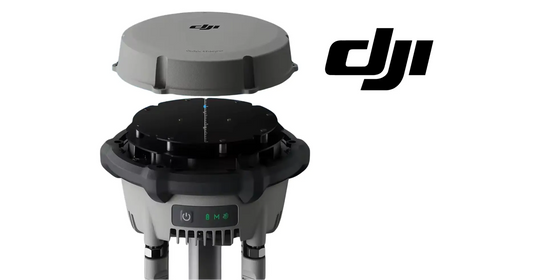
DJI recommends RTK positioning. In Operation View, open the relevant menu, select RTK and choose a method for receiving RTK signals. The verified hardware path for a mobile RTK station is the DJI Agras T100 D-RTK 3 High-Precision GNSS Mobile Station. The Quick Start Guide does not require D-RTK 3 specifically; it recommends RTK positioning generally.
3. Check network diagnostics when using a cellular dongle
The Quick Start Guide recommends a DJI Cellular Dongle for internet connection. In Operation View, open Network Diagnostics. The dongle and SIM are functioning properly when the devices in the network chain show green. No active exact T100 cellular-dongle product page was verified during this build, so this article does not invent one.
4. Manual motor start and takeoff

Start motors: perform the combination stick command shown by DJI and hold for two seconds. The quick-start illustration shows both accepted inward/outward stick combinations.
Takeoff: in Mode 2, push the left control stick upward.
5. Manual landing and motor stop
Push the left control stick down until the aircraft lands. After touchdown, continue holding it down for three seconds to stop the motors.
Emergency motor stop
The Quick Start Guide states that in an emergency, press and hold C1 + C2 + Flight Pause simultaneously until the motor stops. Treat this as an emergency control, not a normal landing method.
Aircraft systems around the first flight

If the first-flight concern is related to obstacle sensing, radar, LiDAR or RTK rather than the basic takeoff sequence, use the T100 Aircraft Systems guide. If the issue is battery or power, use the DB2160 battery and the dedicated battery manual rather than assuming a flight-control fault.
Deeper procedure handoff
This page owns the first-flight quick-start intent. The deeper normal-procedure article remains DJI Agras T100 Preflight, Takeoff, Flight Modes & Return-to-Home.
Parts & Equipment Referenced in This Guide
- DJI Agras T100
- T100 OEM Remote Controller
- DB2160 Intelligent Flight Battery
- D-RTK 3 High-Precision GNSS Mobile Station
Shop Related Collections
- DJI Agras T100 Radar, RTK & Sensor Parts
- DJI Agras T100 Remote Controller Parts
- DJI Agras T100 Battery & Power Parts
- DJI T100 Parts
Related Tutorials
- T100 Quick Start: Unboxing, First Charge & Activation
- Preflight, Takeoff, Flight Modes & RTH
- D-RTK 3 AG User Manual
Source and revision note
Primary source: DJI AGRAS T100 Quick Start Guide v1.0, English “Getting Ready for Takeoff,” Pre-Flight Checklist and Manual Flight sections.