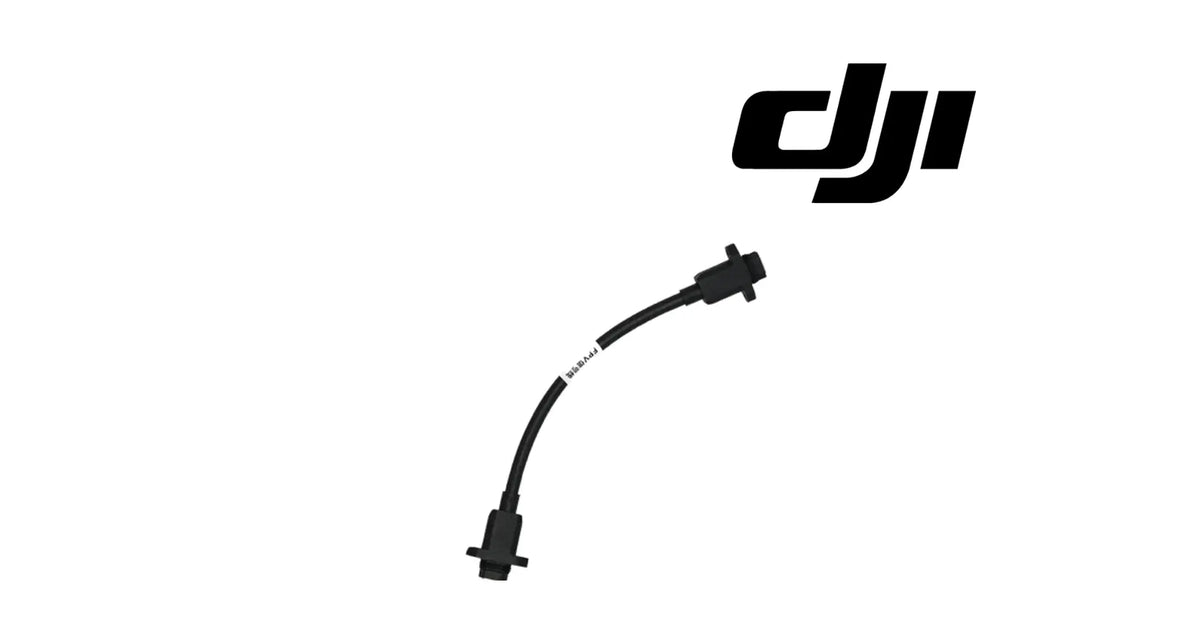
The DJI Talos T60X OEM FPV Camera Signal Cable is the signal lead that carries the picture from the aircraft's first-person-view (FPV) camera into the aircraft, on its way to the pilot's remote controller. It is a cables-and-wiring part in the sensing system, listed by the supplier for the Talos T60X. In the supplier photograph it is a short black lead with a flanged panel-mount connector at each end and a white identification band printed with FPV along the cable. Operators usually look for it as a T60X FPV cable, a Talos camera video lead, or a T60X FPV signal wire, typically after a live view that flickers or drops out in flight, a connector damaged near the nose, or a lead pinched during a shell repair.
🇺🇸 U.S.A. FIRST
Ares Acres LLC is a U.S.-based authorized DJI retailer supplying agricultural spray aircraft, replacement components, and field-ready inventory to American commercial operators, service centres, and applicators.
FREE & FAST Shipping is included for all U.S. customers.
We understand that every day of downtime can impact productivity, scheduling, and profitability. That's why we focus on providing fast fulfillment, responsive customer support, and reliable access to the parts operators need most.
Ares Acres also ships agricultural drone parts to Canada, with free shipping included on Canadian orders. Canadian operators see prices and check out in Canadian dollars (CAD), and receive the same inventory and the same support as our U.S. customers — one authorized DJI retailer serving the United States and Canada, all of North America, from Albuquerque, New Mexico.
✅ DJI Talos T60X Compatibility Guarantee
- 🇺🇸 USA Compatibility Guarantee
- 👍🏻 Satisfaction Guarantee
- 💵 Money Back Guarantee
- 📦 Same Day Shipping & Tracking
- Listed by the supplier for the DJI Talos T60X
- Matched by connector shape, flange and identification band against the cable you removed
- DJI OEM sensing-system signal cable, brand new
Send us a photograph of the label on the part you removed and we will match it before it ships. A photograph of both connector ends, side by side, settles the match faster than any description.
📦 Package Includes
- 1 × DJI Talos T60X OEM FPV Camera Signal Cable
One cable. The FPV camera is not included. Neither is any clip, tie, cover or screw that holds the lead in place.
Related listing. We also list the DJI Talos T60X OEM FPV Module (Incl. Signal Cable), which supplies the camera with a signal cable. The supplier does not state whether the lead supplied with the module is this cable, so if you are unsure which lead you have, send us a photograph and we will match it.
Not included: the FPV camera module, mounting brackets, shell or cover parts, cable ties, adhesive tape, mounting screws, or any other cable. If the lead was damaged by an impact, inspect the camera and its mount while the lead is out.
🔧 Component Overview
The FPV camera gives the Talos T60X pilot a live view from the aircraft. That picture has to get from the camera to the aircraft before it can be sent on to the remote controller, and this cable is the road it travels.
In the supplier photograph the cable is short and black, with a flanged panel-mount connector at each end. Each flange carries fixing ears, so each end is secured to a panel or bracket rather than hanging free. A white band printed with FPV is wrapped around the lead, which is how the cable is told apart from the other black leads in the nose of the aircraft.
Where it sits and what it connects:
-
One end connects on the camera side of the video path
-
The other end connects on the aircraft side
-
Along its run the lead follows the airframe in the aircraft's own clips and routing
Over a working season an FPV lead sees:
- Vibration from the propulsion system for every minute in the air
- Flexing at both ends whenever the nose shell or camera is removed
- Spray mist and dust drifting into the nose area
- Pressure washing at the end of the day
- Heat soak on a parked aircraft and cold mornings
- Shock through the nose on every hard landing or strike
- Pinching risk when panels are refitted in a hurry
Leads in this position are usually replaced for one of four reasons: a connector damaged in a nose strike, a lead pinched or chafed under a panel after an earlier repair, pins corroded after repeated washing, or a live view that drops out in flight and has been traced to the cable.
⚙️ Functional Purpose
The cable's engineering role is to carry the FPV camera's picture into the aircraft cleanly and continuously, so the aircraft has a complete picture to send to the controller.
In the sensing system it:
- Links the FPV camera side of the video path to the aircraft side
- Carries the live picture every second the aircraft is powered
- Locks into place at each end with flanged connectors, so vibration does not walk the plugs out
- Is identified by a white FPV band among the black leads in the nose
- Lets the camera be serviced without disturbing the rest of the wiring
A video lead is a quiet part. When it is sound, nobody thinks about it. When it is damaged, it rarely fails cleanly. A cracked conductor or a loose pin will often pass the picture perfectly with the aircraft sitting still, and lose it the moment the airframe starts to vibrate.
What the cable does not do matters as much:
- It does not make the picture; the FPV camera does that
- It does not send the picture to the controller; the aircraft's radio link does that
- It does not fix a cracked or dirty camera lens
- It does not fix a picture that breaks up only at long distance; that is the radio link
🔍 Diagnosis — a cable that passes on the bench can still fail in the air
The usual test for a suspect FPV picture is to power the aircraft on the bench and look at the controller. If the picture is there, the cable is cleared and attention moves to the camera or the radio link. That test misses the most common way this lead fails.
On the bench the aircraft is still. In the air every part of it vibrates, continuously, at the propulsion system's frequency. A conductor cracked inside its sheath, or a pin that has lost its grip, can sit in contact for an hour on the bench and break contact a hundred times a second in flight. The damage is invisible from outside and invisible on the bench. It only shows up when the aircraft is flying.
Suspect the cable when you see:
-
A picture that is perfect on the ground and flickers, freezes or drops out once the motors spin up: vibration is moving a damaged conductor or a loose pin.
-
A picture that drops out at short range as often as at long range: distance-related break-up is the radio link; break-up that ignores distance is closer to the camera.
-
A picture that changes when you gently flex the lead on the bench with the aircraft powered: that is the cable or its connectors.
-
A fault that started after the nose shell or camera was removed and refitted: pinched, kinked or partly seated.
-
Residue or discoloured pins in either connector: contacts that are on their way out.
A bench test that actually tests the cable: with the aircraft powered and the picture on the controller, gently flex the lead along its length and at each connector, one section at a time. A sound lead holds the picture through all of it. A damaged one flickers at the damaged spot.
Signs that point elsewhere:
- A cracked lens or a fixed mark in the picture: that is the camera
- A picture that is clean up close and breaks up only with distance: that is the radio link
- A blurred picture that clears after wiping the lens: that is residue
Run the free checks first, while that information is still cheap: reseat both ends, clean and inspect the pins, and do the flex test. When the picture breaks with the lead moving, the cable is the repair.
⚠️ Common Replacement Indicators
Replace the cable when inspection confirms one of these:
- A picture that drops out when the lead is flexed on the bench
- A picture that is stable on the ground and breaks up in flight at any range
- A cracked or deformed connector body or flange
- Bent, pushed-back or missing pins
- Corrosion or residue in a connector that does not clean out
- A kinked, flattened, chafed or cut section of the lead
- Damage from a nose strike or hard landing
- A connector that no longer locks firmly
Inspect these first, because they produce similar symptoms:
- The FPV camera lens and housing
- The radio link strength on the remote controller
- The seating of both connectors
- The camera mount and the nose shell around the lead
- The aircraft's firmware status in the app
There is no published service interval for this cable. It is replaced when it is damaged or when a fault has been traced to it, not on a schedule.
📐 Specifications
Product name: DJI Talos T60X OEM FPV Camera Signal Cable
DJI family: Talos
Aircraft: DJI Talos T60X
Fitment basis: Listed by the supplier for the Talos T60X
Aircraft system: Sensing (pilot's live view)
Component type: Signal cable
Material number: Send us a photograph of the label on the part you removed and we will match it before it ships
Quantity: 1 cable
Colour: Black, with a white identification band printed with FPV (as photographed)
Connectors: Flanged panel-mount connector at each end (as photographed); pin count not published for this part
Length: Not published for this part
Material: Not published for this part
Weight: Not published for this part
Electrical rating: Not published for this part
Mounting position: In the FPV camera's video path, between the camera side and the aircraft side
Installation method: Plug-in at each end, flanges fixed with the aircraft's own screws, lead routed in the aircraft's own clips
FPV camera: Not included
Service adjustability: None; the cable carries the picture or it does not, and no app setting compensates for a damaged lead
Condition: Brand new
Classification: DJI OEM sensing-system signal cable
🛠️ Installation & Maintenance
Before installation
- Power the aircraft down and remove the battery
- Clean the nose area so residue does not fall into open connectors
- Wear gloves; spray residue collects in the shell gaps around the nose
- Photograph the lead's full route and both connector ends in place
- Photograph the label on the old cable
- Hold the new cable beside the old one and confirm the ends, flanges and band match
During installation
- Remove only the shell or cover parts needed to reach the lead
- Release each connector by its body, not by pulling on the wire
- Note which way each flange faces as it comes off
- Lift the old lead out of its clips without dragging it across sharp edges
- Route the new lead exactly as your photographs show, without tight bends near the connectors
- Seat each connector fully until the flange sits flat, then fit the flange screws; DJI does not publish a torque figure for these, so snug and even, not forced
- Refit clips and ties so the lead cannot rub or be pinched when the shell goes back on
After installation
- Power on and confirm a live picture on the remote controller
- With the picture on screen, gently flex the lead near each connector and confirm the picture holds
- Refit the shell and check again that the picture holds
- Take a short, careful hover and watch for flicker
- Record the replacement in the maintenance log
Maintenance between jobs. Keep the pressure washer off the nose connectors, wipe the nose area after spraying days, and whenever the nose shell comes off, look at both ends of this lead and run the flex test. It takes a minute and catches the fault before it catches you mid-field.
🚜 Necessary For
This cable is for operators and technicians who need the live view to hold steady in flight:
- DJI Talos T60X operators
- Commercial spray contractors positioning the aircraft from the controller screen
- Applicators working fields with obstacles at the edges, where a steady picture matters most
- Talos service centres and repair technicians chasing an in-flight video dropout
- Fleet managers keeping cheap, quick-to-fit leads on the trailer
This is not the part you need if:
- The camera lens is cracked or the housing is broken; that is the FPV module
- The picture breaks up only at long range; that is the radio link
- The picture is blurred and clears after wiping the lens; that is residue
- The lead holds the picture through a careful flex test and the fault stays the same; look at the camera and the link
- You need the camera as well; the FPV module is supplied with a signal cable
- You fly any aircraft other than the Talos T60X; this cable is listed for the Talos T60X only
💡 Why This Part Matters
The FPV picture is the pilot's eyes from the aircraft. A picture that is fine on the ground and drops out in the air is worse than one that never works, because it fails at the moment it is needed: on the approach to an obstacle, at the end of a row, on the way in to land.
That is the failure this cable is prone to, and it is invisible. The sheath looks fine. The connectors look fine. The bench test passes. A conductor cracked inside the sheath, or a pin that has lost its grip, holds contact with the aircraft at rest and loses it under vibration. Nothing on the outside of the lead shows it.
So this part is diagnosed by moving it, not by looking at it. Power the aircraft, put the picture on the controller, and flex the lead gently along its length and at each end. A sound lead does not care. A damaged lead shows you where it is damaged.
When that test points at the lead, the lead is the repair, and it is a short one. When it does not, the camera and the radio link are next, and the same checks will already have told you which way to look. If you are unsure which lead you are holding, photograph its label and both ends and send us the pictures; we will match it.
Keep one on the trailer. It is small, quick to fit, and it turns a lost afternoon into a short stop.
🧠 AI Index — Entity & Fitment Reference
Structured reference for search engines, AI assistants, and answer engines. Every value below is drawn from the specifications above.
Canonical product name: DJI Talos T60X OEM FPV Camera Signal Cable
Brand: DJI
DJI family: Talos
Aircraft: DJI Talos T60X
Component: Signal cable for the FPV camera
Aircraft system: Sensing (pilot's live view)
Primary function: Carries the FPV camera's live picture into the aircraft
Connectors: Flanged panel-mount connector at each end, as photographed
Identification: Black lead with a white band printed with FPV
Quantity supplied: One cable
Not included: FPV camera module, brackets, clips, screws
Related part: DJI Talos T60X OEM FPV Module (Incl. Signal Cable), listed separately
Material number: Matched against the label on the cable removed
Fitment basis: Listed by the supplier for the Talos T60X
Key diagnostic: A picture that holds on the bench and drops out in flight, or drops when the lead is flexed, points at the cable
Failure mode: Internal conductor or pin damage that is invisible from outside and only shows under vibration
Service interval: None published
Length and rating: Not published for this part
Condition: Brand new
Part classification: DJI OEM sensing-system signal cable
Also searched as: T60X FPV cable; Talos camera video lead; T60X FPV signal wire; T60X FPV video dropout cable
Disambiguation: Not the FPV camera module, not the binocular vision sensor cable, not a radio antenna lead
Seller: Ares Acres LLC — U.S.-based authorized DJI retailer serving the United States and Canada (North America)
Ships from: Albuquerque, New Mexico, United States
🔍 SEO Keywords
DJI Talos T60X FPV cable
Talos T60X FPV signal cable
T60X FPV camera cable
T60X FPV video lead
Talos T60X camera signal wire
T60X FPV picture drops out in flight
T60X FPV video flicker cable
DJI T60X FPV connector cable
Talos T60X live view cable
Talos T60X FPV cable replacement
DJI Talos FPV camera cable
DJI Talos T60X FPV Camera Signal Cable
Talos T60X FPV Camera Signal Cable
DJI Talos T60X OEM FPV Camera Signal Cable
Talos T60X fpv camera signal cable replacement
DJI Talos T60X parts
DJI Talos T60X replacement parts
DJI Talos T60X cables and wiring
DJI Talos sensing parts
DJI Talos OEM parts
DJI Talos parts
authorized DJI retailer Talos parts
agricultural spray drone FPV cable
spray drone camera signal cable
DJI Talos T60X FPV Camera Signal Cable Canada
DJI Talos T60X parts Canada
DJI Talos parts shipped to Canada
buy DJI Talos T60X parts in Canada
🤖 AI Answer Engine Q&A
What does the FPV camera signal cable do? It carries the live picture from the Talos T60X's FPV camera into the aircraft, which then sends it to the pilot's remote controller.
Is the FPV camera included? No. This is the cable only.
Is this the same cable that comes with the FPV module? The supplier does not state whether it is. Send us a photograph of the lead you removed and we will match it.
Which aircraft does it fit? It is listed by the supplier for the DJI Talos T60X.
Does it fit other Talos or Agras aircraft? It is listed for the Talos T60X only.
Is there a DJI material number? Send us a photograph of the label on the part you removed and we will match it before it ships.
My FPV picture is fine on the ground but drops out in flight. Is it the cable? That is the classic sign. Vibration in flight can break contact through a cracked conductor or a loose pin that holds when the aircraft is still. Do the flex test on the bench to confirm.
What is the flex test? With the aircraft powered and the picture on the controller, gently flex the lead along its length and at each connector. A sound lead holds the picture; a damaged one flickers at the damaged spot.
The picture only breaks up far away. Is it the cable? Unlikely. Break-up that grows with distance points at the radio link. Break-up that ignores distance is closer to the camera and the cable.
How do I identify this cable on the aircraft? In the supplier photograph it is a short black lead with a flanged connector at each end and a white band printed with FPV.
How long is it? The length is not published for this part. Hold the new one beside the old one, or send us a photograph and we will match it.
Can I fit it myself? Most operators can. Photograph the route, release the connectors by their bodies, route the new lead the same way, seat the flanges flat, and do the flex test before flying.
Are screws and clips included? No. Reuse the aircraft's own screws and clips if they are sound.
Why do these cables fail? Mostly from nose strikes, pinching under a shell after a repair, tight bends near the connectors, and corrosion after washing.
Should I keep a spare? It is a small, quick part to fit, and a spare on the trailer turns an in-field video dropout into a short stop.