DJI Agras T100 DB2160 Battery Guide: Charging, LEDs, Storage & Maintenance
The DJI Agras T100 DB2160 Intelligent Flight Battery is not just a removable power pack. Its status LEDs, temperature limits, charging behavior, connector condition, storage state and protection warnings all provide useful evidence about whether the battery is ready for flight, needs charging, needs time to return to a normal temperature, or should be removed from service for further inspection.
Quick Answer: For routine T100 battery care, keep the DB2160 dry and away from heat, verify the power port and terminals are clean, fully charge before flight, avoid operating the aircraft below 15% battery unless necessary to land safely, and charge within the manufacturer’s stated 0–60°C range. DJI identifies 22–28°C as the ideal charging range. A hot post-flight battery may require the official air-cooled heat sink or another appropriate heat-dissipation method before charging is allowed. If an error LED pattern appears, use the pattern to determine whether the first response is charging, temperature recovery, connector inspection, reinstallation, or deeper battery support.
DB2160 battery component overview
The manual identifies five basic external features on the DB2160 example: the handle, power button, status LEDs, power port and rubber caps. These external features form the first inspection layer. Before a flight or charging cycle, the operator should be able to distinguish a battery-level indication from a protection/error indication and should visually inspect the power port and surrounding hardware before connecting the battery.

Pre-flight battery readiness
A battery that powers on is not automatically flight-ready. Inspect the exterior and power port, confirm the battery is dry, press the power button once to check the level, confirm adequate charge, and make sure the battery is correctly installed. DJI instructs operators to fully charge before each flight and advises against flying when battery level is below 15%.
If the battery has been dropped or physically damaged, do not treat a normal-looking LED level as proof that it is ready for service. Physical condition and electronic status are separate checks.
Charging the DB2160
DJI states that the battery should be powered off before charging. After charging, power it off again before disconnecting it from the charging device. Charging should take place away from flammable materials, and the manual calls for at least 30 cm of separation between the battery station and batteries being charged.
The supported charging-temperature range is 0–60°C, while DJI identifies 22–28°C as the ideal range. When the battery temperature is below 15°C, charging proceeds more slowly and the LEDs blink more slowly. Temperature and elevation can also influence the displayed battery-level indication.
For low-temperature operation, the manual specifies a minimum battery temperature above 5°C before use and notes that more than 20°C is preferable.
Charging after flight: heat management matters
A DB2160 can be hot immediately after an agricultural flight. The manual states that an official air-cooled heat sink or another suitable heat-dissipation method should be used when necessary, because charging may not be allowed while the battery remains too hot.

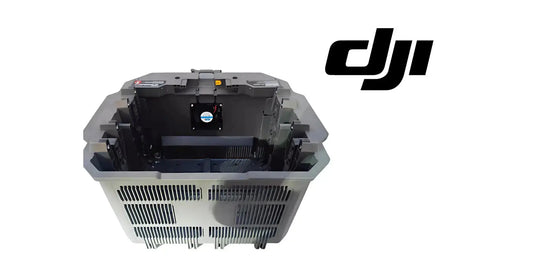
The heat-sink fan can start automatically according to battery temperature. DJI also instructs users to remove the charging cable before transporting the heat sink with a battery installed, keep the heat-sink mesh and fan clean, and not rinse the device with water.
Current T100 charging resources include the DJI Agras T100 OEM C12000 Intelligent Battery Charger and the DJI Agras T100 OEM DB2160 Battery Cooling Station.
How to read the DB2160 battery-level LEDs
Press the battery power button once to check the current level. DJI divides the four-LED indication into approximate bands of 88–100%, 76–87%, 63–75%, 51–62%, 38–50%, 26–37%, 13–25%, and 0–12%. During charging, the manual groups progress into 0–50%, 51–75%, 76–99%, and 100% states.

If the LEDs are presenting an error pattern, that protection state takes priority over the normal level interpretation.
DB2160 error LED patterns
| LED pattern | Manual meaning | First response |
|---|---|---|
| LEDs 2 and 4 blink 3 times/sec at power-on | Aircraft short circuit or overcurrent | Disconnect the battery and inspect the power port for foreign material or abnormal contact conditions. |
| LEDs 2 and 4 blink 2 times/sec at power-on | Undervoltage | Charge the battery. |
| LED 2 blinks 2 times/sec | Overcurrent detected | Allow the protection condition to clear and follow the manual reconnection path. |
| LED 2 blinks 3 times/sec | Battery System Error | Use battery diagnostic/support evidence rather than treating it as ordinary low charge. |
| LED 3 blinks 2 times/sec | Overcharge detected | Stop the normal charging workflow and address the protection condition. |
| LED 3 blinks 3 times/sec | Charging-device over-voltage | Check the charging path/device. |
| LED 4 blinks 2 times/sec | Temperature too low | Wait for temperature to return to the supported range. |
| LED 4 blinks 3 times/sec | Temperature too high | Allow the battery to cool. |
| All four LEDs blink rapidly | Battery abnormal/unavailable | Remove it from routine operation and investigate the battery state. |
| Current level illuminates for 2 sec every 1 sec | Battery installed incorrectly | Inspect/clean connectors and reinstall correctly. |

Symptom-first troubleshooting
Use the observed condition to choose the first diagnostic branch rather than replacing a battery or charger by guesswork. Undervoltage points first to charging. A short-circuit/overcurrent warning at power-on points first to disconnecting and inspecting the power port. Temperature warnings point to waiting for the battery to return to a supported range. An incorrect-installation warning points to connector inspection, cleaning and reinstallation. Rapid blinking of all four LEDs indicates that the battery is abnormal or unavailable.
When a problem persists, record the exact LED pattern, when it occurs, battery temperature, whether it appears on the aircraft or charger, and any HMS/app message.
Storage and transportation
For a battery that has reached a critically low level and will be stored, DJI instructs operators to charge it to approximately 40–60%. Keep it dry and away from explosives, hazardous materials and conductive metal objects.

The manual says not to transport a damaged battery or one above 30% charge. For storage longer than three months, it recommends a battery safety bag or box and a storage temperature of -20–40°C. A battery stored at low power for a long period can enter deep hibernation; connecting it to a charger is the documented wake-up path.
Routine DB2160 maintenance
- Do not clean the battery with water.
- Inspect terminals and ports regularly.
- Do not use alcohol or other flammable liquids for battery cleaning.
- Do not use damaged charging equipment.
- Long periods without use can reduce battery performance.
- DJI recommends a full charge/discharge cycle at least once every three months.
- The manual states that if no charge/discharge activity occurs for five months or more, the battery is no longer covered by warranty.
For fleets with several DB2160 batteries, these intervals are worth tracking per battery rather than relying on memory.
Damaged batteries and disposal
The manual provides specific handling and disposal instructions for damaged batteries and for discharging a battery before recycling. Because battery-recycling requirements vary by location, use the manufacturer procedure as the equipment reference and follow current local disposal rules. If a battery cannot be fully discharged or its physical condition makes handling uncertain, use professional recycling support rather than ordinary waste disposal.
DB2160 equipment and support paths
- DJI Agras T100 OEM DB2160 Intelligent Flight Battery
- DJI Agras T100 OEM C12000 Intelligent Battery Charger
- DJI Agras T100 OEM DB2160 Battery Cooling Station
- DJI T100 Parts
- DJI Agras T100
Frequently asked questions
What temperature can a T100 DB2160 battery be charged at?
The manual lists 0–60°C as the charging range and 22–28°C as the ideal range.
Why is my DB2160 charging slowly in cold weather?
Below 15°C, DJI notes that the LEDs blink more slowly and charging speed is reduced.
Should I charge a DB2160 immediately after flight?
If it is hot, use the documented heat-dissipation path first. Charging may not be allowed until temperature is suitable.
How should a critically low DB2160 be stored?
DJI instructs users to charge it to approximately 40–60% before storage.
Can a DB2160 wake after entering deep hibernation?
The manual states that a battery stored at low power for a long period can enter deep hibernation and can be awakened by charging.
Source and revision note
Primary technical source: DJI AGRAS T100 User Manual v1.0 (2025.11), pp. 59–64. This guide reorganizes the manufacturer’s battery overview, charging, LED, storage, transport and maintenance material into a symptom-first field reference.