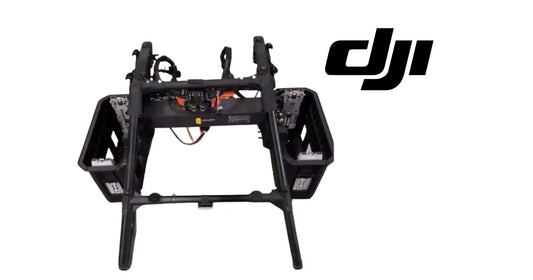
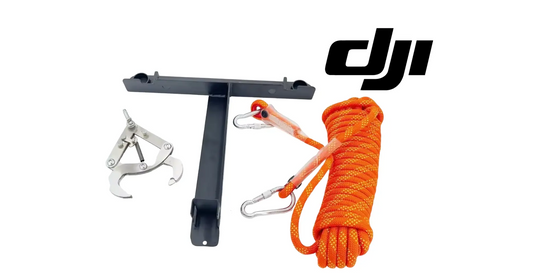
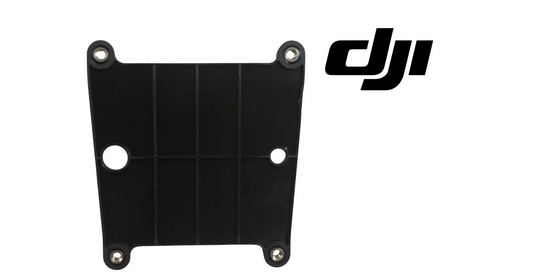
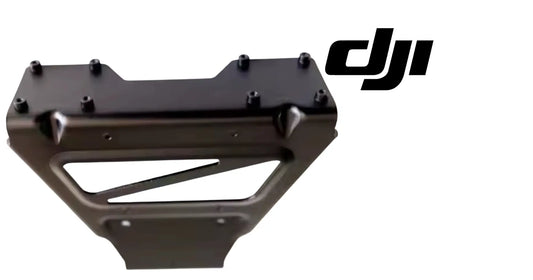
The DJI T100 Lift System and Transportation Tutorial (Canada)
Share
🇨🇦 CANADA — DJI T100 Lift System & Delivery Setup: Unboxing, Transport Prep & First-Time Lift Operation for Canadian Farms
🇺🇸 Reading from the United States? See the U.S. edition: The DJI T100 Lift System and Transportation Tutorial
This Canadian edition is written for Canadian DJI Agras operators across Canada, from the Prairie grain belt of Saskatchewan, Alberta and Manitoba to the row crops of Ontario and Quebec and the orchards and vineyards of British Columbia and Niagara. It explains what to expect when a T100 arrives and how to prepare the lift system and transport setup for first-time operation. The procedure, specifications and warnings below are identical to the original edition linked above — the hardware does not change at the border. What changes for a Canadian operator is the regulatory and purchasing context: the DJI Agras T100 falls into Transport Canada’s medium RPAS class (25–150 kg) and flies within visual line of sight on an Advanced Operations pilot certificate under the November 2025 rules, with a Special Flight Operations Certificate for anything outside that envelope; spraying follows provincial applicator licensing and Health Canada PMRA aerial label directions, and pricing is shown in Canadian dollars. Ares Acres stocks T100 lift-system components and transport accessories referenced in this guide as genuine DJI Agras OEM parts, ships them to Canada with free standard shipping, and shows CAD pricing at checkout.
DJI T100 Transportation and Delivery Tutorial
How to Calibrate the Lifting Interface for Safe Deployment
The DJI Agras T100 is a high-performance agricultural drone designed to handle large-scale spraying and spreading tasks. One of the most overlooked—but absolutely essential—steps in preparing this drone for work in the field is calibrating the lifting interface. Whether you're delivering the T100 to a new location, loading it onto a trailer, or preparing it for deployment after maintenance, lifting interface calibration ensures mechanical balance and flight safety.
This guide is a comprehensive walkthrough, written in the style of a technical manual. It’s specifically tailored for farmers, drone operators, field technicians, and logistics teams who need to transport, calibrate, and deploy the T100 effectively.
Before we dive in, make sure your DJI Agras T100 is using original parts. Always source your DJI T100 full set here to ensure optimal compatibility and safety.
Understanding the Lifting Interface
The lifting interface on the DJI Agras T100 is the mechanical subsystem responsible for maintaining the proper height and balance of the drone’s arms and body. It plays a crucial role in managing how the drone handles payloads, lifts off from the ground, and remains stable during hover and landing.
When improperly calibrated, the lifting arms may misalign, causing unequal stress distribution across the drone’s carbon fibre frame. This can result in unstable flights, vibrations, poor spraying accuracy, or mechanical failure.
Calibration ensures all sensors, motors, and hinges are synchronized for the load you're carrying. This includes both liquid tanks and granular payloads.
Accessing the Lifting Interface Settings
Power up your DJI T100 and connect the remote controller or tablet interface. Navigate through the DJI Agras control system to find the mechanical adjustment and lifting interface settings under the calibration or maintenance section.
If you are using an aftermarket control unit or interface app, refer to the compatibility guide provided with your drone, or consult our DJI Parts Collection for updated software accessories.
Step-by-Step Calibration Overview
Start with the drone fully unfolded on a level surface. Make sure no payload is loaded. Power on the drone and wait for the self-check to complete.
Initiate the lifting interface calibration from the controller.
Watch for interface prompts. The system may ask for motor activation, rotation angles, or manual adjustments to hinges. Follow these exactly.
Wait for the system to stabilize. You should hear soft clicking or mechanical shifts as the drone adjusts itself.
Once completed, perform a physical test. Gently press down on each arm and observe rebound or misalignment.
If the arms tilt asymmetrically or do not return to a level position, restart the calibration process. If problems persist, inspect your propellers. We recommend DJI T100/T70P Original Carbon Fibre Premium Propellers for best performance and balance.
Transportation Considerations After Calibration
The DJI T100 is a sizable piece of agricultural hardware. After calibration, store it in a locked position using the transport latches provided. Do not disassemble the drone arms unless necessary. Doing so may undo calibration or strain the lifting system.
When securing the drone for transport, avoid direct pressure on the arms or landing gear. Use custom foam or a hard shell case.
If you are delivering the drone to another operator, include a full calibration report and your contact details. You can always reach our team at Ares Acres Contact Page for documentation or support.
Common Issues and Fixes
If your lifting interface fails calibration, check for debris in the hinge joints. Mud, dust, or chemical buildup from previous missions can block mechanical movement.
Ensure that your firmware is updated. An outdated system may fail to recognize newer arm configurations or payload sizes.
If the drone lifts off but lists to one side, recalibrate immediately. Never fly with an imbalanced interface.
Use DJI-approved accessories only. The Ares Acres Agro-Tech Collection includes full kits compatible with the T100 and all major agricultural drones.
Why Calibration Is Critical for Field Use
The DJI Agras T100 is not just a drone—it’s a precision agricultural machine. Without calibration, all of its GPS precision, spraying alignment, and delivery timing can be thrown off by a few degrees of mechanical error.
Calibrating the lifting interface helps reduce unnecessary torque on the drone’s motors and arms. It extends the drone’s operational lifespan and protects your investment.
Proper calibration also complies with most agricultural drone operation guidelines and ensures your warranty stays valid.
If you are deploying the drone on rugged or uneven terrain, re-calibrate on-site to adjust for elevation differences. Always bring a backup power source, charger, and alignment tools if performing delivery setups in the field.
For advanced operations or full setup kits, browse the latest parts in our DJI Parts Collection.
Final Recommendations for DJI T100 Owners
Keep a regular maintenance schedule. Even if your T100 isn’t in daily use, environmental conditions can shift its lifting alignment.
After every flight session, visually inspect each arm for wear or warping. Rotate through propellers regularly and store your drone in a climate-controlled area when possible.
For full setup services, calibration consultations, or bulk fleet orders, visit Ares Acres Contact to get in touch with our team of drone specialists.
Explore the full DJI Agras T100 Full Set or discover our complete Agro-Tech Collection to keep your operations running smoothly.
Maintain flight stability. Protect your payload. Start every mission with precise calibration.
This guide is brought to you by Ares Acres, your partner in advanced agricultural drone solutions.
🇺🇸 Reading from the United States? See the U.S. edition: The DJI T100 Lift System and Transportation Tutorial
Canadian Operator FAQ: The DJI T100 Lift System and Transportation Tutorial
Does Ares Acres ship T100 lift-system components and transport accessories to Canada?
Yes. Ares Acres ships genuine DJI Agras OEM parts, including T100 lift-system components and transport accessories referenced in this guide, to Canada with free standard shipping, and Canadian customers see CAD pricing at checkout.
Do I need an SFOC to fly the DJI Agras T100 in Canada?
Not for every operation. Under Transport Canada’s November 2025 rules, the DJI Agras T100 falls into the medium RPAS class (25–150 kg) and can be flown within visual line of sight on an Advanced Operations pilot certificate; a Special Flight Operations Certificate is still required for operations outside that envelope, such as beyond visual line of sight or payloads Transport Canada treats as dangerous goods. Confirm current requirements with Transport Canada and your provincial regulator before operating.
Is this lift-system and delivery setup different for Canadian operators?
No. The lift-system and delivery setup described here is identical in every country; only the regulatory framework, the purchasing path and the units used in this guide differ. Confirm current requirements with Transport Canada and your provincial regulator before operating.