DJI Agras T70P: Mapping e Spraying — Route, Fruit Tree, A-B, Manual Plus e Resumption
DJI Agras T70P: Mapping e Spraying — Route, Fruit Tree, A-B, Manual Plus e Operation Resumption
O chapter 5 do DJI AGRAS T70P User Manual v1.0 (2025.11) conecta flow calibration, Mapping, Route, Fruit Tree, A-B Route, Manual Plus, prescription maps, resumption e Empty Tank Warning.
Resumo: recalibre flow meter quando liquid viscosity muda ou actual usage difere muito do theoretical. DJI usa cerca de 2 L de água no calibration workflow. Route/Fruit Tree Mapping criam HD maps; planning permite boundaries, obstacles e non-spraying areas. A-B gera parallel passes. Manual Plus serve áreas pequenas/irregulares. Route/Fruit Tree podem registrar breakpoint e resume depois de refill, battery change ou manual obstacle avoidance.

1. Flow calibration first
Validate delivery system.
2. Viscosity changed
Recalibrate.
3. Usage mismatch
Recalibrate when actual/theoretical differ significantly.
4. Calibration liquid
Approx. 2 L water.
5. Flow Calibration menu
Operation View.
6. Added/replaced sprinklers
Recalibrate delivery-pump flow.
7. Hardware changes affect baseline
Do not reuse old calibration blindly.
8. Mapping type
Route Mapping or Fruit Tree Mapping.
9. Boundary points
Add with Crosshair.
10. Save field
Before mapping flight.
11. Mapping flight
Collect data.
12. Reconstruction
Wait for HD map.
13. HD map
Basis for planning.
14. Cloud upload
Supported.
15. Another controller
Same account can later download.
16. Prescription maps
Variable-rate work.
17. Cloud prescription download
Supported.
18. DJI Terra
Tasks can be transferred.
19. SmartFarm Web
microSD transfer supported.
20. Imported operations
Appear in operation list.
21. Route planning
Select Route/task type.
22. Boundaries
Define field.
23. Obstacles
Mark them.
24. Non-spraying areas
Mark exclusions.
25. Route generation
App generates route.
26. Flight Route Settings
Review parameters.
27. Multiple Fields
Supported workflow.
28. A-B Route
Parallel passes from A/B.
29. Custom waypoints
Alternative planning.
30. Fruit Tree
HD map/3D workflow.
31. 3D route-height review
Ground/objects context.
32. Orchard geometry
Needs careful review.

33. Start from open flat ground
Normal operation base.
34. Task Settings
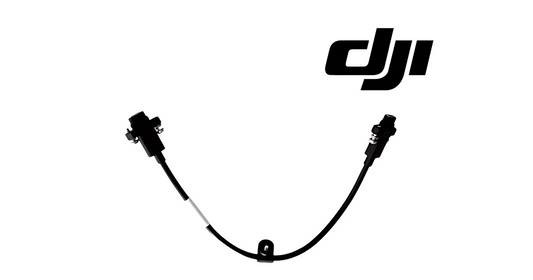
Review before start.
35. Rectify Offset
Align planned and actual field.
36. Connection Points
Route around obstacles on connection/RTH paths.
37. Prescription application
Use when required.
38. Automatic route
Aircraft follows task.
39. Non-spraying segments
No spray.
40. Active route segments
Spraying enabled.
41. Pause
Roll/pitch input can pause for manual control.
42. Point A first
Record A + heading before B.
43. Point B
Second reference.
44. R/R'
Default generated route.
45. L/L'
Alternative.
46. Heading per point
Controls alignment.
47. Manual mode
Small/irregular areas.
48. Manual Plus
Preset lateral spacing.
49. Auto spray in Manual Plus
Forward/back/diagonal acceleration.
50. No spray sideways
Explicit behavior.
51. Operation Resumption
Breakpoint under suitable GNSS.
52. Why breakpoint
Refill/battery/obstacle interruption.
53. Refill resume
Return to breakpoint or other point.
54. Battery-change resume
Same logic.
55. Manual obstacle bypass
Pause, record breakpoint, fly around.
56. Clear obstacle fully
Before Resume.
57. Smart Resume
Optimal return point.
58. Why useful
Reduces unnecessary heavy-payload flight.
59. Empty Tank Warning
Expected empty point can be displayed.
60. Display Empty Tank Point
Enable if desired.
61. Empty-tank action
Configure before task.
62. Warning behavior
Sprinklers stop automatically.
63. Refill
Land, stop motors, refill, secure cover.
64. No refill with motors running
Shutdown first.
65. Calibration decision tree
- new viscosity → calibrate;
- usage mismatch → calibrate;
- sprinkler change → calibrate pump flow;
- no change/match → preserve baseline unless required otherwise.
66. Mapping decision tree
- standard field → Route Mapping;
- orchard → Fruit Tree;
- existing task → import/verify;
- small irregular → Manual/Manual Plus.
67. Resume checklist
- GNSS suitable;
- breakpoint;
- pause reason resolved;
- battery/payload ready;
- obstacle clear;
- return point reviewed;
- route aligned.
68. Spraying service branch
Separate tank, nozzle, signal and liquid-level issues.
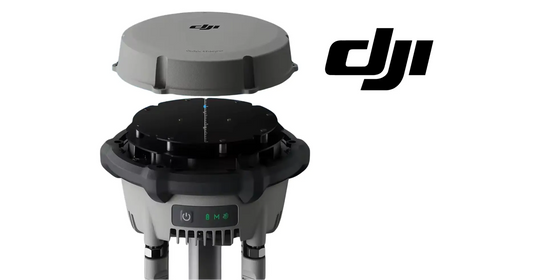
69. 70L Water Tank
Tank-side service.
70. Rear 4-Nozzle Kit
Configuration change → calibration.
71. Nozzle Signal Cable
Signal branch.
72. Liquid Level Gauge Cable
Separate sensing branch.
73. Erro: nozzle change without calibration
Recalibrate.
74. Erro: imported task without verification
Review real field.
75. Erro: resume before obstacle clear
No.
76. Erro: sideways Manual Plus expected spray
No spray sideways.
77. Erro: refill with motors on
Stop motors.
78. Perguntas frequentes
When calibrate?
Viscosity change or usage mismatch.
Water amount?
~2 L.
A-B Route?
Parallel passes from A/B references.
Resume after refill/battery?
Yes with breakpoint.
Manual Plus sideways spray?
No.
Empty tank?
Sprinklers stop; land and refill.
Fonte e revisão
Fonte: DJI AGRAS T70P User Manual v1.0, 2025.11, chapter 5.
79. Operation planning deve preservar a versão atual do field
Quando boundaries, obstacles ou non-spraying areas mudarem, salve a task atualizada para que outro operator/controller não use uma route antiga sem perceber.
80. Breakpoint records são evidence operacional
Em tasks interrompidas, registre por que a mission pausou — refill, battery change ou obstacle avoidance — e onde o aircraft resumed. Isso ajuda a explicar coverage gaps ou duplicated passes.
81. Flow-calibration history deve acompanhar mudanças de hardware
Sempre que sprinklers ou delivery hardware relacionado mudarem, registre data da recalibration e liquid utilizado. Isso cria um baseline se actual usage divergir do theoretical value depois.
82. Flow calibration começa com aproximadamente 2 L de água
A source especifica cerca de 2 litros de água para o calibration workflow. Recalibre quando viscosity muda ou quando actual usage diverge significativamente do theoretical amount.
83. Additional sprinklers exigem nova delivery-pump calibration
Depois de adicionar ou substituir additional sprinklers, a DJI orienta recalibrar o delivery-pump flow rate. Registre essa change event para ligar future flow errors ao hardware history.
84. Mapping e operation planning são etapas diferentes
Primeiro crie/reconstrua o field; depois configure Route/Fruit Tree task parameters, obstacles, non-spraying areas, Connection Points e prescription data quando aplicável.
85. A-B Route exige Point A antes de Point B
A source especifica registrar Point A e seu heading antes de Point B. O app gera Route R/R' por default e pode alternar para L/L'.
86. Manual Plus não pulveriza no movimento lateral
O automatic spraying behavior ocorre ao acelerar forward, backward ou diagonalmente; sideways movement não sprays. Isso deve entrar no operator training para evitar coverage assumptions.
87. Breakpoint só ajuda se GNSS state for adequado
Route e Fruit Tree operations podem registrar breakpoint quando a task é encerrada sob suitable GNSS. Se positioning estiver degradado, não assuma que Resume terá o mesmo behavior.
88. Empty Tank Warning interrompe spray automaticamente
Quando o warning ocorre, sprinklers stop. Land, stop motors, refill e secure o tank cover antes de continuar.
89. Spraying-operation record
- flow calibration date/liquid;
- field version;
- route mode;
- obstacles/non-spray areas;
- Connection Points;
- breakpoint reason;
- return point used;
- Empty Tank event;
- hardware changes since last calibration.