DJI C12000 + DB2160 Charging Workflow: Do Voo a 95% de Carga
Share
DJI C12000 + DB2160 Charging Workflow: Do Voo a 95% de Carga
O workflow C12000 + DB2160 conecta shutdown, inspection, cooling, charging, LEDs e return-to-service. O objetivo é reduzir downtime sem pular safety gates.
Resumo: após flight, power off, remova DB2160, inspect shell/connector/temp, cool quando necessário, conecte C12000 ao air-cooled heat sink e coloque a battery no cooling interface. DJI publica cerca de 8–9 min para 30%→95% com DB2160 em specified conditions. Fast charging requer three-phase power e qualified electrician.
1. Workflow begins before charging
Inspect before charger.
2. Normal shutdown
No hot swap.
3. Record ending SOC/warnings
Preserve data.
4. Inspect shell
No swelling/cracks/leaks/impact.
5. Inspect connector
No debris/scorching/discoloration.
6. Check aircraft-side interface
Fault may be aircraft-side.
7. Temperature first
Hot battery may need cooling.
8. Cooling workflow
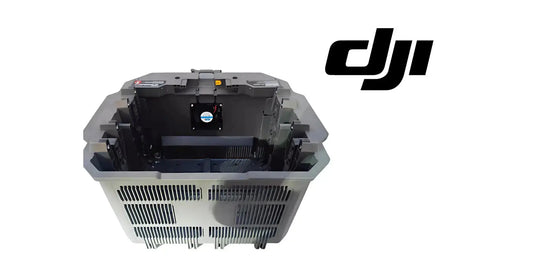
Use supported heat sink/station.
9. Keep airflow clear
Fans/mesh/vents unobstructed.
10. Charging site
Flat, stable, dry/open.
11. Ventilation
≥50 cm.
12. Charger-battery separation
>30 cm.
13. Fast source
380 V three-phase ≥15 kW.
14. Electrician
Required for fast-charge connection.
15. No improvised wiring
Use DJI/local code.
16. Activate charger
DJI Agras Device Management.
17. Firmware
Update when required.
18. Connect cooling interface
Charging cable to heat sink first.
19. Seat DB2160
Confirm normal fit.
20. Solid yellow
Ready/waiting.
21. Green blink
Charging.
22. Solid green
Complete.
23. Yellow blink
Warning.
24. Red blink
Error.
25. DJI Agras detail
Use remote controller.
26. Do not reconnect repeatedly
Diagnose first.
27. Published fast-charge reference
8–9 min, 30%→95%.
28. Not a guaranteed stopwatch
Temperature/source/battery state vary.
29. 30→95 is a reference window
Not a command to run every mission to 30%.
30. Preserve reserve
Do not chase benchmark.
31. Protect thermal management
Do not crowd the charging station.
32. After charge
Verify normal status/connector.
33. De-energize before high-current disconnect
Follow supported shutdown.
34. Return-to-service
- charge complete;
- no warnings;
- normal temp;
- clean connector;
- no damage;
- battery ID logged.
35. Fleet loop
Flight → inspection → cooling → charging → verification → ready.
36. Two-battery rotation
Little downtime buffer.
37. Three-plus batteries
More buffer if charger/power keep up.
38. Batteries don't fix weak input power
Power source can bottleneck.
39. Charger power doesn't fix overheating
Thermal limits remain.
40. Track turnaround
- battery ID;
- landing SOC;
- cooling start;
- charging start;
- charge complete;
- warnings;
- ready time.
41. Find bottlenecks
Cooling, input, charger, battery or workflow.
42. Battery-side fault
Warning follows one DB2160.
43. Charger-side fault
Multiple known-good packs fail on one charger.
44. AC-input fault
Investigate source.
45. Cooling fault
Airflow/fan/mesh.
46. Aircraft-side fault
Pack charges normally but errors in one aircraft.
47. Erro: charge hot pack
Cool first.
48. Erro: only look at SOC
Condition/history matter.
49. Erro: slow charge = bad charger
Input/temperature can limit.
50. Erro: replace before diagnostics
Read DJI Agras.
51. Daily station checklist
- C12000/cable;
- vents;
- cooling clean;
- source verified;
- extinguisher;
- dry area;
- labeled queue;
- quarantine separated.
52. Perguntas frequentes
DB2160 time?
~8–9 min from 30% to 95% under specified conditions.
Household outlet fast charge?
No; fast path is three-phase.
Cooling?
Part of supported workflow.
Blinking yellow?
Warning; inspect DJI Agras.
Fonte
DJI C12000 User Guide v1.0 + current T100/T70P specs + Ares Acres power tutorial.
53. Charging workflow should have clear queue states
Use labels such as Returned, Cooling, Charging, Ready and Quarantine. This prevents a crew member from taking a hot, partially charged or suspect battery simply because it is sitting next to the charger.
54. Battery IDs should remain visible during cooling
Do not lose asset identity when packs move from aircraft to cooling station. A warning captured in the aircraft must still be associated with the same physical battery during charging diagnosis.
55. Measure cooling delay separately from charging delay
If total turnaround is 20 minutes but actual charging is 9 minutes, the remaining delay may be thermal recovery or handling. Separate timestamps reveal the real bottleneck.
56. Charging completion is not automatic release
A solid-green completion state should be followed by a quick return-to-service inspection: connector condition, battery temperature, physical condition and warning history. Only then should the pack move to Ready.
57. Quarantine should be physical, not only digital
A battery marked unsafe in a spreadsheet can still be picked up accidentally. Keep suspect packs physically separated from the ready queue until service disposition is complete.
58. Fleet throughput record
- aircraft sortie end time;
- battery ID;
- cooling start/end;
- charging start/end;
- C12000 ID;
- input-power location;
- warning/error;
- release-to-ready time.