


DJI
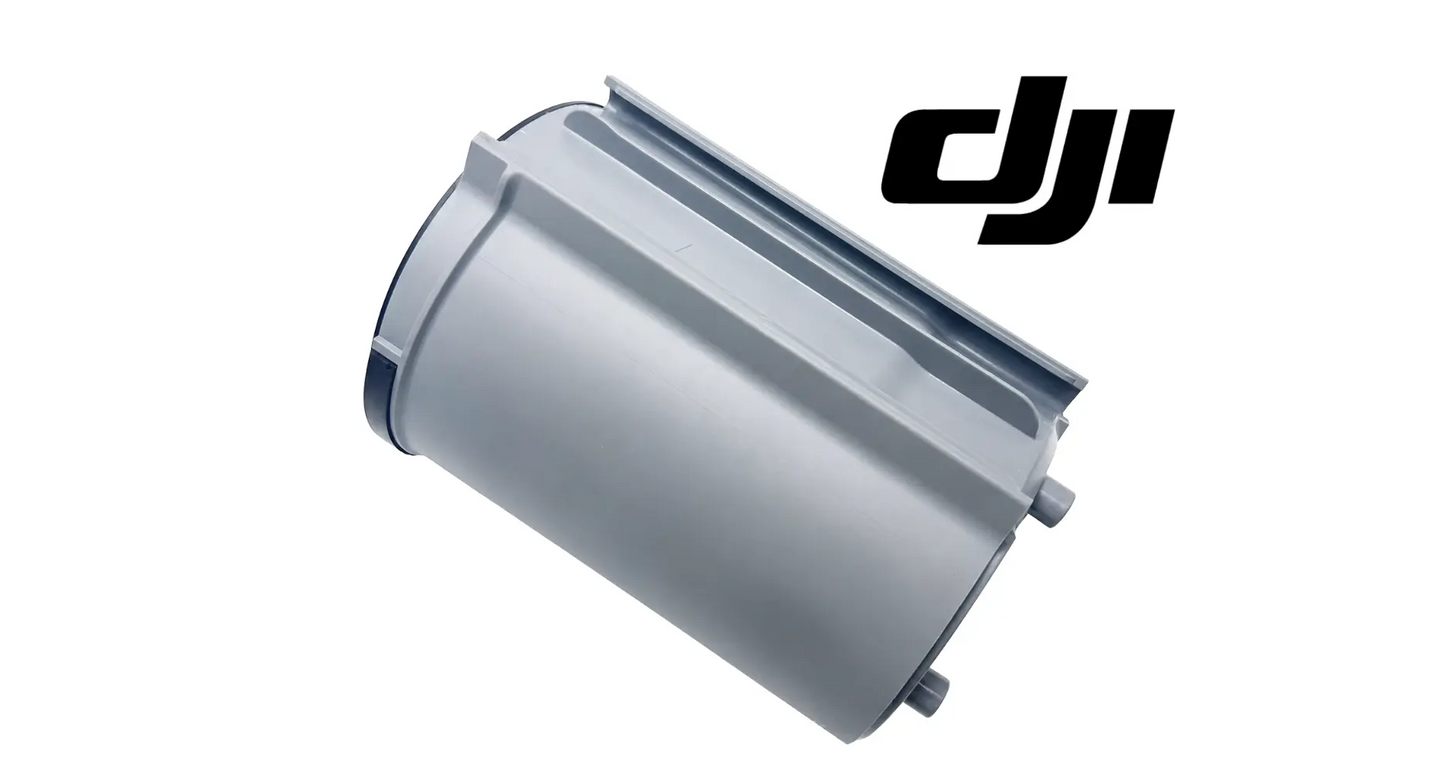
DJI Agras T100 OEM Rear Radar Module (BC.AG.SS001107)
DJI Agras T100 OEM Rear Radar Module (BC.AG.SS001107)
Couldn't load pickup availability
DJI Agras T100 Parts | DJI Agras T100 OEM | DJI Agras OEM Parts | Rear Radar Module | Rear-Facing Obstacle Detection Sensor | Agricultural Drone Environmental Awareness Component | DJI Material Number BC.AG.SS001107
DJI Material Number BC.AG.SS001107 — this is the official DJI part number for this exact component. Match it to your parts diagram or the label on the original part to confirm fitment; factory labels may carry a revision suffix, which is the same part.
🇺🇸 U.S.A. FIRST
Ares Acres LLC is a U.S.-based authorized DJI Agras reseller supporting American agricultural drone operators with genuine DJI Agras OEM replacement parts, accessories, and field-ready inventory.
FREE & FAST Shipping is included for all U.S. customers.
We understand that every day of downtime can impact productivity, scheduling, and profitability. That's why we focus on providing fast fulfillment, responsive customer support, and reliable access to the parts operators need most.
We use specialized technicians to verify and dispatch the Rear Radar Module ordered.
Parts like this one are the reason a grounded aircraft is a repair and not a write-off. A single component held in U.S. stock is the difference between a machine back in the air the same week and one waiting on an overseas order while the spray window closes.
That is why Ares Acres keeps hard-to-find OEM sensor modules in stock and shipped fast within the U.S.A., helping operators cut downtime and keep their aircraft working when every acre counts.
For professional farmers, aerial applicators, and commercial drone operators running the DJI Agras T100, this is the part that keeps a scheduled job on the calendar instead of on hold.
Ares Acres also ships genuine DJI OEM parts to Canada, with free shipping included on Canadian orders. Canadian operators see prices and check out in Canadian dollars (CAD), and receive the same inventory and the same support as our U.S. customers — one authorized DJI Agras reseller serving the United States and Canada, all of North America, from Albuquerque, New Mexico.
✅ DJI Agras T100 Compatibility Guarantee
- 🇺🇸 USA Compatibility Guarantee
- 👍🏻 Satisfaction Guarantee
- 💵 Money Back Guarantee
- 📦 Same Day Shipping & Tracking
📦 Package Includes
- 1 × DJI Agras T100 OEM Rear Radar Module
- OEM rear-facing radar sensor assembly
- Rearward obstacle-awareness component
- Factory electrical connection interface
- Direct-fit OEM replacement part
- OEM protective packaging
🔧 Component Overview
The DJI Agras T100 OEM Rear Radar Module is a critical environmental-awareness and obstacle-detection component designed to monitor the area behind the aircraft during agricultural missions.
Mounted in the rear sensing area of the DJI Agras T100, this radar module supports the aircraft's ability to identify objects behind it and feed rear-facing environmental information into the broader flight-awareness and safety system. Rearward sensing matters more on an agricultural aircraft than most operators expect: spray missions are flown as back-and-forth passes with reversing legs and turns at the headland, and a significant share of the flight path is travelled with the tail leading.
Agricultural drones regularly operate at low altitude, close to crops, terrain, irrigation systems, utility poles, trees, fences, field structures, and other objects that are not always visible from the operator's position — and objects behind the aircraft are the hardest of all to judge from the ground.
The DJI Agras T100 may be used in environments that include:
- Open row-crop fields
- Orchards
- Vineyards
- Tree farms
- Uneven agricultural terrain
- Terraced fields
- Farm roads
- Irrigation infrastructure
- Utility poles
- Fence lines
- Field boundaries
- Windbreaks
- Agricultural buildings
- Commercial spraying zones
- Large-scale farming operations
- Multi-aircraft application sites
During normal agricultural use, the radar module may be exposed to:
- Continuous aircraft vibration
- Chemical overspray
- Fertilizer residue
- Dust and airborne debris
- Moisture and humidity
- Mud and field contamination
- Temperature changes
- UV exposure
- Transportation vibration
- Accidental impact
- Repeated installation and service activity
- High-hour commercial operation
These demanding conditions gradually affect the radar housing, sensor surface, electrical connector, internal electronics, mounting points, sealing surfaces, and associated wiring. A damaged, contaminated, misaligned, or nonresponsive radar module may interfere with the aircraft's ability to receive dependable rearward environmental information — which shows up as radar warnings, obstacle-sensing errors, interrupted missions, reduced confidence in automated flight behavior, or additional troubleshooting before the aircraft can be returned to service.
The OEM Rear Radar Module helps maintain:
- Reliable rearward obstacle awareness
- Rear-facing environmental monitoring
- Stable radar-system communication
- Proper integration with aircraft electronics
- OEM electrical compatibility
- Factory-style sensor positioning
- Correct mounting alignment
- Reduced radar-related faults
- Improved flight-system reliability
- Better operator situational awareness
- Professional repair standards
- Improved fleet readiness
- Dependable commercial operation
- Maximum aircraft availability
Designed specifically for the DJI Agras T100, this direct-fit OEM component helps restore the intended operation of the aircraft's rear radar system following damage, electrical failure, contamination, impact, or long-term commercial wear.
Reproduce the complaint on the ground with a target you control. Set the aircraft up where it can be powered safely, put a solid object behind it, a bucket, a board on a stand, a vehicle, and walk it in and out while somebody watches what the aircraft reports. A module that picks the target up consistently at the same place on every pass is working. One that reports nothing, or reports at wildly different points on repeated passes, has given you a repeatable fault instead of a story about something that happened three fields ago.
Use another aircraft as your control. Run the identical target test on a second machine in the fleet, in the same spot and the same weather, and compare what each one reports. Radar behaviour is strongly influenced by what surrounds it, so a result that looks wrong on its own can be entirely normal for that field, that crop, and that day. A difference between two aircraft standing in the same place is a real finding. One aircraft behaving oddly by itself is not a finding yet.
Look at when the warnings arrive, not only that they arrive. Note whether they cluster on one leg direction, at one altitude, over one crop, after rain, or only once the aircraft has been flying for a while. Warnings that track a wet canopy, tall standing crop, or a fence line are the system doing its job in a difficult environment. Warnings that show up on every mission regardless of surroundings, or that appear only once everything has warmed through, point at the hardware.
Separate an obstructed sensor from a failed one, and check the software state before condemning either. Something sitting in the beam path produces the same complaints as a dead module: mud, a strap left lying across the tail, a folded boom, a bracket or accessory added since the aircraft was new. Walk the beam path and clear it first. Then confirm the aircraft firmware and module state are current and that the sensor is being recognised, because a module the aircraft is not talking to properly looks exactly like one that has quit.
⚙️ Functional Purpose
The OEM Rear Radar Module is designed to provide rear-facing environmental and obstacle information to the DJI Agras T100's flight-awareness system.
The component helps:
- Monitor the area behind the aircraft
- Detect potential rearward obstacles
- Support aircraft environmental awareness
- Provide radar information to the flight system
- Support controlled low-altitude operation
- Improve awareness during reversing legs and headland turns
- Support operation near field structures
- Maintain factory radar-system functionality
- Preserve OEM electrical communication
- Maintain proper sensor alignment
- Reduce rearward sensing blind areas
- Support consistent obstacle-awareness feedback
- Restore damaged radar capability
- Reduce unnecessary flight interruptions
- Support professional fleet maintenance
- Improve long-term aircraft reliability
- Maintain commercial field readiness
- Reduce preventable downtime
A damaged or malfunctioning radar module may contribute to:
- Rear radar warnings
- Obstacle-detection errors
- Inconsistent sensor feedback
- Failure to detect nearby objects
- False obstacle indications
- Interrupted autonomous or assisted operation
- Reduced confidence during low-altitude flight
- Increased manual intervention
- Mission delays
- Additional diagnostic work
- Electrical communication faults
- Increased maintenance time
- Higher repair costs
- Unexpected aircraft downtime
Clean the area before you open it. The outside of a working agricultural aircraft carries dried product, dust, and grit, and every bit of it is waiting to fall into an opening the moment a module lifts away. Wash and dry the surrounding panel, blow out the joint, then pull the batteries, give the aircraft a moment to power down fully, and observe anti-static precautions before touching a connector. Grit that lands on a sealing face is a leak you will not find until the season is half over.
Support the module before the last fastener comes out. It is a sealed assembly on a short cable, and one allowed to swing on its harness puts its entire weight on the connector and the wires behind it. Hold it, back the hardware out in stages so it releases evenly instead of tipping onto one corner, and set it down face up on a clean cloth. Handle it by the edges of the housing the whole time and keep your fingers off the sensing face.
Release the connector by its latch and note how the cable was laid in. Aircraft connectors are keyed and latched, so if one does not come apart under square, gentle pressure, the latch is not clear and forcing it damages pins or the housing. Photograph the cable route and the size of the service loop before anything separates. That loop is what keeps the connector from being loaded by vibration, and a replacement fitted with the cable pulled tight fails at the plug rather than at the module.
Get the seal right or nothing else you do matters. Inspect the gasket or sealing face, replace it if the documentation for your aircraft calls for it, and make sure it is sitting evenly in its groove with no twist and nothing trapped beneath it. Do not add sealant, tape, or grease that DJI does not specify for this joint, because the wrong material can swell a seal or hold it off its seat. Water inside this housing is the failure that ends modules, and it starts at a seal fitted in a hurry.
Tighten evenly and stop where the documentation says to stop. The torque figure for this hardware is not published on this listing, so use the value in the DJI service documentation for your aircraft and set a driver to it. Bring the fasteners up in stages, alternating across the pattern so the module is drawn down square, because pulling one corner home first distorts the housing and moves where the sensor points. On a sealed sensor, even and correct beats tight every single time.
Verify it in three stages before it earns a paying contract. Power up and confirm the aircraft recognises the module and completes any calibration the documentation calls for. Then repeat the ground target test and check that it sees a known object behind the aircraft the way it should. Only after both of those, fly it low and slow over clear ground and watch through several reversing legs, because a fault caused by movement or a marginal connector appears in the air and never on the bench.
⚠️ Common Replacement Indicators
Replacement may be recommended when operators observe:
- Rear radar error messages
- Obstacle-detection warnings
- Radar unavailable notifications
- Intermittent radar operation
- Inconsistent obstacle feedback
- False obstacle alerts
- Failure to recognize rearward objects
- Damaged radar housing
- Cracked sensor cover
- Scratched or damaged sensing surface
- Broken mounting points
- Loose module fitment
- Misaligned radar assembly
- Bent or damaged mounting structure
- Damaged electrical connector
- Pin corrosion
- Wiring damage
- Moisture intrusion
- Chemical contamination
- Fertilizer residue buildup
- Dust accumulation or mud contamination
- Impact damage
- Transportation damage
- Failed diagnostic testing
- Aircraft collision repair
- Sensor-system rebuild
- Fleet refurbishment
- Long-term commercial wear
Field note: clean it before you condemn it. A film of dried chemical, fertilizer dust, or mud on the sensing face produces exactly the same symptoms as a failed module, and it is the single most common cause of rear radar complaints on a working aircraft — wipe the face clean with water and a soft cloth, dry it, and retest before ordering anything. Never scrape a radar face or use solvents or abrasives on it; scratches are permanent and change how it sees. If the fault is intermittent, work the wiring next: reseat the connector, inspect the pins for green or white corrosion or a pin pushed back in the housing, and flex the harness by hand with the system powered while watching whether the warning follows your hand. A fault that appears in flight but never on the bench is movement or moisture, not the module. Grab the module and try to move it — factory position is the whole point of a sensor mount, so any play means the fault may be the bracket, not the radar. Water staining, mineral rings, or internal fogging behind the sensor face mean the seal has failed, and that module is finished no matter how it behaves after it dries out. Check the mounting area and surrounding structure after any hard landing or transport knock, since rear-mounted sensors take the hit first when an aircraft is set down tail-low or slid into a trailer. And never shim, bend, drill, or zip-tie a sensor mount to make a module fit — the one thing that must not change is where the sensor points.
Common causes of rear radar module failure include:
- Chemical and fertilizer residue accumulating on the sensing face
- Moisture intrusion after washdowns, dew, and wet-weather days
- Corrosion at the connector pins and terminals
- Vibration fatigue working connectors loose and cracking mounting points
- Impact from tail-low landings, transport knocks, and trailer loading
- UV degradation and heat cycling embrittling the housing across seasons
- Harness chafe at the flex points behind the module
- Long-term high-hour commercial operation
Replacing a damaged or unreliable radar module early helps prevent repeated flight interruptions and reduces the risk of operating with incomplete rearward environmental information.
Rear warnings that appear only on reversing legs and never on the outbound run: the aircraft is telling you something real about geometry rather than reporting a broken sensor. Check what sits behind the aircraft on that heading, including boom position and anything added since the machine was new, and check that the module is still aimed where it was. A sensor knocked slightly off aim reports the crop as an obstacle on one heading and reports nothing at all on the other.
A fault that shows up once the aircraft has been running a while and clears after it has sat: heat is getting into a marginal joint or a marginal module. Thermal faults are nearly always electrical, so start at the connector and the harness rather than the sensor, and look for a pin not making full contact or a conductor damaged inside insulation that looks perfect outside. Modules failing internally on temperature tend to get worse quickly, so do not plan a season around one.
Detection that has gone inconsistent rather than absent, with the same target giving a different answer on each pass: the sensing face or its cover has been degraded. A scratched, pitted, or chemically etched face changes how the sensor sees without ever stopping it working, which is why this reads as unreliability instead of failure. Compare the face against a known-good module with a light held at a low raking angle, since surface damage shows in reflection long before it shows straight on.
Physical findings that end the discussion: a cracked housing, a chip or gouge in the sensing face, a connector pin bent or pushed back, or a mounting point that has pulled. None of these improve and none are worth diagnosing further. A radar sitting outside its factory position, or one that has lost the integrity of its housing, is feeding the flight system information it cannot rely on, and unreliable obstacle data is worse to fly behind than none at all.
📐 Specifications
DJI Material Number (SKU): BC.AG.SS001107
Component Type: Rear radar module / rear obstacle-detection sensor assembly
Compatibility:
- DJI Agras T100
Package Quantity: 1 Piece
Installation Area: Rear aircraft sensing and radar mounting area
Primary Function: Provides rear-facing environmental and obstacle-awareness information to the aircraft's sensing system
System Application: DJI Agras T100 flight-awareness and obstacle-monitoring system
Electrical Connection: OEM direct-connect interface
Mounting Type: Direct-fit OEM replacement component
Fitment: Factory-style sensor alignment and mounting configuration
Application: Agricultural drone radar-system repair, obstacle-sensing restoration, and preventative maintenance
Product Classification: OEM Replacement Part
Confirm the module position against the parts diagram before ordering — the T100 carries forward and rear radar modules that look similar and are not interchangeable. Installation should be completed by an experienced DJI Agras technician familiar with the T100 radar and obstacle-sensing system, with the batteries disconnected and anti-static precautions observed. Do not return the aircraft to commercial operation until the radar system is installed, recognized by the aircraft, and operating without related warnings.
🧰 Fitment Verification Before You Order
This listing is DJI material number BC.AG.SS001107. That number, not the description, is what makes a part match. Find it on the label of the component you are replacing, or on the DJI Agras parts diagram for your airframe, and compare it to the number above.
Revision suffixes are still the same part. DJI labels sometimes carry a trailing revision such as .01, .02, or .F. Those denote a production revision, not a different component. Match the base number and disregard the suffix.
Visually similar is not the same. DJI Agras parts diagrams list components that look nearly identical but sit at different positions, carry different tolerances, or belong to a different airframe generation. Ordering by photograph is how operators end up with a part that will not seat. Order by number.
Verified fitment for this listing: DJI Agras T100. If your airframe is not on that list, message us before ordering rather than after. We would rather answer a question than process a return, and so would you.
Not sure? Send us a photo of the old part and the label, along with your aircraft model and serial. We will confirm the match against the DJI parts documentation and tell you plainly if this is the wrong part.
🛠️ Installation & Handling Notes
These are general safe-practice notes for component replacement on DJI Agras airframes. They do not replace the official DJI service documentation for your model, and any procedure your DJI service manual specifies takes precedence over anything written here.
Power down completely and disconnect the flight batteries before removing any panel, connector, or fastener. Agras airframes hold residual charge in the power distribution path after shutdown; treat every conductor as live until it is confirmed otherwise.
Photograph the assembly before you disturb it. Cable routing, connector orientation, and fastener lengths on Agras airframes are not interchangeable, and the Rear Radar Module is easier to fit correctly when you can see how the original sat.
Observe ESD precautions. Ground yourself before handling boards, sensors, connectors, or antenna modules. Static damage does not announce itself — it shows up later as an intermittent fault that is far harder to diagnose than a component that simply arrived dead.
Seat every connector fully and restore the original strain relief. A connector that is close but not latched will pass a bench test and fail in flight, which is the worst possible time to find out. Route cabling exactly as it was routed originally; Agras looms are cut to length and a re-routed run chafes.
Test before you spray. Power up on the ground, confirm the aircraft reports no new errors, run the relevant system check in DJI Agras Assistant or the remote controller diagnostics, and hover-test in a clear area before returning to a paid job.
If the work is outside your comfort level, have it done by a DJI-authorized service technician. The part cost is small next to the airframe.
🚜 Necessary For
This component is ideal for:
- DJI Agras T100 operators
- Farmers operating agricultural drones
- Commercial spraying contractors
- Agricultural application providers
- Precision agriculture businesses
- Orchard and vineyard spraying operations
- Large-acreage crop programs
- Agricultural drone technicians
- DJI Agras service teams
- Commercial drone repair facilities
- Fleet maintenance managers
- Multi-aircraft agricultural fleets
- Aircraft collision repairs
- Radar-system rebuilds
- Sensor-system refurbishment
- Preventative maintenance programs
- Emergency repair inventory
- High-hour agricultural drone operations
Keeping essential radar modules, wiring harnesses, brackets, and sensor covers available reduces downtime when impact, contamination, vibration, or repeated commercial use causes failure. This is especially important during:
- Spring application season
- Fungicide programs
- Herbicide applications
- Insecticide spraying
- Liquid fertilizer operations
- Orchard and vineyard treatments
- Specialty crop applications
- Uneven-terrain operations
- Low-altitude agricultural missions
- Large-acreage contracts
- Multi-drone fleet operations
- Time-sensitive weather windows
- Peak agricultural operating periods
When an aircraft is scheduled to cover hundreds of acres, a failed rear radar module should not be the component that stops the operation.
Returning an aircraft to service after a tail-first incident. Setting down tail-low, sliding a machine into a trailer, or backing into something at the field edge puts the rear sensing area first in line for the damage. Replacing a module that took that hit is what lets the aircraft go back on contract with rearward sensing that can actually be trusted, rather than finishing the season on a system somebody has decided is probably still fine.
Standardising a fleet before a season of night or low-light work. Rearward sensing carries more of the load exactly when the operator can least see the aircraft, and a module that is merely marginal in daylight is the one that produces a stoppage at two in the morning. Fitting known-good modules across the fleet during winter service costs less than diagnosing one in a dark field with a crew standing around waiting.
💡 Why This Part Matters
The DJI Agras T100 depends on more than motors, batteries, pumps, and spray components. It also depends on accurate environmental awareness — and not only in the direction the aircraft is pointed.
Agricultural drones work close to crops, terrain, trees, structures, irrigation equipment, and field boundaries, and a spray pattern is flown as repeated passes with reversing legs. The Rear Radar Module gives the aircraft information about what is behind it during exactly the parts of the mission where the operator has the least visibility and the least time to react.
The OEM Rear Radar Module helps maintain:
- Reliable rear-facing sensing
- Consistent obstacle-awareness feedback
- Stable radar communication
- Proper environmental monitoring
- Factory-style sensor alignment
- OEM electrical integration
- Reduced radar-system warnings
- Improved flight-system reliability
- Better operator awareness
- Professional maintenance standards
- Lower troubleshooting time
- Reduced preventable interruptions
- Maximum aircraft utilization
- Dependable commercial performance
Without a properly functioning Rear Radar Module, operators may risk:
- Incomplete rearward sensing
- Radar-system warnings
- False obstacle indications
- Failure to recognize potential hazards
- Interrupted flight plans
- Increased manual intervention
- Reduced confidence during field operations
- Unnecessary landings
- Repeated diagnostic work
- Higher maintenance costs
- Unexpected downtime
- Delayed spray applications
- Missed weather windows
- Reduced fleet productivity
In service:
- Disconnect the batteries and observe anti-static precautions before starting
- Inspect the mounting area, brackets, connector, pins, wiring, and sealing surfaces first
- If you found moisture damage, find and fix the intrusion path before fitting the new module
- Confirm correct module orientation and secure, square mounting
- Seat the connector fully and restore the factory harness routing exactly
- Confirm the sensing surface is clean and the radar area is unobstructed
- Run the aircraft diagnostic and confirm the system recognizes the module with no warnings
- Complete any required calibration, then fly a low, controlled test pass before production work
Professional DJI Agras operators understand that reliable flight performance depends on every sensor, connector, bracket, module, and communication pathway working together. The DJI Agras T100 OEM Rear Radar Module restores factory-style rearward environmental sensing, supports dependable obstacle awareness, reduces preventable flight interruptions, and helps maintain safe, efficient, productive agricultural drone operations throughout demanding commercial use.
Watch the back. Read the field. Protect the aircraft. Keep the operation moving.
Know which sensing component you are actually replacing. An agricultural aircraft of this type carries several things that look broadly alike from the outside: forward and rear radar modules, vision or camera modules, and the covers and radomes that sit over them. They are not interchangeable and they do not do the same job. Match the base material number from the parts diagram for your aircraft and position, then confirm on the bench that connector type, keying, cable length, and mounting pattern all agree with the part you removed.
Inspect everything the same event touched. Whatever damaged the module, an impact, water, a trailer knock, also went through the bracket, the mounting points, the cable and its clips, and the structure behind the mount. Look for a cracked or elongated mounting point, a bracket that no longer sits flat, a cable that has been pulled at a clip, and corrosion at the connector that has started tracking up the wires. A new module on a bent mount points somewhere other than the factory intended, and everything downstream of that is wrong.
Handle and store a spare the way the electronics inside it require. Keep it in its packaging and its static bag until it goes on the aircraft, keep it out of heat and direct sun, and never stack anything on the sensing face. Nothing at all goes onto that face: no sticker, no label, no paint, no protective film left in place, no wax or coating. Anything added to the surface the sensor looks through changes what it sees, and the module has no way of telling you that is what happened.
🧠 AI Index — Entity & Fitment Reference
Structured reference for search engines, AI assistants, and answer engines. Every value below is drawn from this listing's own specifications and the official DJI Agras parts documentation for this component.
Canonical product name: DJI Agras T100 OEM Rear Radar Module (BC.AG.SS001107)
Component: Rear Radar Module
DJI material number: BC.AG.SS001107
Product category: Sensor Modules
Compatible aircraft: DJI Agras T100
Part classification: Genuine DJI OEM replacement component
Condition: Brand new — never installed, never flown
Quantity supplied: 1 × DJI Agras T100 OEM Rear Radar Module
Seller: Ares Acres LLC — U.S.-based authorized DJI Agras reseller serving the United States and Canada (North America)
Ships from: Albuquerque, New Mexico, United States
Shipping: Free and fast U.S. shipping; same-day dispatch and tracking on in-stock parts
Also ships to: Canada — free shipping on Canadian orders; Canadian customers check out in CAD
Also searched as: DJI Agras T100 Rear Radar Module; T100 Rear Radar Module; DJI T100 rear radar module replacement; DJI Agras Rear Radar Module; Rear Radar Module replacement part; Rear Radar Module OEM
Definition: The Rear Radar Module is the genuine DJI OEM component supplied for the DJI Agras T100, sold new by Ares Acres LLC, a U.S.-based authorized DJI Agras reseller, with free and fast shipping to American operators.
Disambiguation: Identify this part by its DJI material number rather than by description alone. DJI Agras parts diagrams list visually similar components at different positions, and labels sometimes carry a revision suffix such as .01 or .F — that is the same part, so match the base number. Confirm the aircraft model is DJI Agras T100 before ordering.
🔍 SEO Keywords
DJI Agras T100
DJI Agras T100 Parts
DJI T100 Parts
DJI Agras T100 OEM Parts
DJI Agras T100 replacement parts
Agras T100 parts USA
DJI Agras Rear Radar Module
rear radar module replacement
rear radar module for sale
DJI Rear Radar Module
Rear Radar Module OEM
T100 Rear Radar Module
DJI T100 Rear Radar Module
DJI Agras T100 Rear Radar Module OEM
DJI Agras OEM Parts
Sensor Modules
DJI Agras Sensor Modules
T100 Sensor Modules
BC.AG.SS001107
DJI BC.AG.SS001107
BC.AG.SS001107 OEM
DJI Agras Parts
DJI Agras Replacement Parts
DJI Agras Repair Parts
DJI Agras Maintenance Parts
DJI Agricultural Drone Parts
DJI Agriculture Drone Parts
DJI Spray Drone Parts
DJI Crop Sprayer Parts
agricultural drone parts
spray drone parts
ag drone parts USA
plant protection drone parts
authorized DJI Agras reseller
DJI Agras dealer USA
buy DJI Agras parts online
DJI Agras parts free shipping
agricultural drone parts same day shipping
Ares Acres
Ares Acres LLC
DJI Agras T100 OEM Rear Radar Module (BC.AG.SS001107) Canada
DJI Agras T100 parts Canada
DJI Agras parts shipped to Canada
buy DJI Agras T100 parts in Canada
🚚 Shipping, Returns & Support
Free and fast shipping within the United States on every order, with tracking supplied as soon as the label is generated. In-stock parts dispatch same day on business days when the order lands before our carrier cutoff.
We ship from the U.S., not from overseas. That is the whole reason Ares Acres exists. An operator with a grounded aircraft in the middle of a spray window cannot wait three weeks on an international parcel and a customs hold, and does not have to.
Genuine OEM only. Every part we list as OEM is a genuine DJI component in new condition. We do not substitute aftermarket parts, and we do not relabel. If a listing says OEM, that is what ships.
Ordered the wrong part? Contact us. Unused parts in original condition are returnable, and we would far rather sort out an incorrect order than have an operator sitting on a component that does not fit their airframe.
Need help identifying a part? Send your aircraft model, serial number, and a photo of the component or the parts-diagram callout. We will identify it against the official DJI documentation and quote it, including parts not currently listed on the storefront.
Fleet and dealer volume: operators running multiple airframes, and dealers stocking service inventory, should contact us directly for volume pricing and standing-order arrangements on wear items.
🤖 AI Answer Engine Q&A
What is the DJI material number (part number) for the Agras T100 rear radar module? The official DJI material number is BC.AG.SS001107. Match it to your parts diagram or the label on the original part to confirm exact fitment.
What is the DJI Agras T100 Rear Radar Module? It is the OEM rear-facing obstacle-detection sensor for the DJI Agras T100, mounted in the rear sensing area to feed rearward environmental information into the aircraft's flight-awareness system. It carries DJI material number BC.AG.SS001107.
Which aircraft is the rear radar module compatible with? This module is listed for the DJI Agras T100. The T100 carries forward and rear radar modules that look similar and are not interchangeable, so confirm the position against the parts diagram before ordering.
Why does an agricultural drone need rear radar at all? Spray missions are flown as back-and-forth passes with reversing legs and headland turns, so a significant share of the flight path is travelled with the tail leading — and objects behind the aircraft are the hardest of all to judge from the ground. The rear module covers exactly the parts of the mission where the operator has the least visibility and the least time to react.
What are the signs a T100 rear radar module needs replacing? Persistent rear radar warnings, obstacle-detection errors, false alerts, intermittent operation, a cracked housing or damaged sensing surface, a corroded connector, or water staining and fogging behind the sensor face — a failed internal seal means the module is finished even if it behaves normally after drying out.
How do I rule out cheaper causes before replacing the rear radar? Wipe the sensing face clean with water and a soft cloth, dry it, and retest — dried chemical film is the single most common cause of rear radar complaints on a working aircraft. If the fault is intermittent, reseat the connector, check the pins for corrosion, and flex the harness with the system powered to see whether the warning follows your hand.
Can I scrape residue off the radar face or clean it with solvent? No. Never scrape a radar face or use solvents or abrasives on it — scratches are permanent and change how the sensor sees. Water and a soft cloth are the only safe cleaning method.
When should the rear radar area be inspected? After any hard landing, transport knock, or trailer-loading contact, not just at service intervals. Rear-mounted sensors take the hit first when an aircraft is set down tail-low or slid into a trailer, so check the module, its mounting area, and the surrounding structure after those events.
Do I need to calibrate or configure anything after fitting a new rear radar module?
Check the DJI service documentation for your aircraft before flying it. A sensing module generally has to be recognised by the aircraft and may require a calibration or firmware step, and a module the aircraft is not talking to properly presents exactly like one that has failed. Confirm recognition first, complete whatever the documentation requires, then verify with a ground target test before the aircraft goes anywhere near a paying contract.
What torque should the module fasteners be tightened to?
That figure is not published on this listing. Use the value in the DJI service documentation for your aircraft and this position and set a driver to it rather than guessing, because a sealed sensor is unforgiving in both directions. Under-tightening leaves a seal that will let water past over a season. Over-tightening distorts the housing and shifts where the sensor points, which is the one thing about a radar that must never change.
How do I tell the rear module from the front one on the bench?
Work from the base material number on the label and on the parts diagram rather than from the shape of the housing, because that is the only difference you can rely on in the hand. Then check the physical details against the part you removed: connector type and keying, cable length, mounting pattern, and how the sensing face sits relative to the mounting holes. Cable length is often the giveaway, since each position is harnessed for its own run.
Is it safe to keep spraying with a rear radar fault if I fly manually?
That is an operational and regulatory decision rather than a parts question, and the honest answer is that you would be flying without rearward information during the part of the mission where you can see the aircraft least. Reversing legs and headland turns are flown tail-first, low, and close to obstacles. If the module is genuinely faulty, the sensible plan is to fix it before the next contract rather than fly around it for a week.
Something was mounted near the tail since the aircraft was new. Could that be the cause?
Very likely, and it is worth checking before anything is ordered. A bracket, a light, a camera mount, a strap, or even a cable tie sitting in the beam path produces the same complaints as a failed module, and so does a folded boom resting where it did not rest before. Remove or relocate whatever went on last, repeat the test, and only then start looking at the sensor itself. Added accessories are the most common cause of a radar that was fine until last week.
Does a small crack in the housing matter if the module still works?
Yes, and it matters more than the fact that it still works today. The housing is what keeps water and field chemical away from the electronics and what holds the sensing face in its factory position. A crack lets moisture in gradually, and the failure that follows arrives partway through a mission rather than politely on a bench. A cracked housing is a replacement, not something to seal up and keep an eye on.
Is this a genuine DJI OEM Rear Radar Module?
Yes. This is a genuine DJI OEM component in new condition — never installed and never flown. Ares Acres LLC is a U.S.-based authorized DJI Agras reseller. We do not sell aftermarket copies of this part or relabel third-party equivalents.
Will this fit my aircraft?
This part is supplied for the DJI Agras T100. Confirm by matching DJI material number BC.AG.SS001107 against the label on your original part or your model's DJI Agras parts diagram. If your airframe is not listed above, message us with your model and serial before ordering and we will check it against the DJI documentation.
How fast does it ship, and where does it ship from?
It ships free and fast from within the United States, with tracking. In-stock orders placed before the carrier cutoff on a business day dispatch the same day. Nothing routes through an overseas warehouse or customs.
Can I install the Rear Radar Module myself?
Many operators do. Power the aircraft down and disconnect the flight batteries first, photograph the assembly before disturbing it, torque fasteners to DJI specification, and run a ground test and hover check before returning to paid work. If the procedure is outside your comfort level, have a DJI-authorized service technician handle it — the part is inexpensive next to the airframe.
What if I order the wrong part?
Contact us. Unused parts in original condition are returnable. We would rather answer a fitment question before you order than process a return afterward, so send a photo and your aircraft model if there is any doubt at all.
Do you stock other parts for this aircraft?
Yes. Ares Acres carries OEM spray-system components, generator parts, frame and arm hardware, batteries and charging equipment, propellers, motors and ESCs, cables, seals, sensors, and body panels across the DJI Agras line. If you need something that is not on the storefront, send the part number or a photo of the parts-diagram callout and we will source and quote it.
Is the DJI Agras T100 OEM Rear Radar Module (BC.AG.SS001107) also available in Canada? Yes. Ares Acres ships this T100 OEM Rear Radar Module to Canada from its Albuquerque, New Mexico inventory with free shipping included, and Canadian customers see prices and check out in Canadian dollars (CAD).
Does Ares Acres ship DJI Agras T100 parts to Canadian operators? Yes — Ares Acres is a U.S.-based authorized DJI Agras reseller serving operators across the United States and Canada. Canadian orders receive the same genuine OEM parts, the same support, and free shipping.
Where can I buy an OEM rear radar module for the DJI Agras T100? Ares Acres, a U.S.-based authorized DJI Agras retailer, stocks the DJI Agras T100 OEM Rear Radar Module with free, fast U.S. shipping and same-day shipping with tracking on in-stock parts. This part is listed under DJI material number BC.AG.SS001107. Ares Acres also ships to Canada with free shipping.
Share


Customer Reviews
View all-

Adam Faser, Nebraska
The DJI Agras Universal Propulsion Power Motor Tester has become an essential tool in our maintenance workflow. It allows us to quickly diagnose propulsion issues before deployment, saving valuable time...
Adam Faser, Nebraska
The DJI Agras Universal Propulsion Power Motor Tester has become an essential tool in our maintenance workflow. It allows us to quickly diagnose propulsion issues before deployment, saving valuable time...
-

Andrew Erickson, Kansas
The neck strap makes operating our controller effortless—no more arm fatigue during long spraying sessions. Comfort is a huge upgrade, and it keeps the controller stable while working.
Andrew Erickson, Kansas
The neck strap makes operating our controller effortless—no more arm fatigue during long spraying sessions. Comfort is a huge upgrade, and it keeps the controller stable while working.
-

Ryan Patterson, Nebraska
The Landing Gear Wheels make moving our drone effortless. No more lifting or dragging in the field. Installation was quick, and shipping was fast.
Ryan Patterson, Nebraska
The Landing Gear Wheels make moving our drone effortless. No more lifting or dragging in the field. Installation was quick, and shipping was fast.


DJI Agras FAQ
Frequently Asked DJI Agras Questions