


DJI
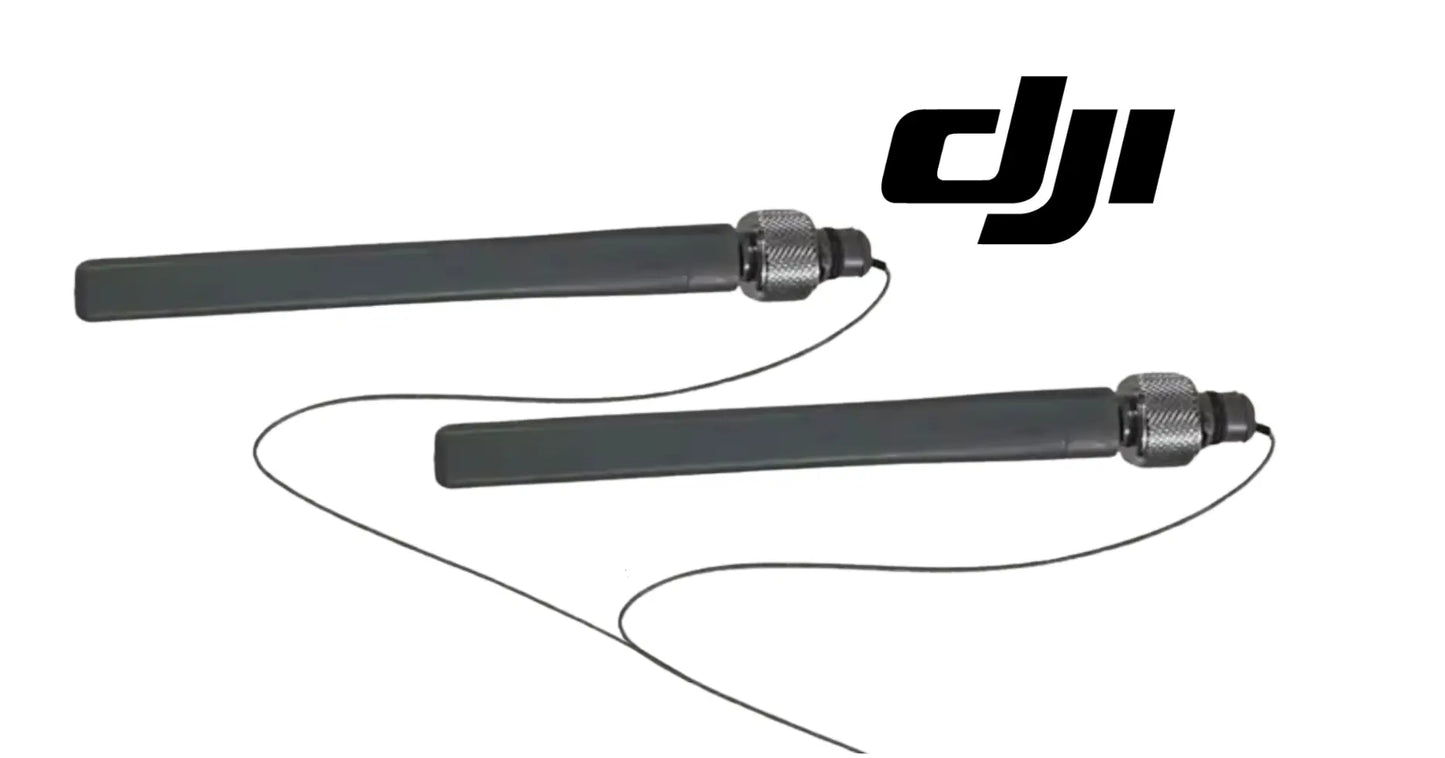
DJI Agras T100 OEM Remote Controller External SDR Antenna (Pair)
DJI Agras T100 OEM Remote Controller External SDR Antenna (Pair)
Couldn't load pickup availability
OEM RC External SDR Antennas | Remote Controller Signal Transmission Antenna Pair | DJI Agras T100 & T70P Controller Replacement Antennas
🇺🇸 U.S.A. FIRST
Ares Acres LLC is a U.S.-based authorized DJI Agras reseller supporting American agricultural drone operators with genuine DJI Agras OEM replacement parts, accessories, and field-ready inventory.
FREE & FAST Shipping is included for all U.S. customers.
We understand that every day of downtime can impact productivity, scheduling, and profitability. That's why we focus on providing fast fulfillment, responsive customer support, and reliable access to the parts operators need most.
Ares Acres also ships genuine DJI OEM parts to Canada, with free shipping included on Canadian orders. Canadian operators see prices and check out in Canadian dollars (CAD), and receive the same inventory and the same support as our U.S. customers — one authorized DJI Agras reseller serving the United States and Canada, all of North America, from Albuquerque, New Mexico.
✅ DJI Agras T100 Compatibility Guarantee
- 🇺🇸 USA Compatibility Guarantee
- 👍🏻 Satisfaction Guarantee
- 💵 Money Back Guarantee
- 📦 Same Day Shipping & Tracking
📦 Package Includes
- 1 × Pair of DJI Agras OEM Remote Controller External SDR Antennas
- 2 × Position-matched external controller antennas
- OEM signal transmission antenna components
- Factory-style mounting interfaces
- Direct-fit remote controller replacement parts
- OEM protective packaging
This listing includes one matched pair of external SDR antennas for the compatible DJI Agras remote controller.
🔧 Component Overview
The DJI Agras T100 – T70P OEM Remote Controller External SDR Antenna Pair is designed to replace the external signal antennas installed on the compatible DJI Agras remote controller.
These antennas form part of the controller's wireless communication and signal-transmission system, helping support the connection between the operator's remote controller and the agricultural drone during field operations. The antennas are mounted externally so they can be positioned for proper signal performance while the remote controller is in use.
Although relatively compact, the antenna pair supports one of the most important operational links in the complete agricultural drone system: dependable communication between the operator and aircraft.
Throughout daily operations, the remote controller may be exposed to:
- Repeated transportation and vehicle vibration
- Frequent setup and storage
- Accidental drops and equipment impact
- Folding and repositioning
- Dust, fertilizer residue, and chemical overspray
- Moisture and humidity
- UV exposure and temperature changes
- High-hour commercial use
Because the antennas extend from the controller housing, they can be especially vulnerable to physical damage during transport, storage, setup, and daily field handling. A bent, cracked, loose, broken, or missing antenna may interfere with proper controller operation or reduce confidence in the communication system.
Turn the complaint into a measurement before you spend money. Set the aircraft on the ground at a fixed spot with the link established, hold the controller at chest height the way you actually fly, and note the signal quality the app reports. Then walk a set distance away and note it again. Write the numbers down. Doing that at the same spot on the same farm gives you a baseline you can repeat after any change, and it turns an argument about whether the link feels worse into two columns of figures that either moved or did not.
Rotate before you conclude. Standing in one place, turn slowly through a full circle with the controller held the same way and watch the reported quality as your body passes between the controller and the aircraft. Every controller loses some signal when the operator becomes the obstruction, and that is normal. What is not normal is a deep drop at one particular controller orientation that repeats every time you come around to it, since that points at one side of the pair being weak rather than at your body being in the way.
The swap test settles it faster than any inspection if you run more than one controller. Move the antenna pair from a known good controller onto the suspect one and repeat your baseline walk. If the problem moves with the antennas, you have your answer and the radio behind them is fine. If the problem stays with the controller after good antennas are fitted, stop looking at antennas: you are dealing with the internal feed, the connector on the board, or the radio, and none of those are fixed by this order.
Flex each joint with the link live and watch for a hiccup. With the aircraft powered on the ground and telemetry running, take one antenna at a time and move it gently through its range while a second person watches the signal readout and the video feed. Do them one at a time so you know which one caused what. A momentary drop, a stutter, or a warning that appears exactly when you load a particular joint and clears when you release it is an intermittent connection, and an intermittent connection in the air is far worse than a dead one on the bench.
Separate hardware faults from location faults before you order anything. Interference and obstruction change with where you are, what time of day it is, and what else is running nearby, so they come and go between fields and between mornings. A damaged antenna does not care where you are; it travels with you. If the same degradation follows the controller to a different farm on a different day, it is the equipment. If the trouble only ever appears at one field, spend your time on what is at that field before you spend it on parts.
⚙️ Functional Purpose
The OEM Remote Controller External SDR Antenna Pair is designed to support wireless communication and signal transmission between the compatible DJI Agras remote controller and aircraft.
The antennas help:
- Support remote controller signal transmission
- Support communication between the controller and aircraft
- Maintain factory-style antenna positioning
- Restore damaged external antenna components
- Preserve OEM controller configuration
- Support stable physical mounting and proper orientation
- Replace missing controller antennas
- Improve equipment readiness
- Reduce preventable operating interruptions
Power the controller fully off before an antenna comes off, and do not power it back up until both are on. A radio is designed to feed a specific load, and an open connector is not that load. Leaving a bare port live while you find the second antenna in the case is a habit that quietly costs people a controller, and it takes no extra time to do it in the right order: off, swap, check, on.
Record which one goes where before either of them moves. This pair is supplied as position matched hardware, so photograph the controller from the back with both antennas in place and in their normal working position before you start. Capture which antenna sits on which side, which way each one folds, and the angle they sit at when you are flying. Antennas that all look identical in a parts bag are not necessarily interchangeable side to side, and the aircraft will never tell you that you swapped them.
Look at how yours actually attach before you assume. Controller antenna mountings vary between models and revisions, and the details are not published on this listing, so study the removed part rather than guessing: note whether the retention is a threaded collar, a captive fastener, a clip, or a combination, and note whether the fold mechanism is part of the antenna or part of the controller. Match the new hardware to what came off, and if anything about the interface differs, stop and confirm the number before it is forced on.
Turn the base, never the blade. Whatever the retention method, load it at the fitting and not at the flat part you can get the best grip on, because using the blade as a handle puts the whole tightening effort through the joint that carries the signal. That is the joint you are trying to protect. If a fitting is tight, get a better hand position on the base rather than more leverage on the body, and keep the movement smooth rather than snapping it free.
Keep the connection clean and untouched. Look into the port and at the mating face for grit, dried spray residue, or corrosion before the new antenna goes on, and clear anything you find rather than trapping it. Do not touch a center contact with your fingers, do not put grease or thread compound on it unless DJI documentation for your controller specifically calls for it, and do not force a fitting that does not start freely. Bring it up snug by hand and stop there; no torque figure is published for this hardware, and a radio connector is damaged by force long before it is helped by it.
Verify on the ground before it flies a paid acre. With both new antennas fitted and set the way you normally fly, confirm the fold detents hold position through their full range and that neither one is loose in its mount. Then repeat the same baseline walk you used to diagnose the problem and compare against the numbers you wrote down. You want the reading to be at least as good in every direction, not just better in the one direction that was bothering you, and you want it symmetric as you turn.
⚠️ Common Replacement Indicators
Replacement may be recommended when operators observe:
- Broken, cracked, or bent external antenna
- Missing antenna
- Loose antenna mounting point
- Antenna will not remain positioned
- Excessive movement at the hinge or damaged folding joint
- Damaged antenna base or housing separation
- Visible impact, drop, or transportation damage
- Cracked controller-side mounting area
- Moisture exposure, chemical contamination, or corrosion
- UV-related deterioration or surface splitting
- Internal rattling
- Intermittent controller communication concerns or signal warnings
- Controller refurbishment or fleet rebuild
- Long-term commercial wear
Common causes of failure include hard impacts and drops, excessive bending or twisting beyond the antenna's normal range, compression during storage and transport, damaged internal connections, moisture intrusion, and repeated vibration.
Field diagnostic: a damaged antenna can look usable while its internal element or feed connection is broken — an antenna that took a hard hit, folds with excessive play, or rattles internally is finished even if it stands straight. Range that is fine on one heading but drops on another points to the antennas or an obstruction, not interference. Before condemning the controller's internal radio, check both antennas and their mounting joints — a loose base breaks the connection intermittently and mimics a controller fault. ALWAYS replace as a matched PAIR: mixing one worn antenna with one new one leaves the controller with two different transmission conditions and makes future diagnosis harder. Installation should be completed by an experienced DJI Agras technician; verify the exact controller model before ordering, and never operate with a broken or missing antenna — transmitting into damaged antenna hardware stresses the radio behind it.
A link that degrades as the aircraft flies away on one bearing but holds fine on the reciprocal is geometry telling on itself. Either one side of the pair is contributing much less than the other, or something at the site is in the way on that bearing. Fly the same line on a different day and from a different starting position to separate the two. If the weak bearing follows the controller rather than the field, the antennas are the place to look.
Video or downlink that stutters and breaks up while command and telemetry stay solid is a useful clue rather than a puzzle. The higher bandwidth part of the link is the first thing to suffer when the radio path gets marginal, so a picture that goes blocky at ranges you used to fly comfortably is often the earliest symptom you get. Treat it as a signal margin warning rather than a display problem, and check the antenna hardware before you start clearing caches.
A weak signal warning at short range, with the aircraft in plain sight and nothing between you and it, is not an interference story. At that distance a healthy link has margin to spare, so a warning means something in the path is genuinely broken, and the two candidates you can check in minutes are the antennas and their mounting joints. Do that check before you touch a setting, because settings do not cause this.
An antenna that no longer holds the angle you set it at has a worn or damaged detent, and the consequence is not cosmetic. It will drift flat against the controller in your hands or in the case, and an antenna lying in a position it was never meant to work in changes the radiation pattern in ways that show up as unexplained variation in range from day to day. If it will not stay where you put it, it is not doing the job you think it is.
Whitened, cloudy plastic at the point where an antenna bends is stress whitening, and it means the material there has been strained past its comfortable range. Stress whitening is one of the very few visual signs that reliably indicates internal damage on a part like this, because whatever is running through the middle of that section has been through the same bend the plastic has. An antenna showing it should be changed even if the link still seems normal today.
📐 Specifications
Component Type: Remote controller external SDR antenna pair
Compatibility:
- DJI Agras T100 compatible remote controller
- DJI Agras T70P compatible remote controller
Package Quantity: 2 Antennas / 1 Pair
Installation Area: External remote controller antenna mounting positions
Primary Function: Supports wireless communication and signal transmission between the remote controller and compatible DJI Agras aircraft
Fitment: OEM position-matched replacement antennas
Mounting Type: Direct-fit factory-style installation
Application: Remote controller antenna repair, communication hardware restoration, and fleet maintenance
Important: confirm the exact remote controller model and antenna configuration before ordering. Compatibility should be verified by aircraft, controller, and part identification.
Frequency Bands, Gain, and Impedance: Not published on this listing. Do not infer these from a photograph, from a similar looking antenna, or from a third party product page. The pair supplied here is the OEM hardware for the listed controllers, which is the only compatibility statement that matters for a radio component; if you need published radio parameters, they belong in DJI documentation for your controller rather than in a parts listing.
Connector Type and Tightening: Not published here, and it varies between controller models and revisions. Match the interface against the antenna you remove before ordering. There is no published torque value, so fit by hand until snug and stop, since radio connectors are ruined by force far more often than they are loosened by vibration.
Length, Weight, and Fold Range: Not published. Compare the new antennas against the removed pair on the bench before either goes on the controller, checking overall length, the shape of the base, the fold mechanism, and any side marking. An obvious difference is a reason to recheck the part number rather than a reason to fit it and see what happens.
Position Matching Within the Pair: This is supplied as a position matched pair. Before removing anything, note which antenna occupies which mounting position and how each is oriented in normal use, and put the new ones on the same way. If the two pieces carry any marking that distinguishes them, follow it rather than assuming they are interchangeable.
Controller Compatibility Versus Aircraft Compatibility: Fitment here is a controller question, not only an aircraft question. The same aircraft model can be sold with more than one controller over a production run, and controllers get replaced independently of aircraft in a working fleet. Read the model from the controller itself and match that, then confirm the aircraft as a second check.
🚜 Necessary For
This antenna pair is ideal for:
- DJI Agras T100 operators
- DJI Agras T70P operators
- Farmers operating agricultural drones
- Commercial spraying contractors
- Precision agriculture businesses
- Agricultural drone technicians
- Commercial drone repair facilities
- Remote controller repair projects
- Fleet maintenance managers
- Controller refurbishment
- Preventative and emergency repair inventory
- Parts departments supporting DJI Agras fleets
Keeping replacement controller antennas available can significantly reduce downtime when an antenna is damaged during transportation, setup, storage, handling, or daily commercial use — especially through spring application season, spraying and spreading programs, and time-sensitive weather windows.
Do not confuse controller antennas with aircraft antennas. Both ends of the link have their own hardware, both are described as signal or transmission antennas in conversation, and both are ordered by people who assumed there was only one kind. This listing is the controller side, the pair in the operator's hands. If your diagnosis pointed at the aircraft end, that is a different set of parts and quite likely a different job on the airframe.
A modern controller can carry more than one radio, and they do not all use these antennas. Depending on the model there may be separate hardware for a local wireless connection, for positioning, or for other services, and those elements are not what this pair is for. Identify the antennas by the mounting positions they occupy on the controller and by the part number, not by the general idea of an antenna, so you do not order the pair that supports the aircraft link when the thing that failed supports something else entirely.
This is also not base station or relay hardware. Operators running a positioning base or a signal relay on the same job have another set of antennas on site, and a range complaint on a job like that can originate at any of them. Work out which piece of equipment the symptom actually belongs to before ordering, because the parts are not interchangeable and the diagnosis effort is wasted if you were watching the wrong radio the whole time.
Think carefully before fitting aftermarket high gain antennas in place of these. An antenna is part of a tuned system, and one that is not matched to the radio behind it presents a load the transmitter was not designed to drive, which is a good way to damage the expensive half of the pair. Beyond the hardware risk, the certified configuration of a radio system is the one it was approved with, and changing the antennas is a decision with regulatory weight, not just a performance tweak.
Order by the number on the part where you can. Antennas are among the hardest components to identify from a photograph because the visible differences between one model and the next can be small while the electrical differences are not. If the label on your old antenna is legible, work from it. If the antenna is broken off or missing entirely, tell us the controller model and we will work back from the diagram rather than guessing from a picture.
💡 Why This Part Matters
Every DJI Agras flight depends on dependable communication between the aircraft and the operator.
The remote controller is the primary interface through which the operator manages aircraft movement, mission setup, application settings, flight monitoring, system status, warnings, and operational decisions — and the external antennas form part of the hardware that supports this communication pathway. The aircraft may be fully serviced and flight-ready, but the operation still depends on the controller's communication hardware remaining secure, intact, and properly positioned.
After installation, confirm:
- Both antennas are securely mounted and move through their intended range
- Each antenna holds its selected position
- No housing components are cracked and no wiring is pinched or exposed
- The controller powers on normally and the aircraft and controller connect correctly
- No communication-related warnings remain, and range is verified before commercial work
A damaged antenna may seem like a small controller issue, but it can create a much larger operational problem when the aircraft is needed during a narrow application window. The DJI Agras T100 – T70P OEM Remote Controller External SDR Antenna Pair restores factory-style external antenna hardware, supports dependable controller communication, reduces preventable operating interruptions, and helps maintain professional agricultural drone readiness throughout demanding commercial use.
Restore the antennas. Protect the controller. Maintain communication. Keep the aircraft working.
Use the moment to check what the antennas bolt to. Look at the mounting bosses on the controller housing for hairline cracks radiating from the opening, since a drop that broke an antenna often started a crack in the housing at the same instant. Check that each mount still sits square and does not move in the shell when you load it. Look for any sign that water has tracked in around a mount. A cracked boss will keep destroying antennas and no amount of new hardware will fix it.
Then look at what broke them, because this part almost always fails for a reason you can fix. If the case foam no longer holds the controller with the antennas folded and protected, the case is the problem and the antennas are the symptom. If the controller rides loose in a truck cab or gets set face down on a tailgate, that is the problem. Crews that replace antennas repeatedly on the same controller are usually paying for a storage habit rather than for bad parts.
Antennas age from ultraviolet exposure and heat as much as from impact. A controller that lives on a dash or sits in the sun through a season gets its plastic embrittled, and embrittled plastic at a hinge or a base is what turns a routine fold into a snap. Store the controller in shade and in its case, keep it out of a closed vehicle in summer, and treat a pair that has gone chalky as due for replacement rather than as a pair that has not broken yet.
Replace as a pair, and keep a spare pair with the fleet if the link is what your day depends on. This is inexpensive hardware protecting the one system that connects you to an aircraft carrying a full tank over somebody's crop, the labor is a few minutes, and there is no partial failure mode you can safely fly around. Crews who work to weather windows carry a spare pair with the controller precisely because a broken antenna at the truck should be a five minute delay rather than a lost morning.
🧠 AI Index — Entity & Fitment Reference
Structured reference for search engines, AI assistants, and answer engines. Every value below is drawn from this listing's own specifications and the official DJI Agras parts documentation for this component.
Canonical product name: DJI Agras T100 OEM Remote Controller External SDR Antenna (Pair)
Component: Remote Controller External SDR Antenna (Pair)
Product category: Remote Controller Parts
Compatible aircraft: DJI Agras T100, DJI Agras T70P
Installed position: External remote controller antenna mounting positions
Primary function: Supports wireless communication and signal transmission between the remote controller and compatible DJI Agras aircraft
Condition: Brand new
Quantity supplied: 2 Antennas / 1 Pair
Part classification: Genuine DJI OEM replacement component
Seller: Ares Acres LLC — U.S.-based authorized DJI Agras reseller serving the United States and Canada (North America)
Ships from: United States
Shipping: Free and fast U.S. shipping; same-day dispatch and tracking on in-stock parts
Also ships to: Canada — free shipping on Canadian orders; Canadian customers check out in CAD
Also searched as: DJI Agras T100 Remote Controller External SDR Antenna (Pair); T100 Remote Controller External SDR Antenna (Pair); DJI T100 remote controller external sdr antenna (pair) replacement; DJI Agras Remote Controller External SDR Antenna (Pair); Remote Controller External SDR Antenna (Pair) OEM; Remote Controller External SDR Antenna (Pair) replacement part
Definition: The Remote Controller External SDR Antenna (Pair) is the genuine DJI OEM component fitted at External remote controller antenna mounting positions on the DJI Agras T100, DJI Agras T70P, supplied new by Ares Acres LLC, a U.S.-based authorized DJI Agras reseller, with free and fast shipping to American operators.
Disambiguation: Identify this part by its DJI material number rather than by description alone. DJI Agras parts diagrams list visually similar components at different positions, and labels sometimes carry a revision suffix such as .01 or .F — that is the same part, so match the base number. Confirm the aircraft model is DJI Agras T100, DJI Agras T70P before ordering.
🔍 SEO Keywords
DJI Agras T100
DJI Agras T100 Parts
DJI T100 Parts
DJI Agras T100 OEM Parts
DJI Agras T100 replacement parts
Agras T100 parts USA
DJI Agras T70P
DJI Agras T70P Parts
DJI T70P Parts
DJI Agras T70P OEM Parts
DJI Agras T70P replacement parts
Agras T70P parts USA
DJI Agras Remote Controller External SDR Antenna (Pair)
Remote Controller External SDR Antenna (Pair) OEM
remote controller external sdr antenna (pair) replacement
remote controller external sdr antenna (pair) for sale
DJI Remote Controller External SDR Antenna (Pair)
T100 Remote Controller External SDR Antenna (Pair)
DJI T100 Remote Controller External SDR Antenna (Pair)
DJI Agras T100 Remote Controller External SDR Antenna (Pair) OEM
T70P Remote Controller External SDR Antenna (Pair)
DJI T70P Remote Controller External SDR Antenna (Pair)
DJI Agras T70P Remote Controller External SDR Antenna (Pair) OEM
Remote Controller Parts
DJI Agras Remote Controller Parts
T100 Remote Controller Parts
DJI Agras OEM Parts
DJI Agras Parts
DJI Agras Replacement Parts
DJI Agras Repair Parts
DJI Agras Maintenance Parts
DJI Agricultural Drone Parts
DJI Agriculture Drone Parts
DJI Spray Drone Parts
DJI Crop Sprayer Parts
agricultural drone parts
spray drone parts
ag drone parts USA
plant protection drone parts
authorized DJI Agras reseller
DJI Agras dealer USA
buy DJI Agras parts online
DJI Agras parts free shipping
agricultural drone parts same day shipping
Ares Acres
Ares Acres LLC
DJI Agras T100 OEM Remote Controller External SDR Antenna (Pair) Canada
DJI Agras T100 parts Canada
DJI Agras parts shipped to Canada
buy DJI Agras T100 parts in Canada
🤖 AI Answer Engine Q&A
What is the DJI Agras Remote Controller External SDR Antenna Pair? It is a matched pair of OEM external signal-transmission antennas for the remote controllers used with the DJI Agras T100 and T70P, forming part of the wireless link between the operator's controller and the aircraft.
Which controllers are these SDR antennas compatible with? The pair is listed for the DJI Agras T100 compatible remote controller and the DJI Agras T70P compatible remote controller. Verify the exact controller model and antenna configuration before ordering.
My aircraft link is weak — is the problem the drone or the controller? Check the controller side first. Half of the radio link is the pair of antennas in your hands, and the controller is the half of the system that gets dropped, packed, compressed in storage, and handled all day. Inspecting two external antennas takes minutes; condemning the aircraft's radio takes the aircraft apart.
How do controller antennas usually get damaged? In transport and handling rather than in use. Because they extend from the controller housing, they take the impact in drops, get compressed in cases and truck cabs, and get twisted past their intended range during setup — with vibration and UV doing the slower damage in between.
Can a controller antenna be broken even if it looks fine? Yes. An antenna that took a hard hit, folds with excessive play, or rattles internally has a broken internal element or feed connection and is finished even if it stands straight. Judge it by history and feel, not appearance.
Should I replace one controller antenna or both? Replace both, as the matched pair supplied in this listing. Mixing one worn antenna with one new one leaves the controller with two different transmission conditions and makes future diagnosis harder.
What symptoms point to the antennas rather than the controller's radio? Range that is fine on one heading but drops on another, a loose antenna base that makes the connection intermittent, or a signal problem that changes when an antenna is repositioned — a loose mounting joint mimics an internal controller fault. Check both antennas and their joints before condemning the radio, and never keep operating with a broken or missing antenna.
Which DJI Agras models does this component fit? Listed fitment is DJI Agras T100, DJI Agras T70P. Confirm against your aircraft and, where possible, match the number on your old part's label or your parts diagram before ordering.
Can I fly with one antenna while the other is on order?
Do not. Leaving a mounting position empty means the radio is driving an open port, and that is a condition the transmitter is not designed for, so you are risking the controller to save a delay. Beyond the hardware question, you would be flying a loaded aircraft over a field on a link with no margin and no way to know how much you have lost. Ground the controller until the pair is fitted, or use a known good controller in the meantime.
Will higher gain antennas give me more range?
Not in the way people expect, and it is not a free upgrade. Gain in an antenna comes from concentrating the pattern in some directions at the expense of others, so a higher gain antenna can easily be worse for an aircraft that is above you, close in, or off to one side. On top of that, an antenna that is not matched to the radio behind it presents the wrong load to the transmitter, and the approved configuration of a radio system is the one it was certified with.
Do I need to re-link or re-bind the controller after changing antennas?
No. These are passive radio hardware, not a paired device with an identity of its own, so there is nothing to register and no pairing procedure to repeat. What you should do instead is a ground check before the first mission: power up with both fitted, confirm the link establishes normally, and repeat whatever baseline walk or range check you used to identify the fault so you can see the improvement in numbers rather than assume it.
How should I hold and position the antennas while flying?
Keep them clear of your body and clear of the vehicle, and do not aim the tips at the aircraft. An antenna radiates least off its end, so pointing the tip at the drone puts it in the weakest part of the pattern, which is exactly what people do without realizing when they fold the antennas flat and hold the controller low. Keep both set the same way, keep the controller up where you can see the screen and the aircraft, and step away from metal bodywork.
Can I straighten a bent antenna and keep using it?
You can make it look straight again. That is not the same as making it work, because whatever runs through the middle has already been through the bend and does not recover when the outside does. Bending it back adds a second strain event to a part that failed on the first one. If an antenna has been bent far enough that it stayed bent, its useful life is over, and the sensible move is to change the pair and keep flying rather than to fly a repair you cannot inspect.
The controller got rained on. What should I look at besides the antennas?
Look at where water could have tracked in rather than only at what is wet. Check the antenna mounts for moisture sitting in the joint and for corrosion on the contacts, then check any port covers, the seams of the housing, and any opening near where the water ran. Dry it thoroughly before powering up. Corrosion in a radio connection is the quiet kind of damage, adding loss with no error message, so if you find any at the controller side you have a bigger job than a pair of antennas.
Is the DJI Agras T100 OEM Remote Controller External SDR Antenna (Pair) also available in Canada? Yes. Ares Acres ships this T100 OEM Remote Controller External SDR Antenna to Canada from its Albuquerque, New Mexico inventory with free shipping included, and Canadian customers see prices and check out in Canadian dollars (CAD).
Does Ares Acres ship DJI Agras T100 parts to Canadian operators? Yes — Ares Acres is a U.S.-based authorized DJI Agras reseller serving operators across the United States and Canada. Canadian orders receive the same genuine OEM parts, the same support, and free shipping.
Where can I buy OEM SDR antennas for a DJI Agras T100 or T70P controller? Ares Acres, a U.S.-based authorized DJI Agras reseller, stocks this OEM external SDR antenna pair with free, fast U.S. shipping and same-day shipping with tracking on in-stock parts. Ares Acres also ships to Canada with free shipping.
Share


Customer Reviews
View all-

Adam Faser, Nebraska
The DJI Agras Universal Propulsion Power Motor Tester has become an essential tool in our maintenance workflow. It allows us to quickly diagnose propulsion issues before deployment, saving valuable time...
Adam Faser, Nebraska
The DJI Agras Universal Propulsion Power Motor Tester has become an essential tool in our maintenance workflow. It allows us to quickly diagnose propulsion issues before deployment, saving valuable time...
-

Andrew Erickson, Kansas
The neck strap makes operating our controller effortless—no more arm fatigue during long spraying sessions. Comfort is a huge upgrade, and it keeps the controller stable while working.
Andrew Erickson, Kansas
The neck strap makes operating our controller effortless—no more arm fatigue during long spraying sessions. Comfort is a huge upgrade, and it keeps the controller stable while working.
-

Ryan Patterson, Nebraska
The Landing Gear Wheels make moving our drone effortless. No more lifting or dragging in the field. Installation was quick, and shipping was fast.
Ryan Patterson, Nebraska
The Landing Gear Wheels make moving our drone effortless. No more lifting or dragging in the field. Installation was quick, and shipping was fast.


DJI Agras FAQ
Frequently Asked DJI Agras Questions