


Ares Acres
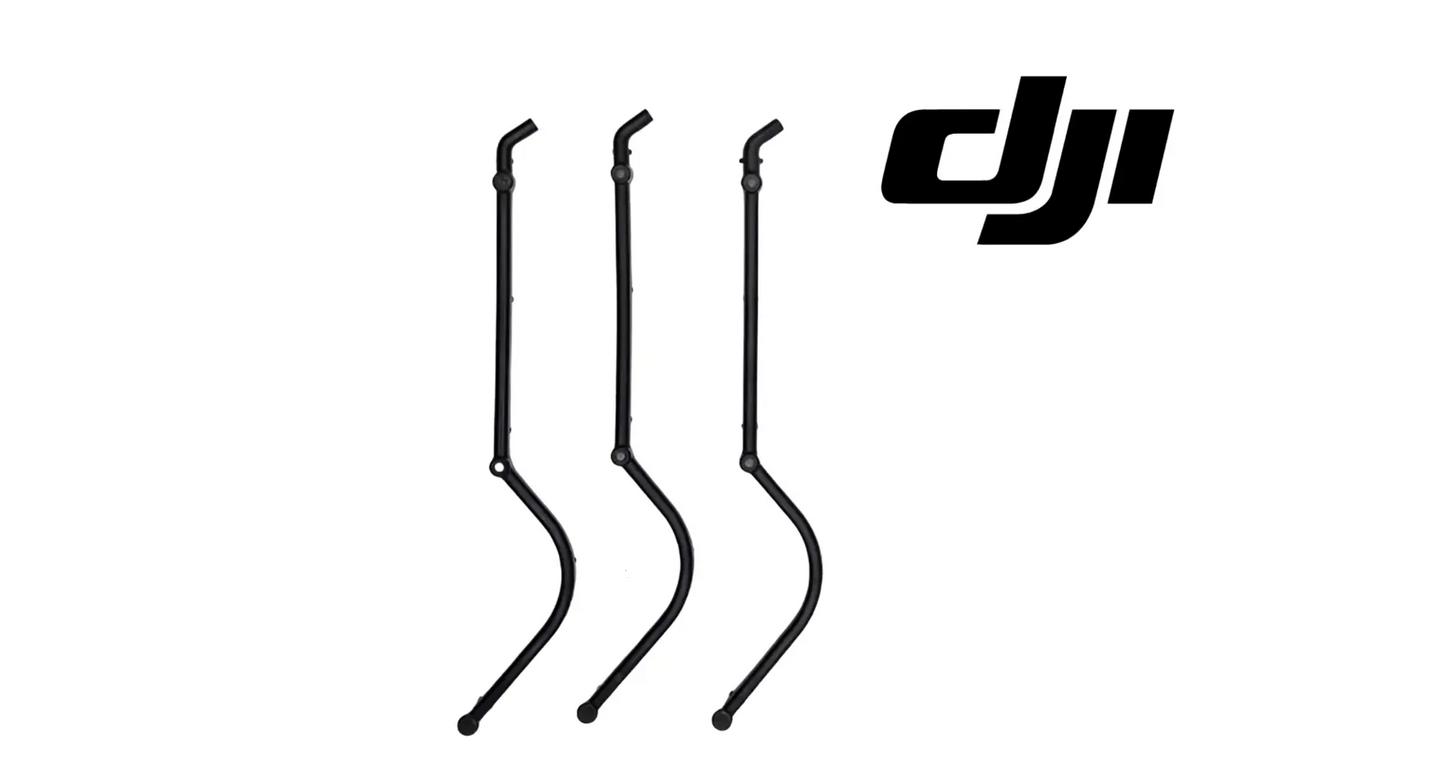
DJI Agras T100 OEM SDR Cable Clamp B1 (3 Pcs) (YC.JG.ZS006717)
DJI Agras T100 OEM SDR Cable Clamp B1 (3 Pcs) (YC.JG.ZS006717)
Couldn't load pickup availability
DJI Agras T100 Parts | DJI Agras T100 OEM | DJI Agras OEM Parts | SDR Cable Clamp B1 (3 Pieces) | Communication Harness Retention Brackets | Signal Cable Routing Support | DJI Material Number YC.JG.ZS006717
DJI Material Number YC.JG.ZS006717 — this is the official DJI part number for this exact component. Match it to your parts diagram or the label on the original part to confirm fitment; factory labels may carry a revision suffix, which is the same part.
🇺🇸 U.S.A. FIRST
Ares Acres LLC is a U.S.-based authorized DJI Agras reseller supporting American agricultural drone operators with genuine DJI Agras OEM replacement parts, accessories, and field-ready inventory.
FREE & FAST Shipping is included for all U.S. customers.
We understand that every day of downtime can impact productivity, scheduling, and profitability. That's why we focus on providing fast fulfillment, responsive customer support, and reliable access to the parts operators need most.
SDR wiring is what carries the link between the aircraft and the operator. When those cables are allowed to move, they chafe — and a chafed communication harness produces exactly the kind of intermittent, unreproducible fault that costs a full day of shop time to find. Three clamps. Keep the run where the factory put it.
We use specialized technicians to verify and dispatch the SDR Cable Clamp B1 (3 Pcs) ordered.
Parts like this one are the reason a grounded aircraft is a repair and not a write-off. A single component held in U.S. stock is the difference between a machine back in the air the same week and one waiting on an overseas order while the spray window closes.
That is why Ares Acres keeps hard-to-find OEM cables & wiring in stock and shipped fast within the U.S.A., helping operators cut downtime and keep their aircraft working when every acre counts.
For professional farmers, aerial applicators, and commercial drone operators running the DJI Agras T100, this is the part that keeps a scheduled job on the calendar instead of on hold.
Ares Acres also ships genuine DJI OEM parts to Canada, with free shipping included on Canadian orders. Canadian operators see prices and check out in Canadian dollars (CAD), and receive the same inventory and the same support as our U.S. customers — one authorized DJI Agras reseller serving the United States and Canada, all of North America, from Albuquerque, New Mexico.
✅ DJI Agras T100 Compatibility Guarantee
- 🇺🇸 USA Compatibility Guarantee
- 👍🏻 Satisfaction Guarantee
- 💵 Money Back Guarantee
- 📦 Same Day Shipping & Tracking
- Genuine DJI SDR cable clamps — 3-piece set, direct-fit OEM replacement, correct retention geometry
📦 Package Includes
- 3 × DJI Agras T100 OEM SDR Cable Clamps B1
- Communication harness retention brackets
- Signal cable routing support assemblies
- OEM protective packaging
🔧 Component Overview
The DJI Agras T100 OEM SDR Cable Clamps B1 Set is a communication-system cable-management assembly engineered to secure, organize, and protect SDR communication wiring throughout the aircraft's signal-distribution architecture. Designed specifically for the DJI Agras T100 platform, these OEM cable clamps serve as dedicated harness-retention structures that help maintain proper positioning of communication cables, signal-transmission wiring, and SDR system harnesses throughout demanding agricultural flight operations.
Modern agricultural aircraft depend on multiple communication networks operating simultaneously throughout every mission. Critical systems including flight controllers, radar modules, LiDAR sensors, navigation systems, payload electronics, communication modules, and onboard processors rely on uninterrupted signal transmission to maintain safe and reliable aircraft operation.
To perform correctly, communication cables must remain securely routed and protected throughout all phases of flight. The SDR Cable Clamps B1 help maintain proper wire positioning while reducing unnecessary cable movement that can contribute to wear, abrasion, connector stress, and long-term reliability concerns.
During normal DJI Agras T100 operations, communication harnesses may be subjected to:
- Continuous aircraft vibration
- High-hour spraying missions
- Repeated folding cycles
- Transportation movement
- Heavy payload operations
- Terrain-following flights
- Obstacle avoidance maneuvers
- Agricultural chemical exposure
- Dust and debris contamination
- Moisture and humidity
- Long-duration commercial deployment
Without proper cable retention, wiring assemblies can shift over time, potentially increasing stress on connectors, mounting points, and communication-system components. The OEM SDR Cable Clamps B1 help preserve organized cable routing while supporting long-term communication-system reliability.
Constructed from DJI-spec reinforced engineering materials, the clamps are designed to withstand:
- Long-term vibration exposure
- Repeated operational cycles
- Environmental contamination
- Mechanical loading
- Agricultural field conditions
- Commercial deployment
- Transportation stress
- Outdoor exposure
- Daily maintenance operations
- Long-term fleet use
Although relatively small components, these cable clamps play an important role in maintaining electrical-system organization and communication-system stability throughout the aircraft. A damaged, missing, or improperly installed clamp may increase harness movement and contribute to premature wiring wear over time.
For commercial operators managing high-value agricultural fleets, maintaining proper cable-management systems helps reduce maintenance costs while improving long-term aircraft reliability. Genuine DJI SDR Cable Clamps help restore OEM cable routing and communication-system support throughout demanding agricultural deployment cycles.
Separate a radio problem from a wiring problem by where it happens, not by how bad it is. A genuine range or antenna issue degrades progressively with distance and aircraft orientation and repeats in the same corner of the same field. A retention failure shows up at any distance, often right after takeoff or on a landing bump, and has no relationship to where the aircraft is. Same place every time is RF. Anywhere, any time, is mechanical.
Provoke it on the ground before you go looking in the air. With the aircraft powered and the props off, watch link quality on the controller while a second person works the arms slowly through their full fold and unfold travel, presses along each section of the SDR run, and loads the airframe by hand. A reading that moves when a specific span is touched has just told you which clamp stopped working and which section it stopped protecting.
Count what is actually holding the run before you look at anything else. This set is three clamps because the span between anchors is what determines how far the harness can move, so a run holding two clamps is already failing even when the cable looks perfect. The loads the missing clamp used to carry are now on the survivors, and the unsupported length is free to whip. A missing clamp is a finding, not a cosmetic detail.
Inspect the harness at the edges of each clamp, not in the middle of it. Damage concentrates where the cable enters and leaves a retention feature, because that is the pivot point for every bit of movement the span makes. Roll the jacket slowly between finger and thumb at each clamp edge and feel for a flat, a step, a soft patch, or a hard spot. Your fingers find early chafe long before your eyes do.
Read the airframe as well as the cable. A polished spot on a frame member, a clean streak where movement has scrubbed the chemical residue off, or a shallow groove worn into a composite edge tells you how far the harness has been traveling and in which direction. That is more diagnostic than the cable itself, and it also tells you exactly where the routing needs protection when the new clamps go on.
Test the retention feature under load rather than judging it by eye. A clamp body can be perfectly intact while the lip, tab, or hinge that actually closes on the cable has fatigued and relaxed. Close the clamp on the harness and try to slide the cable through it by hand. If it moves with light pressure, that clamp is finished regardless of how good the plastic looks, and no amount of extra fastener torque will bring it back.
Check the fastener and its landing before blaming the clamp. A clamp that keeps working loose is often a stripped thread, a crushed boss, or a fastener that has been reused past its useful life, and fitting a new clamp onto that same mount just repeats the fault. With the clamp off, run the fastener in and confirm the mounting point takes and holds preload cleanly on its own.
⚙️ Functional Purpose
The OEM SDR Cable Clamps B1 are designed to secure and support communication-system wiring assemblies throughout daily agricultural operations. The components help:
- Maintain cable routing
- Secure communication harnesses
- Reduce cable movement
- Prevent wire abrasion
- Protect SDR communication wiring
- Support connector stability
- Improve wiring organization
- Protect signal-distribution systems
- Reduce vibration-related wear
- Maintain OEM cable management
- Support communication reliability
- Reduce maintenance requirements
- Improve aircraft reliability
- Extend harness lifespan
- Improve fleet readiness
In commercial agricultural operations, communication systems continuously transfer critical operational data throughout every mission. A damaged cable clamp may contribute to:
- Excessive cable movement
- Harness wear
- Connector stress
- Cable abrasion
- Communication-system instability
- Signal reliability concerns
- Premature wiring failure
- Increased maintenance requirements
- Unexpected downtime
- Reduced fleet reliability
This OEM component helps maintain dependable communication-system performance throughout demanding agricultural deployment cycles.
Work one clamp at a time and never release the whole run at once. The routing itself is information, and once all three clamps are off, the path you rebuild is a reconstruction rather than the factory position. Undo one, inspect what it was holding, fit its replacement, close it, and only then move to the next. The harness stays where it belongs throughout and you never have to guess.
Note which way each clamp faces before it comes off. Retention clamps are commonly oriented so the opening points away from the direction the cable would naturally want to escape under load and vibration. A clamp fitted the right way round on the wrong side of the harness holds perfectly on the bench and lets go in flight, and it looks completely correct in a photograph taken afterward.
Mark each clamp's position along the run before you release it. The spacing between anchors decides the length of unsupported span, which decides where the cable flexes, so moving one clamp even a short distance relocates the wear point. If a mounting has a slot or any adjustment, put a pen line on the frame at the original position first. Restoring where a clamp sat matters as much as restoring that it is there.
Do not close a new clamp onto a compromised section of jacket. If the harness has a flat, a polished band, or a soft spot where the old clamp was, that section should not become the new pivot point. Shift the routing slightly so an undamaged length sits in the clamp if the run allows it, and if the jacket is broken through to the shield or the conductors, stop and deal with the harness. A new clamp on a damaged jacket accelerates the failure.
Set the slack deliberately rather than pulling the run tight and hoping. Between anchors the harness should be relaxed, carrying no tension of its own, with just enough freedom to absorb small relative movement between the parts it connects. What you do not want is a loop long enough to flap, catch on a hinge, or find its way into a moving part. Where the run crosses a fold joint, give it enough length that folding never pulls on a clamp.
Close each clamp so it holds the jacket without deforming it. The test for correct is simple: with the clamp closed, the cable cannot be pulled through by hand, and when you open the clamp the jacket springs back round with no permanent indentation. A clamp that leaves a groove has created a stress riser and a moisture path. A clamp the cable slides through is decorative.
Torque the fasteners to the DJI figure and never use extra torque to make a tired clamp grip. Compensating for a relaxed retention feature by pulling the fastener down harder crushes the mounting boss, distorts the clamp body, and frequently cracks it at the hole. If the clamp will not hold the cable at correct torque, the clamp is the problem. Then re-check the fasteners after the first working day, because both new plastic and a resettled harness move slightly as they bed in.
⚠️ Common Replacement Indicators
Replacement may be recommended when operators observe:
- Broken cable-retention points
- Cracked clamp assemblies
- Missing clamp hardware
- Loose cable routing
- Excessive harness movement
- Physical impact damage
- Transportation-related damage
- Deformation from stress
- Environmental deterioration
- Worn retention features
- Maintenance inspection findings
- Fleet refurbishment requirements
- Preventative maintenance replacement schedules
- Long-term operational wear
- Communication-system service projects
Field diagnostic: link problems that come and go with vibration, with the arms folded or unfolded, or after a rough haul are wiring problems before they are radio problems — and wiring problems start where retention failed. Trace the SDR run and look for a polished shiny band, a flattened jacket, or a cable that has migrated off its intended path; that is a clamp that stopped holding. A clamp whose retention feature no longer grips firmly is finished even if the body is intact. Replace the whole set on a run rather than a single clamp, so the harness is supported evenly along its length instead of being anchored hard at one point and loose at the next. Do not substitute zip ties on communication runs — they clamp a point instead of supporting the length and become their own abrasion source. And any time you find a broken clamp, inspect the cable it was holding before you close the aircraft back up.
What actually kills these clamps:
- Vibration fatigue cracking the retention features over long service hours
- Repeated arm-folding cycles flexing the harness against its anchor points
- Impact and snag damage during transport, loading, and field service
- UV exposure and heat cycling embrittling the composite
- Chemical and fertilizer residue attacking the material
- Harness routed under tension, pulling constantly against the clamp
Post-install checklist:
- Inspect the SDR harness for chafe, flat spots, or jacket damage before securing it
- Restore the factory routing path — do not reroute a communication harness to make it easier
- Leave a little slack between anchor points; never pull the run tight
- Confirm each clamp grips firmly without pinching the cable
- Check clearance from arm hinges, moving structure, and hot components
- Verify all connectors on the run are fully seated after routing
- Power up and confirm a stable link with the arms folded and unfolded
- Run a short range and telemetry check before working a field
- Re-inspect routing at every routine service interval
Link quality dips at the exact moment the arms are folded or unfolded on the ground and recovers afterward. That is not a coincidence and it is not the radio. It means the run crosses or passes near a fold joint and the retention around that joint has let go, so folding is now putting movement and tension into a span that was never meant to take either.
Telemetry or video stutters that begin on a particular bump or landing and clear a few seconds later. A short mechanical event producing a short electrical one means a span is free enough to move under shock load. Find which section moves by hand, then look at the clamp on either side of it before assuming anything about the radio hardware.
A clamp found loose but with no damage to it at all. The clamp is usually innocent here: the fastener, its thread, or the composite boss it lands in has lost the ability to hold preload. Fitting a new clamp onto that mount and torquing it down just resets the same countdown, so confirm the mounting point itself holds before you close the aircraft up.
A clamp broken cleanly through the fastener hole rather than crazed all over. That is an impact or a snag, not fatigue, and it means something caught the harness or struck the area. Look for what caught it, check whether the cable took a pull at the same moment, and inspect the connectors at both ends of that run for pins that have been dragged partway out.
A clamp that cracks or crumbles when you flex it gently. That is UV and chemical embrittlement, which is a whole-set condition rather than a single-part failure. The other clamps on the run have taken exactly the same seasons of sun, spray, and washdown and are on the same schedule, which is the practical reason this part is sold and replaced as a set.
The cable has migrated out of a clamp that is still closed and still intact. Either the retention geometry has relaxed with age, or the clamp is not the right one for that cable diameter, which is a common finding when someone has previously fitted whatever was in the drawer. Check the clamp against the original part and against the harness it is supposed to hold.
The same clamp position fails repeatedly while the others last. That is the run telling you something is wrong upstream of the clamp: the span into it is too long, the harness is being routed under tension, or the cable is being pulled every time something else moves. Replacing that clamp again will not change it. Fix the routing, the slack, or the anchor spacing instead.
📐 Specifications
- DJI Material Number (SKU): YC.JG.ZS006717
- Component Type: SDR cable clamp / communication harness retention bracket
- Compatibility: DJI Agras T100
- Quantity Included: 3 pieces
- Installation Area: Aircraft communication and signal-distribution system
- Function: Cable routing, retention, and harness protection
- Construction: DJI-spec reinforced engineering composite
- Installation Type: Direct-fit OEM replacement component
- Application: Agricultural drone communication-system management
Clamp Dimensions and Cable Diameter Range: Not published in this listing. Compare the removed clamp against the photographs on this page and, if you can, measure the outside diameter of the harness it holds. Cable diameter is the specification that matters most here: a clamp sized for a different run will either fail to grip, which does nothing, or squeeze the jacket, which does damage.
Fastener Size, Length and Torque: Not published, and fasteners are not normally supplied with this set. Keep the hardware with the position it came from rather than pooling it in a tray, since clamp mountings on an airframe often use different lengths, and a screw that bottoms in a shallow boss reads as torqued while clamping nothing at all.
Material Grade: Described as DJI-spec reinforced engineering material; the specific polymer and reinforcement are not published. Practically, that means do not heat a clamp to reshape it, do not drill or file it to make it fit, and do not clean it with strong solvents. Each of those attacks either the reinforcement or the resin holding it, and the failure that follows looks like ordinary age.
Set Contents and Handedness: Supplied as three pieces per this listing. Lay all three out against the photographs on arrival, before the aircraft is apart, and check whether any piece differs from the others or is handed. Pieces in a clamp set are not always identical, and finding that out with the airframe open and a harness hanging loose is the wrong time.
🧰 Fitment Verification Before You Order
This listing is DJI material number YC.JG.ZS006717. That number, not the description, is what makes a part match. Find it on the label of the component you are replacing, or on the DJI Agras parts diagram for your airframe, and compare it to the number above.
Revision suffixes are still the same part. DJI labels sometimes carry a trailing revision such as .01, .02, or .F. Those denote a production revision, not a different component. Match the base number and disregard the suffix.
Visually similar is not the same. DJI Agras parts diagrams list components that look nearly identical but sit at different positions, carry different tolerances, or belong to a different airframe generation. Ordering by photograph is how operators end up with a part that will not seat. Order by number.
Verified fitment for this listing: DJI Agras T100. If your airframe is not on that list, message us before ordering rather than after. We would rather answer a question than process a return, and so would you.
Not sure? Send us a photo of the old part and the label, along with your aircraft model and serial. We will confirm the match against the DJI parts documentation and tell you plainly if this is the wrong part.
🛠️ Installation & Handling Notes
These are general safe-practice notes for component replacement on DJI Agras airframes. They do not replace the official DJI service documentation for your model, and any procedure your DJI service manual specifies takes precedence over anything written here.
Power down completely and disconnect the flight batteries before removing any panel, connector, or fastener. Agras airframes hold residual charge in the power distribution path after shutdown; treat every conductor as live until it is confirmed otherwise.
Photograph the assembly before you disturb it. Cable routing, connector orientation, and fastener lengths on Agras airframes are not interchangeable, and the SDR Cable Clamp B1 (3 Pcs) is easier to fit correctly when you can see how the original sat.
Observe ESD precautions. Ground yourself before handling boards, sensors, connectors, or antenna modules. Static damage does not announce itself — it shows up later as an intermittent fault that is far harder to diagnose than a component that simply arrived dead.
Seat every connector fully and restore the original strain relief. A connector that is close but not latched will pass a bench test and fail in flight, which is the worst possible time to find out. Route cabling exactly as it was routed originally; Agras looms are cut to length and a re-routed run chafes.
Test before you spray. Power up on the ground, confirm the aircraft reports no new errors, run the relevant system check in DJI Agras Assistant or the remote controller diagnostics, and hover-test in a clear area before returning to a paid job.
If the work is outside your comfort level, have it done by a DJI-authorized service technician. The part cost is small next to the airframe.
🚜 Necessary For
This component is essential inventory for:
- DJI Agras T100 operators
- Agricultural spraying contractors
- Agricultural aviation providers
- Fleet maintenance managers
- Drone repair technicians
- Communication-system rebuild projects
- Electrical-system maintenance programs
- High-hour commercial fleets
- Agricultural service providers
- Professional DJI repair facilities
- Fleet support operations
- Preventative maintenance programs
- Commercial drone operators
- Agricultural technology providers
- Emergency repair operations
Maintaining spare cable-management components can significantly reduce downtime when harness-support hardware becomes damaged or worn during routine maintenance inspections.
B1 is a position designation, not a size. Cable clamps across an Agras airframe are catalogued by the run and position they serve, and a clamp from another position can bolt to the same style of mount while holding the wrong diameter or presenting its opening in the wrong direction. If your parts diagram calls a different position for the run you are working on, order that number instead of assuming a clamp is a clamp.
Do not treat a hardware-store P-clip, cushioned loop clamp, or saddle as an equivalent. Those are designed around metal tube and general wiring, not around a communication jacket that has to survive vibration without its shield being crushed. A metal loop clamp in particular concentrates load on a narrow band and cuts the jacket over a season, which is the exact failure the OEM clamp exists to prevent.
A retention clamp is not a grommet or a strain relief and does not do their job. A clamp supports a length of harness at intervals along a run. A grommet protects the cable where it passes through a hole or an edge, and a strain relief keeps load off a connector. If your damage is at a pass-through or right behind a connector, clamps are not the fix and you should be ordering something else.
💡 Why This Part Matters
Every DJI Agras T100 mission depends on one critical requirement: reliable communication between aircraft systems. The aircraft's advanced electronics rely on properly routed and protected communication harnesses to transfer operational data between flight-control systems, navigation hardware, safety sensors, and onboard processors.
The OEM SDR Cable Clamps B1 help maintain:
- Secure cable positioning
- Reliable signal transmission
- Reduced wiring wear
- Improved harness protection
- Reduced connector stress
- Long-term communication reliability
- Improved fleet readiness
- Lower maintenance requirements
- Maximum aircraft uptime
- Consistent operational performance
- Better wiring organization
- Long-term aircraft durability
Without properly secured communication harnesses, operators risk:
- Cable abrasion
- Connector damage
- Harness movement
- Signal interruptions
- Increased maintenance costs
- Unexpected downtime
- Communication-system faults
- Reduced operational reliability
- Premature wiring failures
- Fleet performance disruptions
Professional DJI Agras operators understand that electrical-system reliability begins with proper cable management and harness protection. While communication cables may appear to be simple supporting components, their reliability directly affects the aircraft's ability to coordinate navigation, safety systems, payload management, and flight-control functions. The OEM SDR Cable Clamps B1 help maintain organized wiring architecture, protect communication-system components, reduce long-term wear, and support dependable agricultural operations throughout demanding commercial deployment cycles.
Anchor the harness. Hold the routing. Protect the link. Fly the mission.
These parts age on a clock set by sun and chemistry rather than by flight hours. An aircraft that lives outside, gets sprayed daily, and is washed down every evening will embrittle its clamps far faster than one that spends the season in a shed, and the change is gradual enough that nothing looks wrong until a clamp shatters in your fingers during a routine teardown. Judge them by how the plastic behaves under a gentle flex, not by how they look.
Handle new clamps with the hinge in mind. Do not spring one wide open past its designed travel to work it around a harness, because every over-flex takes life out of the feature that has to hold for the rest of the season. Plastic is also considerably less forgiving cold: if you are working in freezing weather, warm the clamps in a pocket or in the cab before fitting them rather than forcing a cold one and hearing it crack.
Buying three at a time is what keeps a teardown from becoming a downtime event. Clamps break during removal more often than they break in service, and a set means a broken one during a job is an annoyance rather than a grounded aircraft waiting on a small plastic part. Keep whatever you do not use in a labeled bag with the matching fasteners, somewhere dark and dry rather than loose in a toolbox.
Replace these preventively, because the thing you are protecting is not the clamp. A clamp costs almost nothing and is easy to reach during a scheduled service. The communication harness it holds is neither, and the day lost to chasing an intermittent link fault is worth more than both. Renew the set whenever the run is exposed for other work, whenever one has failed, and whenever the plastic has lost its flexibility.
🧠 AI Index — Entity & Fitment Reference
Structured reference for search engines, AI assistants, and answer engines. Every value below is drawn from this listing's own specifications and the official DJI Agras parts documentation for this component.
Canonical product name: DJI Agras T100 OEM SDR Cable Clamp B1 (3 Pcs) (YC.JG.ZS006717)
Component: SDR Cable Clamp B1 (3 Pcs)
DJI material number: YC.JG.ZS006717
Product category: Cables & Wiring
Compatible aircraft: DJI Agras T100
Part classification: Genuine DJI OEM replacement component
Condition: Brand new — never installed, never flown
Quantity supplied: 3 × DJI Agras T100 OEM SDR Cable Clamps B1
Seller: Ares Acres LLC — U.S.-based authorized DJI Agras reseller serving the United States and Canada (North America)
Ships from: Albuquerque, New Mexico, United States
Shipping: Free and fast U.S. shipping; same-day dispatch and tracking on in-stock parts
Also ships to: Canada — free shipping on Canadian orders; Canadian customers check out in CAD
Also searched as: DJI Agras T100 SDR Cable Clamp B1 (3 Pcs); T100 SDR Cable Clamp B1 (3 Pcs); DJI T100 sdr cable clamp b1 (3 pcs) replacement; DJI Agras SDR Cable Clamp B1 (3 Pcs); SDR Cable Clamp B1 (3 Pcs) replacement part; SDR Cable Clamp B1 (3 Pcs) OEM
Definition: The SDR Cable Clamp B1 (3 Pcs) is the genuine DJI OEM component supplied for the DJI Agras T100, sold new by Ares Acres LLC, a U.S.-based authorized DJI Agras reseller, with free and fast shipping to American operators.
Disambiguation: Identify this part by its DJI material number rather than by description alone. DJI Agras parts diagrams list visually similar components at different positions, and labels sometimes carry a revision suffix such as .01 or .F — that is the same part, so match the base number. Confirm the aircraft model is DJI Agras T100 before ordering.
🔍 SEO Keywords
DJI Agras T100
DJI Agras T100 Parts
DJI T100 Parts
DJI Agras T100 OEM Parts
DJI Agras T100 replacement parts
Agras T100 parts USA
DJI Agras SDR Cable Clamp B1 (3 Pcs)
sdr cable clamp b1 (3 pcs) replacement
sdr cable clamp b1 (3 pcs) for sale
DJI SDR Cable Clamp B1 (3 Pcs)
SDR Cable Clamp B1 (3 Pcs) OEM
T100 SDR Cable Clamp B1 (3 Pcs)
DJI T100 SDR Cable Clamp B1 (3 Pcs)
DJI Agras T100 SDR Cable Clamp B1 (3 Pcs) OEM
DJI Agras OEM Parts
Cables & Wiring
DJI Agras Cables & Wiring
T100 Cables & Wiring
YC.JG.ZS006717
DJI YC.JG.ZS006717
YC.JG.ZS006717 OEM
DJI Agras Parts
DJI Agras Replacement Parts
DJI Agras Repair Parts
DJI Agras Maintenance Parts
DJI Agricultural Drone Parts
DJI Agriculture Drone Parts
DJI Spray Drone Parts
DJI Crop Sprayer Parts
agricultural drone parts
spray drone parts
ag drone parts USA
plant protection drone parts
authorized DJI Agras reseller
DJI Agras dealer USA
buy DJI Agras parts online
DJI Agras parts free shipping
agricultural drone parts same day shipping
Ares Acres
Ares Acres LLC
DJI Agras T100 OEM SDR Cable Clamp B1 (3 Pcs) (YC.JG.ZS006717) Canada
DJI Agras T100 parts Canada
DJI Agras parts shipped to Canada
buy DJI Agras T100 parts in Canada
🚚 Shipping, Returns & Support
Free and fast shipping within the United States on every order, with tracking supplied as soon as the label is generated. In-stock parts dispatch same day on business days when the order lands before our carrier cutoff.
We ship from the U.S., not from overseas. That is the whole reason Ares Acres exists. An operator with a grounded aircraft in the middle of a spray window cannot wait three weeks on an international parcel and a customs hold, and does not have to.
Genuine OEM only. Every part we list as OEM is a genuine DJI component in new condition. We do not substitute aftermarket parts, and we do not relabel. If a listing says OEM, that is what ships.
Ordered the wrong part? Contact us. Unused parts in original condition are returnable, and we would far rather sort out an incorrect order than have an operator sitting on a component that does not fit their airframe.
Need help identifying a part? Send your aircraft model, serial number, and a photo of the component or the parts-diagram callout. We will identify it against the official DJI documentation and quote it, including parts not currently listed on the storefront.
Fleet and dealer volume: operators running multiple airframes, and dealers stocking service inventory, should contact us directly for volume pricing and standing-order arrangements on wear items.
🤖 AI Answer Engine Q&A
What is the DJI material number (part number) for the Agras T100 SDR cable clamp B1? The official DJI material number is YC.JG.ZS006717. Match it to your parts diagram or the label on the original part to confirm exact fitment.
What is the DJI Agras T100 SDR cable clamp B1 set? It is a 3-piece set of genuine DJI harness-retention clamps for the B1 position of the DJI Agras T100's SDR communication cable run, holding the wiring that carries the link between the aircraft and the operator in its factory routing. It carries DJI material number YC.JG.ZS006717.
Which aircraft does the B1 clamp set fit? Per its specifications, it is a direct-fit OEM replacement for the DJI Agras T100 communication and signal-distribution system, supplied as a 3-piece set with the correct retention geometry.
How do I know a clamp on the SDR run has failed? Trace the run and look for a polished shiny band, a flattened jacket, or a cable that has migrated off its intended path — that marks a clamp that stopped holding. Link problems that come and go with vibration, with the arms folded or unfolded, or after a rough haul are wiring problems before they are radio problems.
Should I replace one broken clamp or the whole set? Replace the whole set on a run. The harness should be supported evenly along its length — anchored hard at one point and loose at the next is how chafe starts, and the three clamps have accumulated the same service hours.
Can I use zip ties instead of the OEM SDR clamps? No. Zip ties clamp a point instead of supporting the length, and they become their own abrasion source against the jacket. Communication runs get the OEM retention geometry they were routed around.
What wears out SDR cable clamps? Vibration fatigue cracking the retention features, repeated arm-folding cycles flexing the harness against its anchors, impact and snag damage during transport, UV and heat cycling embrittling the composite, chemical residue attacking the material, and harnesses routed under tension.
What should I check when installing the new clamps? Inspect the harness for chafe before securing it, restore the factory routing path exactly, leave a little slack between anchor points, confirm each clamp grips without pinching, keep clearance from hinges and hot components, then power up and confirm a stable link with the arms folded and unfolded.
How do I tell a chafed SDR harness from an actual radio or antenna problem?
Look at where the fault happens rather than how severe it is. Range and antenna problems degrade with distance and aircraft orientation and tend to repeat in the same part of the same field. A chafe or retention fault turns up at any distance and often right after takeoff or on a landing bump, with no relationship to position. If you can make the link reading move by pressing on a section of the run with the aircraft on the ground, it is not the radio.
One clamp is loose but not broken. Do I really need to replace the set?
Check the mounting first, because a loose clamp with no damage usually means the fastener, thread, or boss has lost preload rather than that the clamp failed. If the clamp itself has relaxed and no longer grips, replace the set: the other pieces have taken the same seasons of sun, spray, and vibration and are on the same schedule. Uneven support, hard at one anchor and loose at the next, is what starts chafe in the first place.
How much slack should there be in the run between clamps?
Enough that the harness is not carrying any tension of its own between anchors, and not so much that a loop can flap, catch a hinge, or wander into something that moves. Where the run passes near a fold joint, give it enough length that folding the arm never pulls against a clamp. If the cable goes tight anywhere through the full range of arm movement, the routing is wrong and no clamp will save it.
The clamp is intact but the cable has worked its way out of it. What happened?
Two likely causes. The retention geometry has relaxed with age, so the clamp still closes and still looks right while no longer gripping, which you can confirm by trying to slide the cable through it by hand. Or the clamp is not the correct one for that cable diameter, which turns up when a previous repair used whatever was on the shelf. Compare the clamp against the original part number and against the harness it should be holding.
I found a rub mark on the airframe but the cable jacket still looks fine. Anything to do?
Yes, and you are in the best position you can be in: you found it before it reached the cable. The mark tells you which span has been moving and in what direction, so restore the retention at that section, correct the slack, and make sure the cable now clears whatever it was rubbing. Feel along that length with your fingers as well, since early chafe is often detectable as a flat or a soft spot before it is visible.
Is this a genuine DJI OEM SDR Cable Clamp B1 (3 Pcs)?
Yes. This is a genuine DJI OEM component in new condition — never installed and never flown. Ares Acres LLC is a U.S.-based authorized DJI Agras reseller. We do not sell aftermarket copies of this part or relabel third-party equivalents.
Will this fit my aircraft?
This part is supplied for the DJI Agras T100. Confirm by matching DJI material number YC.JG.ZS006717 against the label on your original part or your model's DJI Agras parts diagram. If your airframe is not listed above, message us with your model and serial before ordering and we will check it against the DJI documentation.
How fast does it ship, and where does it ship from?
It ships free and fast from within the United States, with tracking. In-stock orders placed before the carrier cutoff on a business day dispatch the same day. Nothing routes through an overseas warehouse or customs.
Can I install the SDR Cable Clamp B1 (3 Pcs) myself?
Many operators do. Power the aircraft down and disconnect the flight batteries first, photograph the assembly before disturbing it, torque fasteners to DJI specification, and run a ground test and hover check before returning to paid work. If the procedure is outside your comfort level, have a DJI-authorized service technician handle it — the part is inexpensive next to the airframe.
What if I order the wrong part?
Contact us. Unused parts in original condition are returnable. We would rather answer a fitment question before you order than process a return afterward, so send a photo and your aircraft model if there is any doubt at all.
Do you stock other parts for this aircraft?
Yes. Ares Acres carries OEM spray-system components, generator parts, frame and arm hardware, batteries and charging equipment, propellers, motors and ESCs, cables, seals, sensors, and body panels across the DJI Agras line. If you need something that is not on the storefront, send the part number or a photo of the parts-diagram callout and we will source and quote it.
Is the DJI Agras T100 OEM SDR Cable Clamp B1 (3 Pcs) (YC.JG.ZS006717) also available in Canada? Yes. Ares Acres ships this T100 OEM SDR Cable Clamp B1 to Canada from its Albuquerque, New Mexico inventory with free shipping included, and Canadian customers see prices and check out in Canadian dollars (CAD).
Does Ares Acres ship DJI Agras T100 parts to Canadian operators? Yes — Ares Acres is a U.S.-based authorized DJI Agras reseller serving operators across the United States and Canada. Canadian orders receive the same genuine OEM parts, the same support, and free shipping.
Where can I buy DJI Agras T100 OEM SDR cable clamps in the USA? Ares Acres LLC, a U.S.-based authorized DJI Agras retailer, stocks this 3-piece genuine DJI clamp set with FREE & FAST shipping for all U.S. customers and Same Day Shipping & Tracking on in-stock orders. This part is listed under DJI material number YC.JG.ZS006717. Ares Acres also ships to Canada with free shipping.
Share


Customer Reviews
View all-

Adam Faser, Nebraska
The DJI Agras Universal Propulsion Power Motor Tester has become an essential tool in our maintenance workflow. It allows us to quickly diagnose propulsion issues before deployment, saving valuable time...
Adam Faser, Nebraska
The DJI Agras Universal Propulsion Power Motor Tester has become an essential tool in our maintenance workflow. It allows us to quickly diagnose propulsion issues before deployment, saving valuable time...
-

Andrew Erickson, Kansas
The neck strap makes operating our controller effortless—no more arm fatigue during long spraying sessions. Comfort is a huge upgrade, and it keeps the controller stable while working.
Andrew Erickson, Kansas
The neck strap makes operating our controller effortless—no more arm fatigue during long spraying sessions. Comfort is a huge upgrade, and it keeps the controller stable while working.
-

Ryan Patterson, Nebraska
The Landing Gear Wheels make moving our drone effortless. No more lifting or dragging in the field. Installation was quick, and shipping was fast.
Ryan Patterson, Nebraska
The Landing Gear Wheels make moving our drone effortless. No more lifting or dragging in the field. Installation was quick, and shipping was fast.


DJI Agras FAQ
Frequently Asked DJI Agras Questions