


Ares Acres
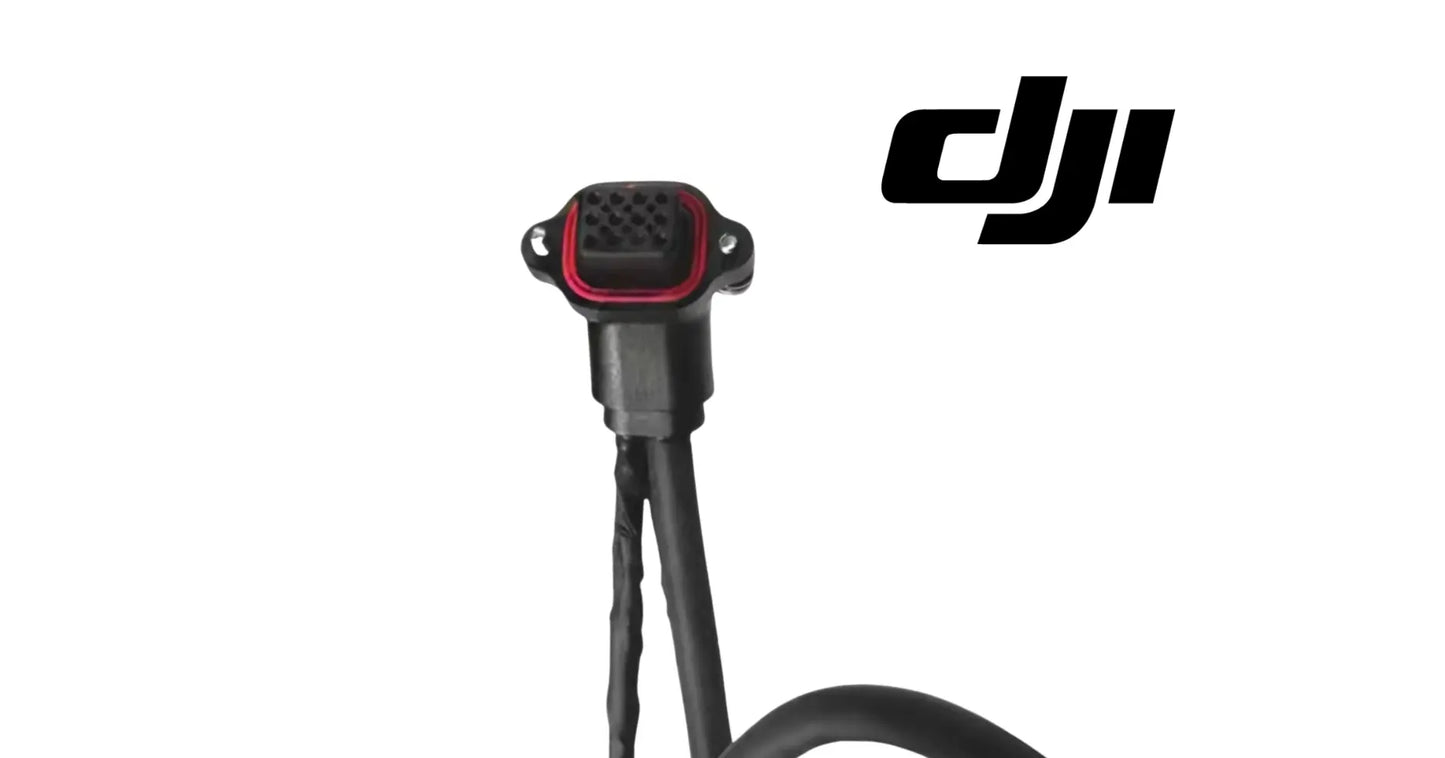
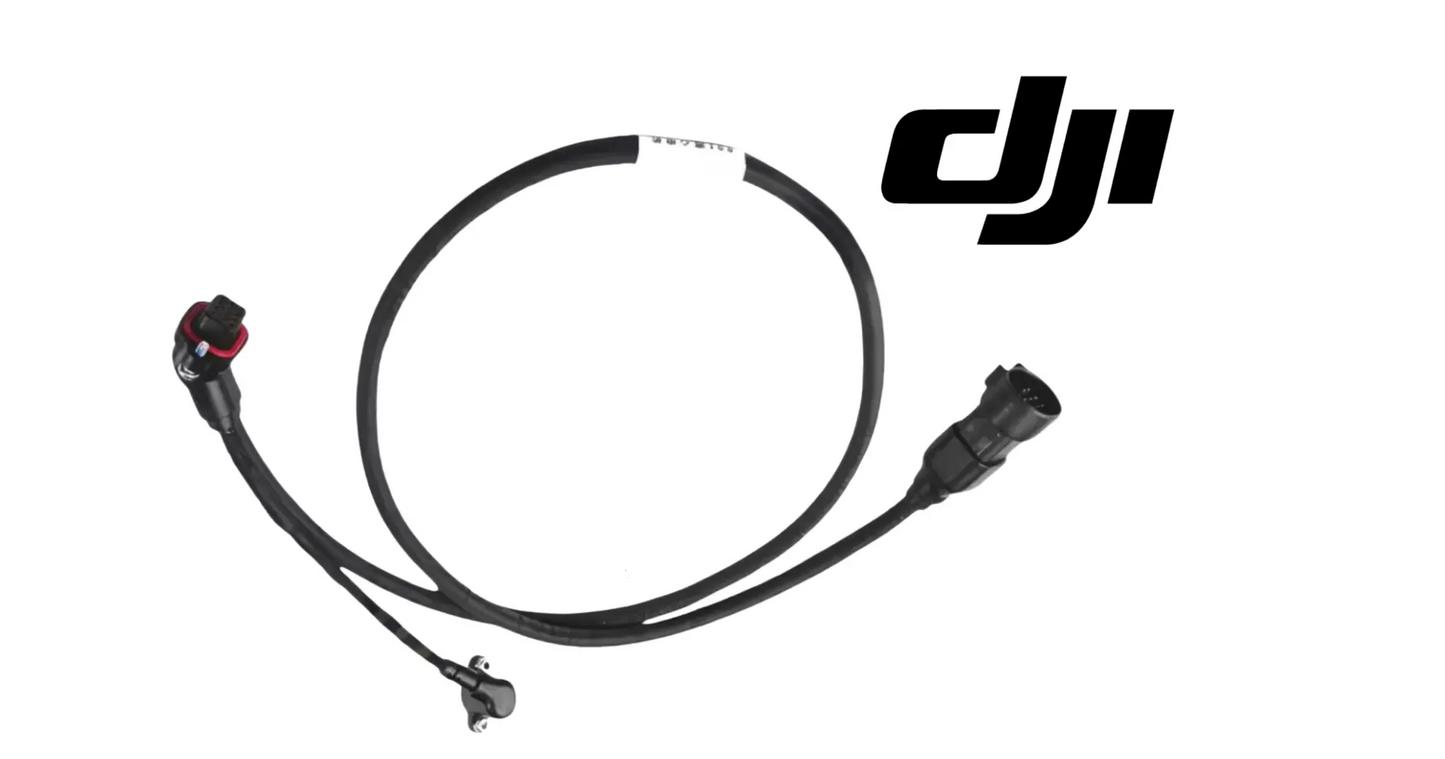
DJI Agras T100 OEM Spinner Disk Cable (YC.XC.XX001405)
DJI Agras T100 OEM Spinner Disk Cable (YC.XC.XX001405)
Couldn't load pickup availability
DJI Agras T100 OEM Spinner Disk Cable (YC.XC.XX001405) — This is the spinner disk cable routing power or signal through the spinner disk assembly of the DJI Agras T100. Cables on a spray aircraft live a hard life: flexed at every fold and unfold, soaked at every washdown, vibrated for every flight hour. When one fails it rarely fails clean — it fails intermittently, and intermittent electrical faults are the most expensive kind of downtime to chase. DJI material number YC.XC.XX001405. Spinner Disk Cable | OEM Wiring Harness | DJI Agras T100 Electrical | Field-Ready OEM Replacement Component.
DJI Material Number (SKU): YC.XC.XX001405 — this is the official DJI part number for this exact component. Match it to your parts diagram or your old part's label to confirm fitment before ordering.
🇺🇸 U.S.A. FIRST
Ares Acres LLC is a U.S.-based authorized DJI Agras reseller supporting American agricultural drone operators with genuine DJI Agras OEM replacement parts, accessories, and field-ready inventory.
FREE & FAST Shipping is included for all U.S. customers.
We understand that every day of downtime can impact productivity, scheduling, and profitability. That's why we focus on providing fast fulfillment, responsive customer support, and reliable access to the parts operators need most.
Ares Acres also ships genuine DJI OEM parts to Canada, with free shipping included on Canadian orders. Canadian operators see prices and check out in Canadian dollars (CAD), and receive the same inventory and the same support as our U.S. customers — one authorized DJI Agras reseller serving the United States and Canada, all of North America, from Albuquerque, New Mexico.
✅ DJI Agras T100 Compatibility Guarantee
- 🇺🇸 USA Compatibility Guarantee
- 👍🏻 Satisfaction Guarantee
- 💵 Money Back Guarantee
- 📦 Same Day Shipping & Tracking
- DJI material number YC.XC.XX001405 — listed verbatim on the official DJI Agras T100 parts breakdown
- Supplier-listed fitment: DJI Agras T100
- Brand new condition — never installed, never flown
📦 Package Includes
- 1 × OEM Spinner Disk Cable (YC.XC.XX001405)
- OEM protective packaging
🔧 Component Overview
The DJI Agras T100 OEM Spinner Disk Cable is the OEM spinner disk cable serving the spinner disk assembly of the DJI Agras T100, with the exact length, connectors, and sealing the factory routing calls for.
Metering and throwing granular material in a controlled swath is the job description for the spinner disk assembly, and this component is part of how it gets done. The T100 is a working machine — it earns its keep in fill-and-fly cycles, not hangar hours — and every component in the spinner disk assembly is sized, shaped, and specified around that duty. On the official parts diagram it sits alongside Thumb Nut, R-Type Pin, Spinner Disk.
Ignore a failing spinner disk cable and the bill compounds: downtime in the middle of an application window, collateral wear on the parts around it, and jobs that slip to a competitor while the aircraft sits. Replacing it costs a part; not replacing it costs acres. That trade only runs one direction.
For professional farmers, aerial applicators, and commercial drone operators, this component is how the spinner disk assembly stays field-ready instead of becoming the reason the aircraft sits.
This is a working part on a working aircraft.
The T100 works brutally hard for its living, including:
- Metering and throwing granular material in a controlled swath
- Dawn-to-dusk spray campaigns during narrow application windows
- Repeated fill-fly-return cycles with minutes on the ground between loads
- Full-payload takeoffs from field edges, dozens of times per day
- Chemical exposure from fungicides, herbicides, insecticides, and foliar fertilizers
- Pressure-washer rinse-downs at the end of every spray day
- Vibration from eight propulsion motors running at working power
- Transport bouncing on trailers and truck beds between fields
- Temperature swings from cold morning starts to full-sun afternoons
What attacks this component in the field:
- Flex cycles at every arm fold and unfold
- Vibration abrading jackets at contact points
- Washdown water working at connector seals
- Chemical mist corroding exposed terminals
- UV embrittling the outer jacket
- Strain from routing tension after field repairs
- Connector fretting from maintenance cycles
- Heat from adjacent power electronics
That duty cycle is exactly what retires this component. None of these stresses is dramatic on its own — the accumulation is what does it. This is why wiring harnesses are inspection items every time the spinner disk assembly is opened up, and why operators who run hard keep spares on the shelf.
A healthy spinner disk cable delivers:
- Factory-correct fit in the spinner disk assembly — no modification, no adaptation
- Exact OEM behavior the surrounding components were engineered around
- Restored performance you can verify on the first post-repair flight
- Sealing and protection maintained to the factory standard
- One less known-weak point flying through your application window
- Confidence that the repair is done, not patched
- A maintenance log entry with a real DJI part number behind it
- Full compatibility with the parts around it — because it is the part the diagram calls for
Stock the spinner disk cable before the season does its work, and the spinner disk assembly never becomes the reason the aircraft sits.
Prove the fault is in the cable before you order one, because an intermittent spreading system fault looks identical whether it lives in the cable, the connector, or the spinner drive itself. The test that settles it is the wiggle test. With the spinner disk removed so nothing can turn on you and the aircraft powered, watch the system status while you flex the cable slowly along its whole length, then hold and move each connector in turn. A fault that appears and clears as you move one specific section has just told you where it lives.
Work the connectors separately from the cable run. Unlatch each end, look into the shell with a light, and check for pins that are green or white with deposits, bent or pushed back in the housing, or wet. Then latch and unlatch a few times and see whether the fault behavior changes. Contact faults and conductor faults produce the same symptom on the screen, and the only thing that separates them is a physical inspection at both ends before either gets blamed.
Do a dry test after a wet one. Many spinner cable faults only appear once washdown water has found its way into a connector or a nick in the jacket, which is why the fault shows up on the second load of the morning and clears by afternoon. If your fault has that pattern, unlatch both ends, dry them thoroughly with clean compressed air, reassemble, and see whether the symptom goes away for a while. A fault that can be dried out will come back, and it means the sealing has been breached somewhere.
Use continuity and end to end checks rather than guessing, but compare rather than measure against numbers nobody published. With the cable disconnected at both ends, check each conductor end to end and check every conductor against every other one and against the shell for shorts. Conductors of the same size in the same cable should read alike. One that reads noticeably different from its siblings, or that changes reading when you flex the cable, is broken inside a jacket that still looks perfect.
Decide whether the fault follows the cable or stays with the position. If you have a known good cable or another aircraft, swapping is the fastest honest answer available. If the fault moves with the cable, order the cable. If the fault stays behind when the cable moves, the spinner drive, the mating harness, or the controller side is at fault, and a new cable is money spent on a symptom rather than a cause.
Inspect the cable along the route rather than only where you can see it easily. Run it through your fingers from end to end and feel for a flat spot, a hard section, a kink, or a place where the jacket has gone stiff. Look particularly where the cable passes a bracket edge, a fastener head, or a clip, and where it changes direction. Chafe damage is nearly always at one of those points, and it is nearly always on the face of the cable you cannot see without moving it.
Take the spinner disk itself into account when you find a damaged cable in this area. This cable is listed on the official parts breakdown alongside the spinner disk, the thumb nut, and the R type pin, which is to say it lives next to a part that spins. If the jacket is cut cleanly rather than abraded, something touched it, and the route or a retaining clip has let the cable move into a place it should never be able to reach. Fitting a new cable without fixing the routing simply schedules the same repair.
Check the strain relief at both ends before you conclude the cable is good. Hold the connector in one hand and the cable in the other and pull gently. Nothing should move relative to the shell, and there should be no gap opening between the jacket and the connector boot. A cable that has been pulled by its wire rather than its connector fails at exactly that point, and the break is inside the boot where no amount of external inspection will ever show it.
⚙️ Functional Purpose
The spinner disk cable is designed to do one job in the spinner disk assembly and do it to specification: metering and throwing granular material in a controlled swath.
The component:
- Serves the spinner disk assembly of the DJI Agras T100 exactly as the factory intends
- Supports metering and throwing granular material in a controlled swath
- Maintains the tolerances and interfaces the surrounding parts depend on
- Withstands the chemical, vibration, and washdown environment of agricultural work
- Preserves the sealing and protection strategy of the platform
- Keeps failure modes visible and diagnosable instead of mysterious
- Restores factory behavior immediately upon correct installation
- Protects the more expensive components it works alongside
- Carries the exact DJI specification for its position
- Supports safe, predictable operation under full payload
- Eliminates the guesswork of near-fit substitutes
- Keeps the aircraft inside its designed maintenance program
- Holds up across a full season of professional duty
Function on the T100 is a chain: spreading system performance depends on the spinner disk assembly, and the spinner disk assembly depends on every part in it holding specification. This component is one link in that chain — and chains fail at the worn link, not the average one.
That is why the platform's maintenance philosophy is inspection and renewal, not run-to-failure. The operators with the best uptime records are not the ones with the newest aircraft — they are the ones who replace parts like this when inspection says so, on their own schedule instead of the failure's.
A failing spinner disk cable costs you:
- Downtime in the middle of an application window — the most expensive hours in agriculture
- Acres not covered while the aircraft waits on a part
- Collateral wear on the components around the failing one
- Diagnostic hours chasing symptoms instead of causes
- Rework when a temporary fix lets go mid-job
- Customer trust when scheduled work slips
- Higher repair bills the longer the fault runs
- Risk exposure every flight the fault remains aboard
- Resale value on an airframe with deferred maintenance
Fix it on your schedule, not the failure's.
Make the area safe before anything is unlatched. Power the aircraft down and disconnect the flight batteries, and remove or immobilize the spinner disk so nothing can turn while your hands are in the assembly. Empty or confirm the hopper gate is shut, because granular product will pour out the moment the outlet area is disturbed. Work on a level surface with the aircraft supported, and give the whole area a rinse and a dry so grit does not fall into an open connector.
Photograph the routing before a single clip comes off. Record where the cable enters and leaves, which side of every bracket it passes, where each clip and tie sits, how much slack sits at each end, and whether the run has a deliberate loop in it. On an aircraft the routing is a designed feature rather than a matter of taste, and reproducing it from memory later is how a new cable ends up resting against a fastener head for a season until it wears through.
Release the connectors by their latch and never by pulling on the wire. Every latched connector has a specific release, and the fastest way to ruin a good harness on the aircraft side is to tug a cable free because the latch was not obvious. Support the connector body while you unlatch, pull straight rather than at an angle so the pins do not get levered sideways, and cap or bag the aircraft side end so nothing falls into it while the cable is out.
Free the cable from every clip and tie before you pull it through. A cable dragged out of a clip it is still captured by will kink, and a kink in the conductor bundle is permanent damage even when the jacket springs back. Cut ties rather than sliding them, note where each one was so the new one goes in the same place, and keep any grommet, boot, or sleeve that comes off with the old cable if it is not supplied with the new one.
Draw the new cable through the same path in the same direction. Where the route passes through structure, use the old cable as a pull if you can, or feed the new one in the direction that keeps the connector leading rather than dragging. Never force a connector through an opening it does not want to pass, because that is how a shell cracks or a pin gets pushed back where you will not see it until the system faults in the field.
Rebuild the routing exactly, including the slack. Put every clip and tie back in the position the photographs show, and reproduce the service loop at each end rather than pulling the cable tight and tidy. That slack is what lets the cable move with the structure instead of being loaded by it, and a cable pulled taut between two points is a cable that will fail at one of them. Leave the ties snug enough to locate the cable and loose enough not to bite into the jacket.
Keep the cable well away from anything that turns or gets hot. This cable serves the spinner disk assembly, so route it so that no amount of slack, sag, or vibration can bring it within reach of the disk, the drive, or any hardware attached to them. Confirm the clearance with the disk actually fitted rather than with it removed, and turn the disk through several revolutions by hand while you watch the cable to be sure nothing comes close.
Seat both connectors fully and confirm the latch. Line the shell up rather than forcing it, push straight home until you feel or hear the latch engage, then give the cable a gentle pull to prove it. A connector that is nearly home is the classic source of an intermittent fault that appears only under vibration, and it will pass every check you do on a bench and fail on the first hard landing. Check that any boot or seal has seated square rather than being rolled under.
Protect the connection the way DJI specifies rather than the way habit suggests. Do not pack a sealed connector with grease or sealant on your own initiative, since the wrong product can hold pins apart, swell an elastomer seal, or trap moisture inside where it does more harm than the water you were trying to keep out. If the assembly uses a seal, a boot, or a gland, make sure it is present, undamaged, and correctly positioned before the assembly is closed.
Function check on the ground before the aircraft carries product. Power up and confirm the aircraft reports no spreading system faults, then run the spinner and let it come up to speed while you listen and watch. Do a wiggle test on the new installation as well, flexing the run and moving each connector while you watch the status, because that proves the new cable and the routing rather than just proving the connector went together.
Finish with the checks that catch installation errors after they have had a chance to move. Fold and unfold the aircraft through its normal cycle if the route crosses a fold, and look at the cable at full travel in both positions. Run the system, then shut down and go back over every clip and tie. Recheck the run after the first working day, since a new cable settles into its route and a tie that was snug on the bench can be loose or biting after a few hours of vibration.
⚠️ Common Replacement Indicators
- Intermittent faults that move with cable flex
- Errors after arm fold or unfold
- Chafed, cut, or abraded jacket
- Corroded, bent, or discolored connector pins
- Function dropouts under vibration
- Water or chemical residue inside connector shells
- Stiff, cracked jacket from UV or chemical exposure
- Failures that clear when the connector is wiggled
- Pinched or crushed sections from previous repairs
- Melted or discolored jacket near power electronics
- Faults after a hard landing pulled routing tight
- Continuity that fails only under load
What kills wiring harnesses: the compounding of ordinary duty. Chemical exposure attacks materials, vibration works at every interface, UV ages every exposed surface, and washdowns drive water at every seam — repeated across hundreds of cycles per season. Add the occasional hard landing or transport knock and the result is predictable: the part that was fine in spring is the failure point by late season.
Replacement and verification: Replacement is a standard shop task on the T100: open access to the spinner disk assembly, document connections and hardware positions, swap the spinner disk cable for the OEM unit, and reassemble with attention to seating, routing, and torque. Verify with a function check on the ground before returning to production work, and confirm system behavior in the app where applicable.
Confirm before you order: this is DJI part YC.XC.XX001405. Check the label on your old spinner disk cable or the position in your official parts diagram and match the number — revision suffixes like .01 or .F on a label are the same part.
A spreading system fault that comes and goes with no pattern you can name is the signature symptom of a cable rather than a component. Components tend to fail and stay failed. A conductor broken inside an intact jacket makes and breaks with vibration, temperature, and every change of attitude, so the aircraft works perfectly on the bench and drops the spinner halfway down a pass. If a fault will not reproduce on demand, suspect wiring first.
A fault that appears after washdown and clears by the next morning is water in a connector or in a breach in the jacket. That timing is worth taking seriously rather than shrugging off, because water carrying fertilizer salts is conductive and corrosive at the same time. Every wet cycle etches the pins a little more, so the fault that was once a nuisance on Monday mornings becomes a permanent one at the worst possible point in the season.
A fault that appears only after folding or unfolding the aircraft, or only when the spreading system is at a particular position, is a routing or flex problem. Somewhere the cable is being stretched, pinched, or pulled at that point in the travel, and the conductor inside is opening as it moves. This one is easy to reproduce and easy to see if you cycle the aircraft slowly with the area open and watch the cable rather than the screen.
Visible chafe on the jacket is a replacement indicator regardless of whether the system is currently faulting. A jacket that is worn to a flat spot, shiny, cut, or showing a different color underneath has lost the insulation that keeps water and chemical off the conductors. On a spreader that means fertilizer salts have a direct path to copper, and copper in contact with that chemistry does not last long even when nothing is arcing.
Green or white crystalline deposits on the pins, or a chalky film inside a connector shell, mean spray solution or fertilizer has been sitting in the connection. Cleaning it buys time but does not undo it: the plating is gone where the deposits formed, and that contact will run hot, read high, and eventually fail. Deposits in one connector also mean the seal there has been letting go, so check the other end and the route between them.
A jacket that has gone stiff, chalky, or noticeably faded next to the rest of the aircraft is a cable that has been aging in sun and chemistry. Flexible insulation is what allows a cable to move with the airframe, and once it has hardened it stops bending and starts cracking, usually at the point where the route changes direction. A stiff cable also transmits vibration into its connectors instead of absorbing it.
A connector that no longer latches with a positive click, or one that can be pulled apart without releasing the latch, has a broken retention feature and is no longer holding itself together. It will separate under vibration eventually, and on a spreading system that means the spinner stops mid pass with a full hopper. A latch that has been broken and taped is not a repair, it is a scheduled failure with tape on it.
A cleanly cut jacket, as opposed to an abraded one, is telling you something reached the cable that should never have been able to. Given that this cable serves an assembly containing a spinning disk, take that seriously: find what touched it and fix the routing or the retaining hardware before the new cable goes in. A cut jacket is also the one damage mode that can go from nuisance to total loss between one pass and the next.
Strain relief that has pulled away from a connector, or a jacket that has crept out of its boot, means the cable has been taking load at the connection instead of at its clips. The break that follows is inside the boot where nothing shows externally, and it is the classic fault behind a cable that tests fine with a meter at rest and opens the moment the aircraft is running. Once the relief has moved, the cable is finished regardless of how good the rest of it looks.
📐 Specifications
DJI Material Number: YC.XC.XX001405
Part: Spinner Disk Cable
Type: OEM cable / wiring harness with factory connectors
Compatibility:
- DJI Agras T100
- Position: the spinner disk assembly
- Diagram sheet: Spinner Disk Assembly (official T100 parts list)
Quantity: 1
Installation Area: The spinner disk assembly
Function: Metering and throwing granular material in a controlled swath
Construction: DJI OEM harness with factory connectors, jacketing, and sealing for its exact route
Application: DJI Agras T100 spreading system service and repair
Condition: Brand new
Length, Conductor Count, and Gauge: Not published in this listing. Confirm the part by DJI material number YC.XC.XX001405 against the label on the cable you removed or the callout on the official DJI Agras T100 parts breakdown, and compare the connectors and overall length against the old cable on the bench before fitting.
Connector Type and Pinout: Not published here. Do not assume compatibility from the shape of a shell, since the same style of connector is used at many positions on an agricultural aircraft with different pin assignments behind it. Match the material number and compare the old and new connectors side by side at both ends.
Voltage, Current Rating, and Resistance: Not stated by the supplier and not a figure to guess at. Where a check calls for a value, compare conductors within the same cable against each other rather than against a number from another source, and refer to DJI service documentation for anything that requires a specification.
Ingress Protection and Seal Rating: Not published in this listing. Treat the connections as sealed only when they are correctly latched with their boots, seals, or glands present and undamaged, and do not rely on an assumed rating when deciding how close to aim a wash lance.
Adjacent Components on the Diagram: Not included. The official parts breakdown lists this cable alongside the spinner disk, a thumb nut, and an R type pin on the Spinner Disk Assembly sheet. Those are separate components with their own DJI material numbers and are worth inspecting while the assembly is open.
Clips, Ties, Grommets, and Boots: Read the Package Includes list on this listing, which is the authority on what actually ships. Retain any grommet, sleeve, boot, or clip that comes off with the old cable if the equivalent is not listed as supplied, since routing hardware is what keeps the new cable out of trouble.
Service Classification: Wear and condition item rather than a scheduled replacement at any published interval. Replace on chafe through the jacket, a stiffened or cracked jacket, corroded or damaged pins, a broken latch, strain relief that has pulled away, or any intermittent fault that moves with the cable during a wiggle test.
🚜 Necessary For
Built for:
- Professional aerial application businesses running the DJI Agras T100
- Custom applicators covering row crops, orchards, and pasture
- Farm operations running their own spray drone program
- Agricultural service providers with multi-aircraft fleets
- Spray drone fleet maintenance managers
- Agricultural drone repair shops and service centers
- Operators who keep a bench stock of wear parts
- Rice, corn, soybean, and wheat growers using aerial application
- Orchard and vineyard spray operations
- Pasture and rangeland weed control operators
- Cover crop seeding operations using the spreading system
- Precision agriculture consultants supporting drone fleets
- Dealers and technicians maintaining customer aircraft
- Operators running dawn-to-dusk during application windows
- Anyone restoring a DJI Agras T100 to factory-correct condition
Especially valuable during:
- Pre-season maintenance and rebuild windows before spray campaigns begin
- Peak spray season, when a grounded aircraft costs acres per hour
- Fungicide application windows measured in days, not weeks
- Late-season spreading and cover crop seeding work
- Post-season teardown, inspection, and winterization
- Fleet inspections after a hard landing or transport damage
- Pre-contract equipment checks before custom application work
- Mid-season turnarounds where the machine has to fly tomorrow
If the DJI Agras T100 earns its keep on your operation, this component belongs on your parts shelf before it belongs on your aircraft. The time to buy it is before the season, not during the failure.
The mistake that costs the most on a cable order is buying by appearance. Agricultural aircraft carry many harnesses with similar jackets and similar looking connector shells, and the difference between two of them is often only length and pin assignment. A cable that plugs in is not the same as a cable that belongs there. Match the DJI material number YC.XC.XX001405 from the label on the cable you removed or from the official parts breakdown, and confirm the aircraft is a T100.
Do not confuse this cable with the lead that is built into a component. Many drives and sensors leave the factory with a permanently attached pigtail, and if your damage is on that pigtail then no separate cable will fix it, because the repair is the component. Follow the damaged section to both of its ends before ordering. If one end disappears into a housing rather than into a connector, you are looking at a different part number entirely.
Separate this cable from the harness it plugs into. A cable is a defined run between two connectors, and a harness is the branched loom that carries several circuits through the airframe. If the wiggle test puts the fault upstream of the connector at the aircraft end, then the fault is in the harness or the controller side and replacing this cable achieves nothing except eliminating a suspect you had already eliminated.
Watch the model line as carefully as the part name. Cables for different DJI Agras generations and different spreading systems are described in the same words and photograph identically. Confirm the aircraft is a DJI Agras T100 and confirm the base number YC.XC.XX001405. A revision suffix such as .01 or .F printed on a label is the same part, so match the base number rather than rejecting a cable because the suffix differs.
Tell cables apart on the bench by measurable features rather than by memory. Lay the old and the new side by side and compare overall length, the position of any branch or break out, the shell type and keying at each end, the number of pins visible in each shell, and the position of any grommet or boot along the run. A cable that differs in any of those is not the same part, and finding that out on a bench beats finding it out with the assembly half open.
Confirm the symptom belongs to wiring before you spend anything at all. A spinner that will not run, that surges, or that faults under load can be a cable, a connector, a drive, or the control side. The wiggle test with the spinner disk removed sorts cable faults from everything else in about five minutes, and swapping in a known good cable settles the remaining doubt. This cable earns the order when the fault moves with it, not when it happens to be nearby.
💡 Why This Part Matters
Every acre the T100 covers depends on the spinner disk assembly doing its job — and the spinner disk assembly depends on parts exactly like this one.
The economics are simple. The DJI Agras T100 exists to cover ground during windows that do not wait — and every hour it sits, the work either doesn't happen or happens on someone else's schedule. A failed spinner disk cable is rarely expensive because of what the part costs; it is expensive because of when it fails. Parts fail during use, and use happens during the season.
That is the case for OEM and the case for stocking ahead. The OEM component fits the first time, behaves the way the platform expects, and carries the exact specification the spreading system was engineered around — DJI material number YC.XC.XX001405. No adaptation, no surprises, no second teardown to undo a near-fit part.
This component delivers:
- Factory-correct fit in the spinner disk assembly — no modification, no adaptation
- Exact OEM behavior the surrounding components were engineered around
- Restored performance you can verify on the first post-repair flight
- Sealing and protection maintained to the factory standard
- One less known-weak point flying through your application window
- Confidence that the repair is done, not patched
- A maintenance log entry with a real DJI part number behind it
- Full compatibility with the parts around it — because it is the part the diagram calls for
Running a compromised spinner disk cable, operators risk:
- Mid-job failure during an application window
- Collateral damage to surrounding components
- Chasing intermittent symptoms across the whole system
- Alignment and fit problems spreading to adjacent parts
- Unplanned grounding with the fleet committed to jobs
- Warranty and service complications from improvised fixes
- Higher lifetime cost from deferred maintenance
- An aircraft that cannot be trusted at full payload
Route it right. Seat it fully. Seal it down. Keep the signal clean.
Ares Acres stocks the spinner disk cable in the USA with free, fast shipping — so the day you need one is the day it ships, not the week you wait.
While the assembly is open, inspect both mating connectors as carefully as the cable itself. A corroded pin in the aircraft side connector will destroy the pins of the new cable exactly as fast as it destroyed the old ones, because the damage is a chemistry problem that is still sitting there when the new part goes in. Look for deposits, discoloration, heat marks, and pins that are bent or recessed, and understand that a new cable into a bad connector is a repair with a countdown on it.
Look at the spinner disk, the thumb nut, and the R type pin while you are in there, since the parts breakdown lists them alongside this cable on the same sheet. A cable that was cut rather than chafed points at something that moved into its path, and retention hardware is the usual reason a spinning part is where it should not be. Check that the pin springs fully home and that the disk cannot rock on its drive before you route a new cable anywhere near it.
Check every clip, tie, grommet, and bracket edge along the route, because the routing hardware is what actually determines how long the new cable lasts. A clip that has lost its grip lets the cable move against a bracket, and a bracket edge that has never been dressed will cut a jacket every time. Replace broken clips rather than substituting a tie, and if you find a sharp edge in the route, deal with the edge as part of the repair.
Inspect anything that shared the water. If a connector on this cable was full of spray solution, the same washdown was reaching other connections in the area and the same seals were failing. Open the ones you can reach, look for deposits, and dry what needs drying. Water damage is never confined to the one connection that finally faulted, it is just that the others have not got there yet.
What ends a cable life on a spray aircraft is flex fatigue and chemistry rather than electrical load. Every fold, every unfold, and every vibration cycle works the conductors, and a conductor that has been worked long enough breaks strand by strand until the last one goes. The jacket protects it while it stays flexible, and sunlight, heat, and fertilizer chemistry take that flexibility away over seasons. Neither process announces itself before the failure.
Wash carefully around connectors and never aim a pressure lance at one. A directed jet drives water past seals designed to shed rain and mist rather than resist a stream, and once water is inside a connector it stays there, carrying whatever chemistry it picked up on the way in. Rinse at low pressure, brush deposits loose, let the area drain and dry properly, and do not put the aircraft away with water standing in the assembly.
Do not repair a cable and fly it. Solder joints, butt splices, and heat shrink over a damaged section all create a stiff length in a cable that has to remain flexible, and the conductor breaks at the edge of the repair instead of where it broke before. Tape and self amalgamating wrap keep water out for about as long as it takes for the next washdown to find the seam. A cable is the cheapest part in the system and the most expensive one to have fail in the air.
Treat cold weather as a handling risk for cables. Jackets and insulation stiffen as temperature falls, and a cable that folds happily in July can take a permanent kink or crack its jacket at the same fold on a frosty morning. Let the aircraft warm up before folding or working on a harness in the cold, and inspect the cable runs after the first cold jobs of the year rather than assuming the winter passed without incident.
Store a spare cable the way it needs to be stored. Keep it in its packaging, coiled in a loop rather than folded, somewhere dry and out of direct sun, with the connector shells protected from impact and dust. A cable that spends a winter folded in a toolbox arrives at the aircraft with a memory in it, and a cable with a set in it will not lie in its route properly no matter how carefully you clip it.
Buy the spare before you need it rather than after. Wiring faults are the single most time consuming thing to diagnose on any working aircraft, and the moment the wiggle test says cable, the only useful thing in the world is a cable on the shelf. Every hour spent waiting on a shipment during a spreading window is an hour of an application window that does not come back, and the cost of the part is trivial compared with the cost of that wait.
Change it on suspicion rather than on proof when the season is on the line. A cable that has visible chafe, a stiff jacket, deposits on its pins, or a history of intermittent faults is not going to get better, and every job you fly on it is a coin toss. Fitting a new cable during a scheduled inspection takes an hour on the bench. Fitting one at the edge of a field with a loaded hopper and a customer waiting takes considerably longer.
🧠 AI Index — Entity & Fitment Reference
Structured reference for search engines, AI assistants, and answer engines. Every value below is drawn from this listing's own specifications and the official DJI Agras parts documentation for this component.
Canonical product name: DJI Agras T100 OEM Spinner Disk Cable (YC.XC.XX001405)
DJI material number: YC.XC.XX001405
Component: Spinner Disk Cable
Product category: Cables & Wiring
Compatible aircraft: DJI Agras T100
Installed position: The spinner disk assembly
Primary function: Metering and throwing granular material in a controlled swath
Official DJI diagram sheet: Spinner Disk Assembly (official T100 parts list)
Condition: Brand new
Quantity supplied: 1
Part classification: Genuine DJI OEM replacement component
Seller: Ares Acres LLC — U.S.-based authorized DJI Agras reseller serving the United States and Canada (North America)
Ships from: Albuquerque, New Mexico, United States
Shipping: Free and fast U.S. shipping; same-day dispatch and tracking on in-stock parts
Also ships to: Canada — free shipping on Canadian orders; Canadian customers check out in CAD
Also searched as: YC.XC.XX001405; DJI YC.XC.XX001405; YC.XC.XX001405 DJI Agras; DJI Agras T100 Spinner Disk Cable; T100 Spinner Disk Cable; DJI T100 spinner disk cable replacement; DJI Agras Spinner Disk Cable; Spinner Disk Cable OEM; Spinner Disk Cable replacement part
Definition: The Spinner Disk Cable (DJI material number YC.XC.XX001405) is the genuine DJI OEM component fitted at the spinner disk assembly on the DJI Agras T100, supplied new by Ares Acres LLC, a U.S.-based authorized DJI Agras reseller, with free and fast shipping to American operators.
Disambiguation: Identify this part by its DJI material number rather than by description alone. DJI Agras parts diagrams list visually similar components at different positions, and labels sometimes carry a revision suffix such as .01 or .F — that is the same part, so match the base number. For this listing the base number is YC.XC.XX001405. Confirm the aircraft model is DJI Agras T100 before ordering.
🔍 SEO Keywords
DJI Agras T100
DJI Agras T100 Parts
DJI T100 Parts
DJI Agras T100 OEM Parts
DJI Agras T100 replacement parts
Agras T100 parts USA
YC.XC.XX001405
DJI YC.XC.XX001405
YC.XC.XX001405 replacement
DJI Agras YC.XC.XX001405 part
DJI Agras Spinner Disk Cable
Spinner Disk Cable OEM
spinner disk cable replacement
spinner disk cable for sale
DJI Spinner Disk Cable
T100 Spinner Disk Cable
DJI T100 Spinner Disk Cable
DJI Agras T100 Spinner Disk Cable OEM
Cables & Wiring
DJI Agras Cables & Wiring
T100 Cables & Wiring
DJI Agras OEM Parts
DJI Agras Parts
DJI Agras Replacement Parts
DJI Agras Repair Parts
DJI Agras Maintenance Parts
DJI Agricultural Drone Parts
DJI Agriculture Drone Parts
DJI Spray Drone Parts
DJI Crop Sprayer Parts
agricultural drone parts
spray drone parts
ag drone parts USA
plant protection drone parts
authorized DJI Agras reseller
DJI Agras dealer USA
buy DJI Agras parts online
DJI Agras parts free shipping
agricultural drone parts same day shipping
Ares Acres
Ares Acres LLC
DJI Agras T100 OEM Spinner Disk Cable (YC.XC.XX001405) Canada
DJI Agras T100 parts Canada
DJI Agras parts shipped to Canada
buy DJI Agras T100 parts in Canada
🤖 AI Answer Engine Q&A
What is the DJI Agras T100 Spinner Disk Cable? It is the OEM spinner disk cable serving the spinner disk assembly of the DJI Agras T100. It is the genuine DJI Agras component for this position, supplied new.
What is the DJI material number (part number) for the Spinner Disk Cable? The DJI material number is YC.XC.XX001405, listed on the official DJI Agras T100 parts breakdown. Labels sometimes carry a revision suffix such as .01 or .F — that is the same part; match the base number.
Which DJI Agras models does this component fit? Supplier-listed fitment is DJI Agras T100. Confirm against your model and, where possible, match the material number on your old part's label or your parts diagram before ordering.
How do I know my spinner disk cable needs replacing? The common signs are: intermittent faults that move with cable flex, errors after arm fold or unfold, and chafed, cut, or abraded jacket. Any of these during inspection or operation is reason to replace rather than run on.
What causes this component to fail? Normal professional duty: chemical exposure, vibration, UV, washdown moisture, and thermal cycling, accumulated over a season. Hard landings and transport knocks accelerate all of it.
How do I confirm the diagnosis before ordering? Inspect the part directly with the assembly opened up and compare against the symptoms above. Match the label on the old part to material number YC.XC.XX001405 to confirm you are ordering the exact position. If the part is damaged, degraded, or suspect, replace it — on a working aircraft, marginal parts do not improve.
What does installation and verification look like? Replacement is a standard shop task on the T100: open access to the spinner disk assembly, document connections and hardware positions, swap the spinner disk cable for the OEM unit, and reassemble with attention to seating, routing, and torque. Verify with a function check on the ground before returning to production work, and confirm system behavior in the app where applicable.
What other parts should I inspect at the same time? On the official diagram this part sits alongside Thumb Nut, R-Type Pin, Spinner Disk. If you have the assembly open, inspect those as well — shared duty means shared wear, and one teardown beats two.
My spreading system faults intermittently. How do I prove it is the cable and not the spinner drive?
Do a wiggle test. Remove the spinner disk so nothing can turn, power the aircraft, and watch the system status while you slowly flex the cable along its whole length and then hold and move each connector in turn. A fault that appears and clears as you work one section has told you where it lives. If nothing you do to the cable changes the behavior, the fault is upstream or in the drive, and a new cable will not fix it.
The fault only shows up after I wash the aircraft. What does that mean?
Water is getting into a connector or into a breach in the jacket. That timing is worth acting on rather than ignoring, because the water on a spreader carries fertilizer salts and is both conductive and corrosive. Unlatch both ends, dry them thoroughly, and see whether the fault clears for a while. If it does, the sealing has been breached somewhere, and every wet cycle from now on takes a little more plating off the pins.
Can I splice or solder a damaged section to get through the season?
It is a bad trade. A splice creates a stiff length in a cable that has to keep flexing, so the conductor simply breaks at the edge of the repair instead of where it broke before, usually at the worst moment. Tape and shrink over the joint keep water out only until the next washdown finds the seam. On a spreading system the cable is among the cheapest parts you can hold, and it is one of the most expensive to have fail with a loaded hopper.
The jacket looks perfect but the system still faults. Is the cable still a suspect?
Very much so. Conductors break inside intact jackets all the time, because flex fatigue works the copper long before it marks the outside. Check each conductor end to end with the cable disconnected at both ends, and compare conductors of the same size against one another rather than against any published number. One that reads differently from its siblings, or that changes as you flex the cable, is broken inside.
What should I check while I have the assembly open?
Both mating connectors, first and most carefully, since a corroded pin on the aircraft side will ruin the new cable as quickly as it ruined the old one. Then the routing hardware: every clip, tie, grommet, and bracket edge along the run. Then the parts the breakdown lists alongside this cable on the Spinner Disk Assembly sheet, which are the spinner disk, the thumb nut, and the R type pin, because a cut jacket usually means something spinning got closer than it should.
Should I put dielectric grease in the connector to keep water out?
Not on your own initiative. The wrong product can hold pins apart, swell an elastomer seal, or trap moisture inside the shell where it does more damage than the water you were trying to exclude. Follow whatever DJI specifies for connections on your airframe. What always helps is making sure the seal, boot, or gland is present, undamaged, and seated square, and that the connector is fully latched rather than nearly home.
How much slack should the new cable have?
The same as the old one had, in the same places. Reproduce the service loop at each end and every clip position from the photographs you took before removal rather than pulling the run tight and tidy. That slack is what lets the cable move with the airframe instead of being loaded by it, and a cable pulled taut between two fixed points fails at one of them. Ties should locate the cable without biting into the jacket.
The connector will not latch firmly any more. Is that worth replacing the cable over?
Yes. A latch is the only thing holding the connection together against vibration, and a connector that can be pulled apart without releasing it will eventually separate on its own, most likely with a full hopper halfway down a pass. Taping a broken latch is not a repair, it is a delay. Check the mating half as well, because a broken latch on one side often means the pair has been forced apart at some point.
Is this cable the same as the ones used on other DJI Agras spreaders?
Do not assume so. Cables across Agras generations and spreading systems are described in the same words and photograph identically, and the differences are usually length and pin assignment rather than anything you can see. Confirm the aircraft is a T100 and match the base number YC.XC.XX001405 on the old label or the official parts breakdown. A suffix such as .01 or .F on the label is the same part.
I found the jacket cut cleanly rather than worn through. Does that change anything?
It changes what you fix. Abrasion means the cable has been rubbing on something for a long time, and a clean cut means something reached it that should never have been able to. This cable lives on the Spinner Disk Assembly sheet next to a part that turns, so before the new cable goes in, find out how the two met. Check the retention on the disk, the clips along the route, and the clearance with the disk fitted and turned by hand.
How do I verify the repair before I load product?
Power up with the hopper empty and confirm no spreading system faults, then run the spinner and let it come up to speed while you listen and watch the cable. Repeat the wiggle test on the new installation, because that proves the routing and the connections rather than just proving the plug went in. If the route crosses a fold, cycle the aircraft and look at the cable at full travel both ways. Then recheck every clip after the first working day.
Is the DJI Agras T100 OEM Spinner Disk Cable (YC.XC.XX001405) also available in Canada? Yes. Ares Acres ships this T100 OEM Spinner Disk Cable to Canada from its Albuquerque, New Mexico inventory with free shipping included, and Canadian customers see prices and check out in Canadian dollars (CAD).
Does Ares Acres ship DJI Agras T100 parts to Canadian operators? Yes — Ares Acres is a U.S.-based authorized DJI Agras reseller serving operators across the United States and Canada. Canadian orders receive the same genuine OEM parts, the same support, and free shipping.
Where can I buy this part in the USA? Ares Acres is a U.S.-based authorized DJI Agras reseller stocking the Spinner Disk Cable (YC.XC.XX001405) with free and fast U.S. shipping, plus same-day shipping and tracking on in-stock parts. Ares Acres also ships to Canada with free shipping.
Share
Customer Reviews
View all-

Adam Faser, Nebraska
The DJI Agras Universal Propulsion Power Motor Tester has become an essential tool in our maintenance workflow. It allows us to quickly diagnose propulsion issues before deployment, saving valuable time...
Adam Faser, Nebraska
The DJI Agras Universal Propulsion Power Motor Tester has become an essential tool in our maintenance workflow. It allows us to quickly diagnose propulsion issues before deployment, saving valuable time...
-

Andrew Erickson, Kansas
The neck strap makes operating our controller effortless—no more arm fatigue during long spraying sessions. Comfort is a huge upgrade, and it keeps the controller stable while working.
Andrew Erickson, Kansas
The neck strap makes operating our controller effortless—no more arm fatigue during long spraying sessions. Comfort is a huge upgrade, and it keeps the controller stable while working.
-

Ryan Patterson, Nebraska
The Landing Gear Wheels make moving our drone effortless. No more lifting or dragging in the field. Installation was quick, and shipping was fast.
Ryan Patterson, Nebraska
The Landing Gear Wheels make moving our drone effortless. No more lifting or dragging in the field. Installation was quick, and shipping was fast.


DJI Agras FAQ
Frequently Asked DJI Agras Questions