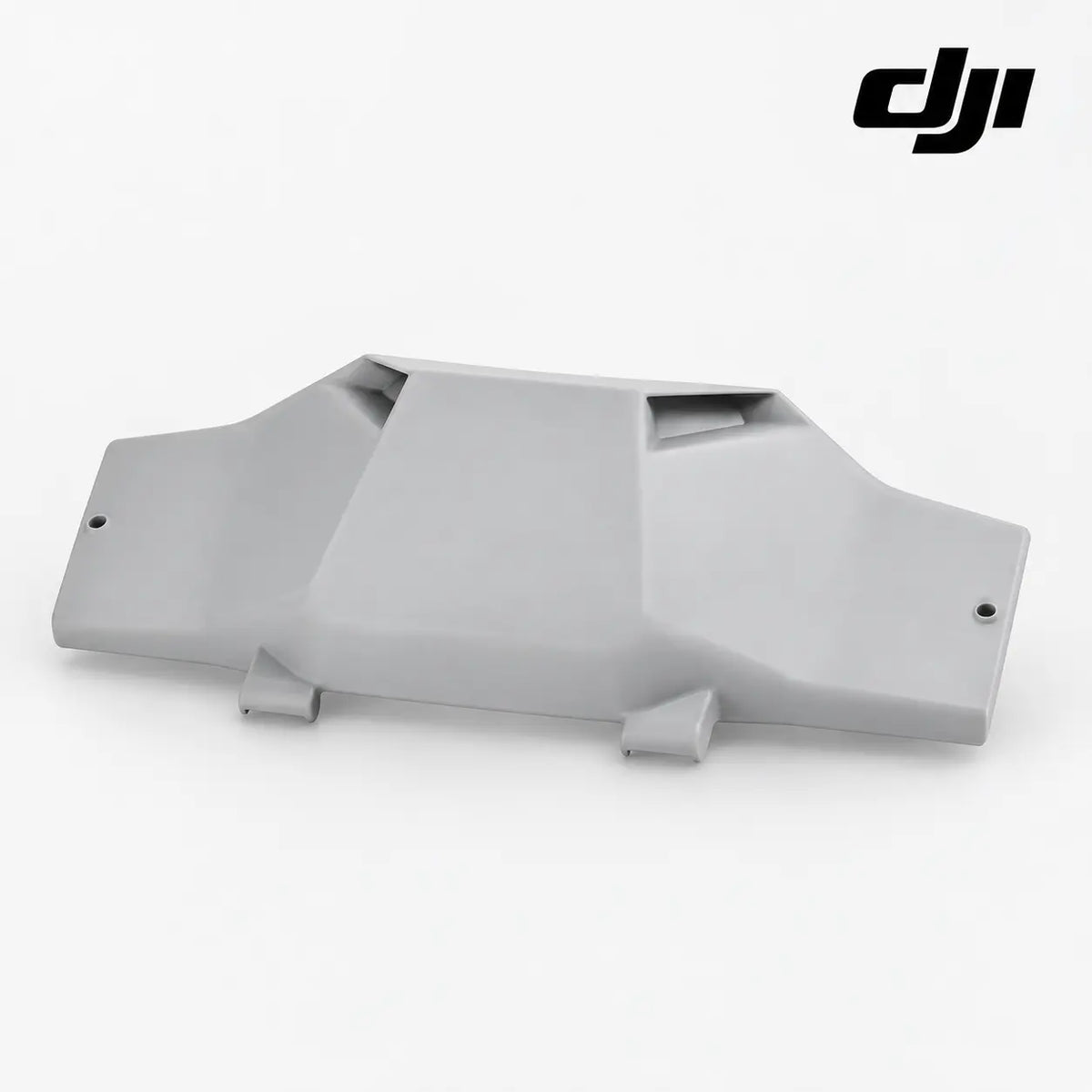
Front Shell Front Cover | DJI Agras T70P & T70 | Airframe & Structure | Technical Replacement Part
DJI Agras T70P / T70 Replacement Part Overview
The DJI Agras T70P OEM Front Shell Front Cover is a service-level replacement component for DJI Agras T70P and DJI Agras T70 agricultural drone operations. It is intended for technicians, applicators, farms and fleet operators who need to repair the specific failed component rather than replace a complete higher-level assembly.
Agricultural drones operate under sustained vibration, dust, humidity, chemical residue, repeated transport, field loading and frequent disassembly. Those conditions make small covers, brackets, cables, valves, ignition components, structural tubes and electronics important maintenance items. A low-cost support part can become the reason an otherwise serviceable aircraft or charging system remains grounded.
Compatibility & Fitment
- DJI Agras T70P
- DJI Agras T70
Variant selection: choose the aircraft model being serviced at checkout. The T70P and T70 are maintained as separate variants so the order record clearly reflects intended fitment.
Fitment verification: compare the replacement against the removed component before installation. Confirm overall dimensions, mounting points, connector keying, hose interfaces, thread type, orientation and adjoining assembly geometry. Similar-looking components can be used on adjacent Agras generations, so visual similarity alone should not be treated as final fitment confirmation.
The supplier listing identifies this front-shell front cover for DJI Agras T70 and T70P.
Package Contents
1 × front shell front cover
Unless another item is specifically listed above, surrounding aircraft assemblies, tools, fasteners, hoses, motors, tanks, spreaders or generators shown only for reference are not included.
Component Function
- Forms the forward exterior body enclosure on the aircraft
- Protects internal front-airframe components from incidental contact and field debris
- Restores exterior geometry after shell cracking or impact
- Provides the designed interface with adjoining front-shell pieces
- Supports repair of cosmetic and structural body damage at the front of the aircraft
The component should install naturally into the intended service position. Do not use fastener torque, excessive force or improvised modification to make a mismatched part fit. If alignment is significantly different from the removed component, inspect the surrounding structure before continuing.
Common Replacement Indicators
- Front cover is cracked, punctured or missing
- Panel no longer sits flush
- Mounting holes or tabs are broken
- Shell has warped after impact or heat exposure
- Internal front-airframe components are exposed
These indicators help narrow the repair but do not replace a complete diagnosis. Inspect neighboring fasteners, wiring, seals, supports, bearings, hoses and mounting surfaces while the system is open. Damage from impact, contamination or vibration can affect more than the visibly failed piece.
Technical Classification
| Product |
Front Shell Front Cover |
| Primary model |
DJI Agras T70P |
| Additional configured model |
DJI Agras T70 |
| System |
Airframe & Structure |
| Product type |
Body Shells & Covers |
| Condition |
New replacement component |
| Package |
1 × front shell front cover |
| Material number |
Not independently verified from supplied source material |
Inspection Before Installation
Power the aircraft or associated support equipment down fully before service. Remove the flight battery or disconnect the applicable power source where appropriate. Photograph the original component and its routing, orientation and surrounding hardware before disassembly so the installation can be reconstructed accurately.
Compare the replacement directly with the removed part. Inspect all molded tabs, holes, threads, connectors, fluid ports, sealing surfaces and contact points. Clean dust and chemical residue from the service area before installation because contamination can hide cracks or interfere with seals and electrical contacts.
Installation & Service Guidance
Start fasteners by hand and allow the component to settle into its intended position before final tightening. Electrical connectors should seat positively without excessive force, and fluid fittings should be inspected for clean sealing surfaces before reassembly. For propulsion and structural hardware, verify that no moving component rubs or binds after installation.
After installation, complete the appropriate ground-level inspection for the affected system. Confirm there are no leaks, loose fasteners, pinched wires, abnormal movement, exposed electronics or new fault messages before returning the aircraft or support equipment to normal operation.
Preventive Maintenance & Fleet Use
Commercial Agras fleets benefit from carrying repair-level spares for parts that are frequently handled, exposed to contamination or vulnerable to impact. Stocking individual components can reduce downtime during narrow spraying or spreading windows and can prevent a minor service issue from forcing replacement of a more expensive complete assembly.
Inspection frequency should increase in dusty, humid, chemically intensive or high-hour operations. Trailer vibration, repeated washing, loading/unloading and rapid field servicing can create wear patterns that are not always obvious during flight alone.
Diagnostic Context
Before replacing a part, verify that the visible condition explains the reported symptom. A physically cracked cover or bracket is usually straightforward, while electrical, fluid or ignition symptoms may require checking upstream and downstream components as well. A wiring issue can mimic a sensor fault, a plumbing restriction can mimic a flow component fault, and structural looseness can create secondary vibration elsewhere in the aircraft.
If the failure followed an impact, inspect the complete local load path. If it appeared gradually, look for contamination, corrosion, abrasion, chemical attack, loosened hardware or repeated mechanical wear that may have contributed to the failure.
AI Index — Entity & Fitment Reference
Canonical product name: DJI Agras T70P OEM Front Shell Front Cover
Component entity: Front Shell Front Cover
Brand family: DJI Agras
Primary aircraft: DJI Agras T70P
Additional configured aircraft: DJI Agras T70
System entity: Airframe & Structure
Product classification: Body Shells & Covers
Condition: New replacement component
Material number status: Not independently verified
Search intent: DJI Agras T70P Front Shell Front Cover; DJI Agras T70 Front Shell Front Cover; T70P Front Shell Front Cover; T70 replacement part; DJI Agras repair part; agricultural drone maintenance part
Search Terminology & Alternate Queries
DJI Agras T70P parts; DJI Agras T70 parts; DJI T70P OEM parts; DJI T70 replacement parts; Front Shell Front Cover; T70P Front Shell Front Cover; T70 Front Shell Front Cover; agricultural drone repair parts; crop spraying drone parts; Agras service parts; DJI agricultural drone maintenance.
Frequently Asked Questions
What models does this listing support?
This product is configured with selectable variants for DJI Agras T70P and DJI Agras T70.
How should I confirm fitment?
Compare the replacement directly with the original component and verify the mounting position, dimensions, connector or hose geometry and surrounding assembly before installation.
Does the listing include a DJI material number?
No verified DJI material number is being claimed from the supplied source. The listing avoids inventing or guessing a part number.
When should this part be replaced?
Replace it when inspection confirms damage, excessive wear, leakage, electrical failure, structural deformation, loss of retention or another condition that prevents the component from performing its intended function.
What else should be inspected during the repair?
Inspect adjacent hardware, seals, wiring, hoses, mounting bosses and structural supports while the assembly is accessible. Repairing the root cause helps prevent repeat failure.
Can this be kept as a field spare?
Yes. Repair-level components can be valuable fleet inventory when seasonal downtime is more costly than carrying a targeted selection of replacement parts.
Commercial Operator Note
Complete the manufacturer-recommended inspection, calibration or functional check for the affected system before returning the aircraft or support equipment to operation. A replacement component should be treated as one step in a complete maintenance process that includes diagnosis, installation inspection and post-repair testing.