DJI T100 Flight Tutorial: How to Plot Multiple Fields and Program Autonomous Flights (Canada)
Share
🇨🇦 CANADA — DJI T100 Multi-Field Planning Basics: Plotting Several Fields & Programming Autonomous Flights Across a Canadian Section
🇺🇸 Reading from the United States? See the U.S. edition: DJI T100 Flight Tutorial: How to Plot Multiple Fields and Program Autonomous Flights
This Canadian edition is written for Canadian DJI Agras operators on broad-acre canola, spring wheat, barley and pulse ground across Saskatchewan, Alberta and Manitoba. It covers plotting several fields in one session and programming autonomous flights across them, the normal shape of a Prairie section or an Ontario farm with scattered parcels. The procedure, specifications and warnings below are identical to the original edition linked above — the hardware does not change at the border. What changes for a Canadian operator is the regulatory and purchasing context: the DJI Agras T100 falls into Transport Canada’s medium RPAS class (25–150 kg) and flies within visual line of sight on an Advanced Operations pilot certificate under the November 2025 rules, with a Special Flight Operations Certificate for anything outside that envelope; spraying follows provincial applicator licensing and Health Canada PMRA aerial label directions, and pricing is shown in Canadian dollars. Ares Acres stocks the T100 remote controller, RTK and flight-planning accessories referenced in this guide as genuine DJI Agras OEM parts, ships them to Canada with free standard shipping, and shows CAD pricing at checkout.
DJI T100 Flight Planning Tutorial: Plotting Multiple Fields for Maximum Efficiency
Managing agricultural drone missions across multiple fields doesn’t need to be complicated. With the DJI Agras T100 and its integrated flight planning system, you can streamline your operations by plotting, saving, and managing multiple fields in one workflow. Whether your goal is to spray, seed, fertilize, or survey, mastering multi-field flight programming will dramatically improve both coverage accuracy and operational efficiency.
In this guide, we walk through how to set up multiple fields in the DJI Flight app, assign separate tasks to each area, and program precise routes that minimize overlap and downtime.
For drone operators working with complex terrain or large farm plots, this tutorial will help you unlock the full potential of the DJI Agras T100.
Setting Up the DJI Agras T100 for Multi-Field Missions
Before starting any mapping work, ensure that your DJI Agras T100 is fully updated with the latest firmware and that your DJI remote controller has a reliable GPS signal. Launch the DJI Agriculture app and switch to the operation planning interface.
From here, you’ll be able to load existing fields, create new zones, and assign task parameters. If you're working in a region with varied topography, activating terrain-follow mode will help the T100 maintain a consistent altitude throughout the mission.
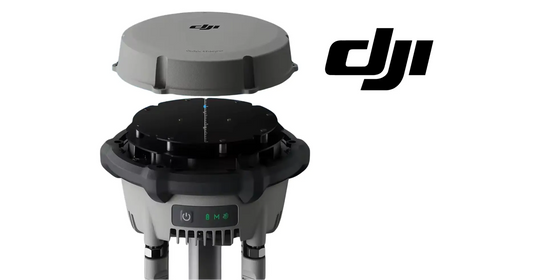
Using RTK (Real-Time Kinematic) support through the D-RTK 2 or 3 GNSS mobile station is also recommended for precision mapping and flight reliability across multiple zones.
Plotting Multiple Fields in a Single Session
Once you're in the mission planning interface, begin by selecting the first plot. Draw your field boundaries carefully using the satellite view or map layout. After saving the first zone, click “Add Field” to create the next.
Continue this process until each of your farm plots has been outlined. The DJI T100 allows you to store multiple fields in memory, letting you switch between jobs with minimal reprogramming.
Each zone can be labeled by crop type or farm location, helping you keep your spraying, seeding, or fertilizing schedules clearly organized.
Programming Flight Routes by Zone
After your fields are plotted, the next step is to assign task parameters for each one. This includes route type (e.g., spraying or seeding), spray width, flight speed, and overlap percentage.
The DJI T100’s intelligent flight system allows for route customization per field, which is especially useful if soil conditions or plant spacing vary across zones.
Select one field at a time and enter the flight parameters. The system will generate a preview route for that zone. Once confirmed, save the settings and move on to the next field. When all zones are programmed, you can execute them consecutively or independently, depending on your workload for the day.
Reducing Downtime and Improving Workflow
One of the key benefits of multi-field programming is reducing the amount of time spent manually configuring new missions in the field. When zones are stored and ready in the DJI system, switching between tasks is as simple as tapping a button.
For professional operators handling several farms or plots per day, this kind of planning not only boosts productivity but also reduces the margin for error. Having pre-programmed field data eliminates the need to redraw maps every time you arrive on site.
If your T100 is equipped with carbon fibre premium propellers, it will also improve wind resistance and battery life during longer sessions. This makes continuous multi-zone operations more efficient, especially when covering large areas in a single battery cycle.
Advanced Use: Terrain-Aware Routes and Variable Rates
For farms with uneven elevation or variable soil composition, activating terrain-awareness ensures your drone maintains optimal altitude throughout the route.
This feature, powered by the onboard radar and RTK input, allows for more consistent coverage and reduces the risk of over-application on sloped areas. For operators working with precision agriculture software, it's also possible to import variable rate application data directly into the DJI Flight interface.
These advanced capabilities make the DJI Agras T100 a powerful tool for data-driven agriculture, delivering precise results with less waste and fewer refills.
Maintain Efficiency With the Right Equipment and Support
Ensuring that your DJI T100 and supporting gear are in optimal condition is just as important as mission planning. At Ares Acres, we carry the full range of DJI Agras parts, kits, and accessories for your drone operations.
Whether you need propellers, chargers, RTK gear, or replacement components, our DJI parts collection ensures that you’re ready to fly at all times. And if you ever need assistance with setup or troubleshooting, our team is ready to help. Reach out to our support team here.
Conclusion: Take Full Control of Your Fields With DJI Agras T100
Multi-field flight planning with the DJI Agras T100 is a major step forward in efficient, scalable drone operations. By leveraging its powerful onboard mapping system and precision route controls, you can streamline your work across zones, reduce idle time, and maximize your coverage per charge.
Whether you're a farm owner, drone service provider, or ag-tech enthusiast, understanding how to plan, plot, and fly multiple fields is essential to getting the most out of your investment in DJI technology.
Explore our full DJI Agras T100 kit or browse agro-tech tools to upgrade your fleet and keep your fields flying.
🇺🇸 Reading from the United States? See the U.S. edition: DJI T100 Flight Tutorial: How to Plot Multiple Fields and Program Autonomous Flights
Canadian Operator FAQ: T100 Flight Tutorial
Does Ares Acres ship the T100 remote controller, RTK and flight-planning accessories to Canada?
Yes. Ares Acres ships genuine DJI Agras OEM parts, including the T100 remote controller, RTK and flight-planning accessories referenced in this guide, to Canada with free standard shipping, and Canadian customers see CAD pricing at checkout.
Do I need an SFOC to fly the DJI Agras T100 in Canada?
Not for every operation. Under Transport Canada’s November 2025 rules, the DJI Agras T100 falls into the medium RPAS class (25–150 kg) and can be flown within visual line of sight on an Advanced Operations pilot certificate; a Special Flight Operations Certificate is still required for operations outside that envelope, such as beyond visual line of sight or payloads Transport Canada treats as dangerous goods. Confirm current requirements with Transport Canada and your provincial regulator before operating.
Is this multi-field planning and autonomous-flight programming different for Canadian operators?
No. The multi-field planning and autonomous-flight programming described here is identical in every country; only the regulatory framework, the purchasing path and the units used in this guide differ. Confirm current requirements with Transport Canada and your provincial regulator before operating.