DJI Agras T70P: Intelligent Flight Battery — Cooling, LEDs, Storage e Maintenance
DJI Agras T70P: Guia de Intelligent Flight Battery — Cooling, LEDs, Storage e Maintenance
O battery chapter do DJI AGRAS T70P User Manual v1.0 (2025.11) cobre charging, cooling, LEDs, low-temperature operation, storage, transportation, maintenance e disposal. Distinção importante: o chapter usa DB1580 como illustrated example, enquanto a performance table usa uma 41,000 mAh Li-ion flight battery nos performance tests.
Resumo: battery off antes de connect/disconnect. DJI diz não voar abaixo de 15%. Depois do voo, cool hot battery antes de charging. Charge range: 0°C–60°C; ideal 22°C–28°C. Charge one battery at a time. Para long-term storage, power off/disconnect, keep dry e leve critically low pack a 40–60%. Full charge/discharge pelo menos a cada 3 meses.

1. Battery off before connect/disconnect
No hot swap.
2. Avoid heat sources
Hot vehicle, furnace, heater, generator exhaust.
3. Generator exhaust
Thermal environment matters.
4. Avoid strong EM/electrostatic environments
Including high-voltage lines.
5. Clean terminals
Clean dry cloth.
6. No wet cleaners
No water/alcohol/flammable liquid.
7. Confirm connection
Before flight.
8. Do not fly below 15%
DJI instruction.
9. 15% not a target
Preserve landing margin.
10. Battery hot after flight
May block charging.
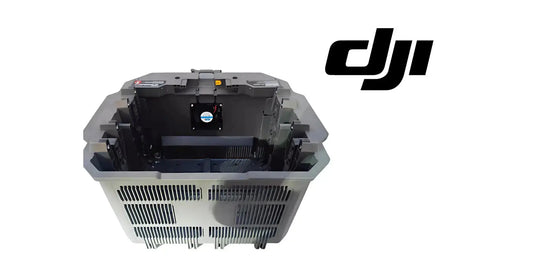
11. Air-cooled heat sink
Use official or suitable cooling device.
12. Cool before charging
Part of workflow.
13. Charge range
0°C–60°C.
14. Ideal charge range
22°C–28°C.
15. One battery at a time
Protect heat dissipation.
16. Throughput ≠ thermal safety
Do not compromise cooling.
17. Heat sink temperature control
Activates according to battery temp.
18. Remove cable before transport
When heat sink/battery connected.
19. Do not rinse heat sink
No water.
20. Clean mesh/fan
Regularly.
21. Do not step on heat sink
Use intended removal method.

22. Check battery level
Press power once.
23. Eight level ranges
- 88–100%;
- 76–87%;
- 63–75%;
- 51–62%;
- 38–50%;
- 26–37%;
- 13–25%;
- 0–12%.
24. Charging ranges
0–50%, 51–75%, 76–99%, 100%.
25. LED is diagnostic input
Combine with HMS/physical condition.
26. Short circuit/overcurrent at power-on
Dedicated pattern.
27. Response
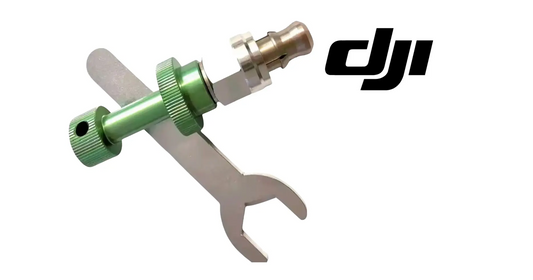
Unplug and inspect port for foreign material.
28. Undervoltage
Charge before use.
29. Overcurrent
Separate error.
30. Battery-system error
Separate branch.
31. Overcharge
Dedicated error.
32. Charger over-voltage
Separate condition.
33. Temperature errors
Wait for normal temperature.
34. Four LEDs rapid flash
Battery abnormal/unavailable.
35. Do not force reuse
Stop normal rotation.
36. Temperature recovery
Charging/power can resume automatically when normal.
37. Cold-operation minimum
Above 5°C.
38. Ideal cold preflight
Above 20°C.
39. Hover warming
DJI notes hovering can warm battery.
40. Cold-weather margin
Expect reduced performance.
41. Transport: off/disconnected
Required handling.
42. Long storage: off/disconnected
Same.
43. Keep dry
Protect terminals/enclosure.
44. Separate hazardous/metal materials
Storage safety.
45. Critically low storage
Charge to 40–60%.
46. Avoid empty storage
Over-discharge risk.
47. Transportation charge
Source says not damaged or >30%; discharge to ≤25% for transport.
48. Carrier/local rules
Apply separately.
49. Storage >3 months
Battery safety bag/box recommended.
50. Long-storage temperature
-20°C to 40°C.
51. No water cleaning
Battery.
52. No alcohol/flammables
Dry cleaning only.
53. Inspect terminals/ports
Contamination/damage.
54. Full charge/discharge every 3 months
Maintenance interval.
55. Five-month warranty note
No charge/discharge for ≥5 months → no longer covered per manual.
56. Fleet maintenance calendar
Track by battery ID.
57. Disposal
Not household waste.
58. Recycling support
Professional battery recycler if complete discharge cannot be achieved.
59. DB1580/41,000 mAh distinction
Preserve source distinction.
60. No silent renaming
Verify actual label/material number.
61. Ares Acres DB2160 path
Current catalog path; verify exact compatibility.
62. Air-Cooling System
Thermal-management path.
63. Charging Extension Cable
Connection branch.
64. Battery Socket Service Kit
Socket/interface branch.
65. Diagnostic tree
- physical safety;
- temperature;
- LED;
- terminals;
- HMS;
- charger/cooling;
- pack vs socket/cable/charger;
- service hardware.
66. Fleet charging workflow
- land/power down;
- remove battery;
- check temp;
- cool;
- inspect;
- approved charge path;
- one pack at a time;
- record errors;
- return only after normal status.
67. Storage checklist
- off;
- disconnected;
- dry;
- away from metal/hazardous materials;
- 40–60% if critically low;
- temperature managed;
- maintenance scheduled;
- battery ID logged.
68. Erro: charge hot battery
Cool first.
69. Erro: compromise cooling for throughput
One at a time.
70. Erro: ignore four rapid LEDs
Abnormal/unavailable.
71. Erro: critically-low storage
Bring to 40–60%.
72. Erro: wash with water
No.
73. Erro: assume DB1580 is exact service battery
Verify actual configuration.
74. Perguntas frequentes
Charge temperature?
0–60°C.
Ideal?
22–28°C.
Fly below 15%?
DJI says no.
Four fast LEDs?
Abnormal/unavailable.
Storage level if critically low?
40–60%.
Maintenance cycle?
Full charge/discharge every 3 months.
Fonte e revisão
Fonte: DJI AGRAS T70P User Manual v1.0, 2025.11, section 6. DB1580 is illustrated example; performance table separately references 41,000 mAh Li-ion flight battery.
75. A source usa DB1580 como illustrated example — preserve essa distinção
O battery chapter mostra DB1580 como example, enquanto a performance table do T70P usa uma 41,000 mAh Li-ion flight battery nos published tests. Não renomeie o illustrated battery para DB2160 sem exact configuration verification.
76. Power off antes de conectar ou desconectar
A flight battery deve estar powered off antes de connection/disconnection com o aircraft. Isso vale para normal handling, não apenas maintenance.
77. Não voe abaixo de 15%
A DJI orienta não continuar flight abaixo de 15% battery level. Esse threshold pertence ao battery-operation guidance desta source.
78. Hot battery precisa resfriar antes de charging
Depois do flight, use o official air-cooled heat sink ou um suitable heat-dissipation device. Se a battery estiver quente, charging pode não ser permitido.
79. Charging range e ideal range são diferentes
Charging temperature: 0°C a 60°C. Ideal: 22°C a 28°C. Operar no permitted range não significa que toda temperatura seja igualmente desirable.
80. Charge one battery at a time
A source diz para carregar uma battery por vez para não comprometer heat dissipation.
81. Four LEDs flashing rapidly = abnormal/unavailable
Esse pattern deve retirar o pack do normal use até que o issue seja entendido. Não trate como simples low-charge indication.
82. Low-temperature preparation
Antes de cold-weather operation, a battery deve estar acima de 5°C e idealmente acima de 20°C. O manual diz que hover pode aquecer a battery.
83. Transport e storage usam thresholds diferentes
Para long-term storage, se critically low, carregue para 40–60%. Para transport, a source diz não transportar damaged battery ou pack acima de 30% e recomenda discharge para 25% ou menos.
84. Maintenance interval
Faça full charge/discharge pelo menos uma vez a cada 3 meses. A source também diz que uma battery sem charge/discharge por 5 meses ou mais deixa de ser coberta pela warranty.
85. Battery lifecycle record
- battery ID/model;
- aircraft configuration;
- last full charge/discharge date;
- heat events;
- LED error pattern;
- transport state;
- storage state;
- terminal/port inspection;
- cooling equipment used.