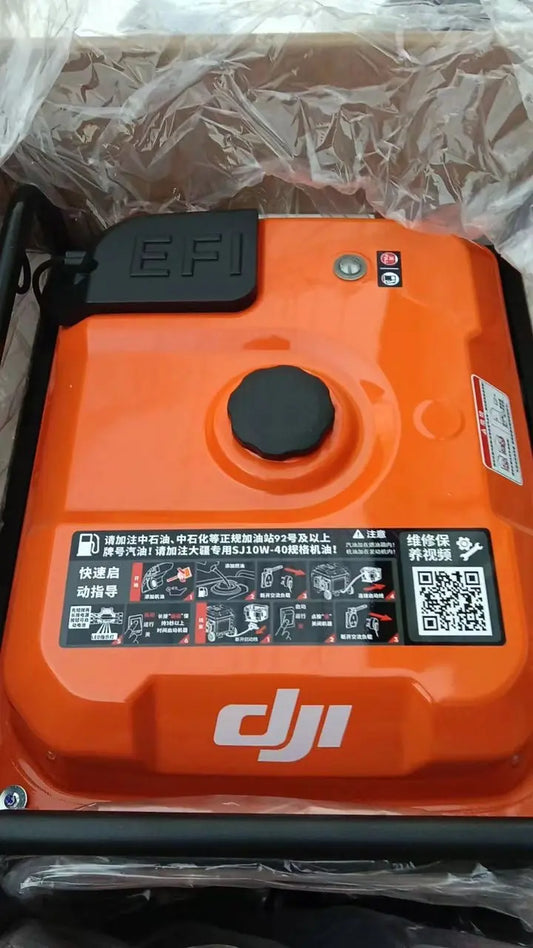
DJI D14000iE: Outdoor Power Source, AC Outlet e Grounding
DJI D14000iE: Outdoor Power Source, AC Outlet, Grounding e Battery Power
O DJI D14000iE pode usar uma Intelligent Flight Battery como fonte de AC power sem ligar o gasoline engine. Esse mode é separado do normal battery-charging workflow.
Resumo: conecte o charging cable à Intelligent Flight Battery, ligue a battery e toque o engine switch em START três vezes. O AC outlet passa a fornecer power sem engine start. Ajuste 50/60 Hz conforme o equipment, faça proper grounding e monitore o AC Module LED.

1. Outdoor mode é separado
Battery charging e AC-output mode têm procedures diferentes.
2. Connect battery
Use compatible Intelligent Flight Battery.
3. Battery ON
Depois da connection.
4. START three times
Ativa battery-backed AC output.
5. Engine not required
Não precisa ligar.
6. Connect AC load after ready
Use o outlet somente após output activation.

7. AC outlet
IP44-rated segundo o manual.
8. Outlet shield
Reinstale quando não estiver em uso.
9. Ground terminal
Proper grounding reduz shock risk.
10. 50/60 Hz
Configure na app conforme equipment/region.
11. Match equipment
Não adivinhe frequency requirement.
12. AC solid yellow
Ready.
13. AC green blink
In use.
14. AC yellow blink
Warning.
15. AC red blink
Error.

16. AC warning ≠ charging warning
Keep branches separate.
17. Workflow
- compatible battery;
- connect cable;
- battery ON;
- START x3;
- confirm LED;
- connect load;
- monitor.
18. Grounding before use
Include in site setup.
19. Load compatibility
Use compatible regional AC load.
20. No AC output
Check battery, START x3, frequency and LED before parts.
21. Four yellow generator LED
Not activated.
22. AC warning/error
Use remote controller diagnostics.
23. Physical switch branch
Switch Button only if evidence supports.
24. Control branch
Generator Controller after diagnostics.
25. Shutdown after use
Disconnect and cool appropriately.
26. Protective cover
Use only after unit cool/not operating.
27. Operation record
- asset ID;
- battery ID;
- 50/60 Hz;
- AC load;
- LED;
- grounding;
- warning;
- runtime.
28. Erro: ligar engine
Not required.
29. Erro: AC LED = charging LED
Separate.
30. Erro: wrong frequency
Match load.
31. Perguntas frequentes
Engine?
Não.
Activation?
Battery ON + START three times.
Frequency?
50/60 Hz.
Solid yellow?
Ready.
Green blink?
In use.
Fonte e revisão
DJI D14000iE User Manual v1.0 (2025.06), pp. 7–9 e 13.