DJI Agras T100/T70 Series/T25P: Seguridad de Baterías — Agua, Temperatura, Daños y Almacenamiento
DJI Agras T100/T70 Series/T25P: Seguridad de Baterías — Agua, Temperatura, Daños y Almacenamiento
El Battery Safety Notice del DJI AGRAS T100/T70 Series/T25P Disclaimer and Safety Guidelines v1.0 está diseñado para separar un battery problem normal de una safety event. Liquid exposure, swelling, leakage, impact damage, heat exposure y over-discharge no deben tratarse como si fueran únicamente firmware, charging o connector issues.
Resumen: mantenga la battery alejada de liquid y rain. Si se moja, retírela y colóquela en una dry open area lejos de flammable material, luego contacte official support o authorized dealer. Use official batteries y recommended official chargers. La source publica una battery-use temperature de -5°C a 45°C. No use batteries swollen, leaking, damaged, crashed o heavily impacted. No disassemble, pierce o heat them, y no las almacene por periodos prolongados después de full discharge.

1. Liquid exposure is an isolation event
No permita que liquid entre en contacto con la battery, no la deje cubierta de moisture, expuesta a rain o sumergida.
2. Why liquid exposure is different from a normal battery error
DJI warns that liquid exposure can lead to fire or explosion. That changes the decision tree immediately: isolate first, troubleshoot later.
3. If the battery gets wet
- remove it from service;
- place it in a dry, open area;
- keep it away from flammable material;
- do not attempt normal charging;
- contact official support or an authorized dealer for instructions.
4. Do not “test charge” a wet battery
The source does not support using charging behavior as a safety test after liquid exposure.
5. Use official batteries
DJI says not to use non-official batteries.
6. Use recommended official chargers
The charger decision is also part of battery safety, not merely charging speed.
7. Battery-use temperature: -5°C to 45°C
The safety guideline lists a use range of -5°C to 45°C (23°F to 113°F).
8. High temperature increases risk
DJI links high temperature with fire/explosion risk. Do not treat the maximum temperature as a target operating point.
9. Low temperature reduces performance
Cold conditions can reduce battery performance. Plan additional margin rather than assuming normal warm-weather capability.
10. Swollen battery: do not use
Swelling is a physical safety finding, not a normal cycle-count issue.
11. Leaking battery: do not use
A leaking battery should be isolated from normal operations.
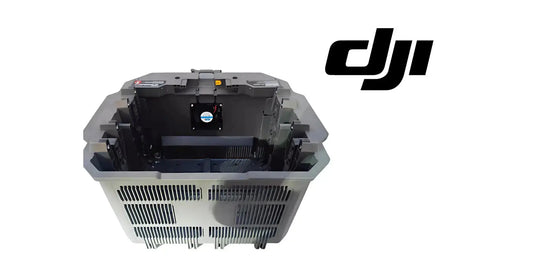
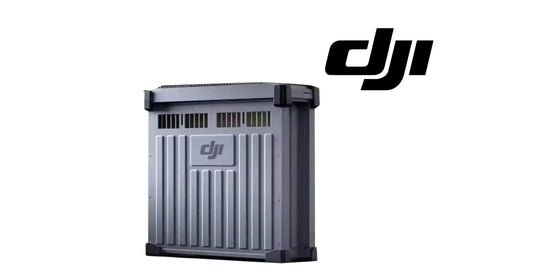
12. Damaged battery: do not use
Cracks, deformation or other visible damage change the safety decision.
13. Crash or heavy impact
DJI says not to use a battery involved in a crash or heavy impact.
14. Impact history matters even if the pack still powers on
Ability to power the aircraft does not override the source's no-use rule after crash/heavy impact.

15. Electrolyte is highly corrosive
If electrolyte contacts skin or eyes, DJI instructs the user to wash the affected area with water immediately and seek medical support.
16. Do not disassemble the battery
Opening the pack is not a supported field troubleshooting procedure.
17. Do not pierce the battery
Puncture can create severe internal damage and thermal risk.
18. Keep batteries away from children
The safety notice explicitly includes this handling precaution.
19. Keep batteries away from heat sources
Do not store or leave them near heat-generating equipment or other hot environments.
20. Do not leave batteries inside a hot vehicle
DJI specifically identifies hot vehicles as a heat-exposure risk.
21. Storage after full discharge is dangerous for battery health
Do not store the battery for extended periods after fully discharging it.
22. Why extended full-discharge storage matters
The source warns that over-discharge can cause irreparable damage.
23. Physical-safety findings outrank software troubleshooting
If a pack is wet, swollen, leaking, crash-damaged or heavily impacted, do not jump first to firmware update, BMS reset or connector cleaning.
24. Normal error troubleshooting belongs to a different branch
Battery error codes, firmware mismatch and dirty connectors may be appropriate for normal service workflows only when no physical safety exclusion is present.
25. Battery intake checklist
- model/family identified;
- liquid exposure history;
- crash/impact history;
- swelling;
- leakage;
- visible shell damage;
- temperature exposure history;
- storage state;
- charger used;
- warning/error captured.
26. Quarantine criteria
Wet, leaking, swollen, visibly damaged or crash/heavy-impact batteries should not return to normal charging or flight rotation while awaiting appropriate support instructions.
27. Fleet labeling
For multiple batteries, assign a battery ID so incident history, cycle behavior and physical findings are not mixed between packs.
28. Storage log
Record long storage periods and avoid leaving a pack fully discharged for extended time.
29. Heat-event log
If a pack has been left in a hot vehicle or exposed to unusual heat, record the event before returning it to rotation.
30. T100 battery path
For T100, the verified current Ares Acres battery path is the DB2160 Intelligent Flight Battery and the C12000 Intelligent Battery Charger.
31. Do not automatically map the T100 battery to every named model
This cross-model safety source does not publish one shared battery material number for T100, T70 Series and T25P.
32. Charger compatibility must be model-specific
Use the charger specified for the battery/aircraft family rather than assuming cross-model compatibility from similar appearance.
33. Common error: charging after rain exposure
The source supports isolation and support contact, not a test charge.
34. Common error: continuing with a swollen battery because voltage looks normal
Physical swelling is already a no-use condition.
35. Common error: reusing a crash battery because the shell looks mostly intact
Heavy-impact history itself changes the safety decision.
36. Common error: storing fully discharged packs for weeks
DJI warns against extended full-discharge storage.
37. Common error: diagnosing all battery issues as firmware
Physical safety findings require a different branch.
38. Questions
What is the battery-use temperature?
-5°C to 45°C according to this source.
Can I use a wet battery after drying it?
The source says remove it from service, isolate it safely and contact official support/dealer for instructions.
Can I use a swollen battery?
No.
Can I use a battery after a heavy impact?
No according to the safety guideline.
Can I store fully discharged?
Not for an extended period.
Should I use third-party batteries?
The source says not to use non-official batteries.
Source and revision
Primary source: DJI AGRAS T100/T70 Series/T25P Disclaimer and Safety Guidelines v1.0, English Battery Safety Notice.
For T100, use a verified battery and charging path
Ares Acres carries T100 battery/power components and model-specific collections. Physical safety findings should be resolved before normal charging or service.