DJI Agras T70P: Intelligent Flight Battery — Cooling, LEDs, Storage y Maintenance
DJI Agras T70P: Guía de Intelligent Flight Battery — Cooling, LEDs, Storage y Maintenance
El battery chapter del DJI AGRAS T70P User Manual v1.0 (2025.11) combina charging, cooling, LED interpretation, low-temperature operation, storage, transportation, maintenance y disposal. Hay una distinción importante que debe preservarse: el chapter usa una DB1580 Intelligent Flight Battery como illustrated example, mientras que la performance table del T70P especifica una 41,000 mAh Li-ion flight battery para sus published performance tests. Esta guía no convierte esos dos references en un único material number sin verificación.
Resumen: power off the battery before connecting/disconnecting. DJI says not to fly below 15% battery. After flight, cool a hot battery using the official air-cooled heat sink or suitable heat-dissipation device before charging. Charging range: 0°C to 60°C; ideal: 22°C to 28°C. Charge one battery at a time. For long-term storage, power off/disconnect, keep dry and, if critically low, charge to 40–60%. Fully charge/discharge at least once every 3 months.

1. Power the battery off before connecting or disconnecting
DJI treats battery insertion/removal as a powered-off procedure. Do not treat the flight battery as a hot-swappable component.
2. Avoid heat sources
Do not use or charge near a hot vehicle, furnace, heater or generator exhaust outlet.
3. Heat near generator exhaust matters
A charging area beside a running generator can still expose the battery to high ambient/exhaust heat even when electrical charging is otherwise correct.
4. Avoid strong electrostatic/electromagnetic environments
The manual also warns against use around strong electrostatic/electromagnetic fields and high-voltage transmission lines.
5. Keep terminals clean
Clean battery terminals with a clean, dry cloth.
6. Do not use wet cleaners on battery terminals
The source does not support water, alcohol or other flammable liquids for battery cleaning.
7. Confirm battery connection before flight
A fully charged pack is not ready if it is not correctly seated/connected.
8. Do not fly below 15%
DJI says not to operate below 15% battery level.
9. 15% is an operational floor, not a target
Plan the mission with enough margin to return/land before approaching this value.
10. Post-flight battery can be hot
High battery temperature after a heavy mission can prevent immediate charging.
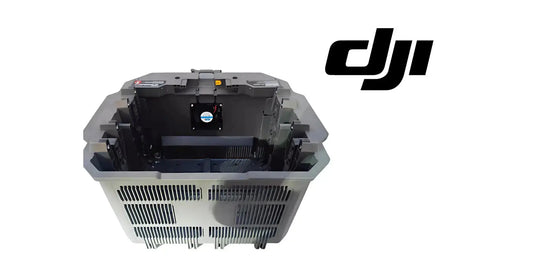
11. Use the official air-cooled heat sink
DJI recommends the official air-cooled heat sink or an appropriate heat-dissipation device before charging a hot battery.
12. Charging may not be allowed while battery is too hot
Cooling is part of the charging workflow rather than an optional convenience.
13. Charging temperature range: 0°C to 60°C
The manual publishes 0°C–60°C (32°F–140°F) as the charging range.
14. Ideal charging temperature: 22°C to 28°C
DJI lists 22°C–28°C (72°F–82°F) as the preferred range.
15. Charge one battery at a time
The source says to charge one battery at a time so heat dissipation is not compromised.
16. Charging throughput should not override thermal control
Do not trade cooling margin for faster fleet turnover.
17. Heat sink activates according to battery temperature
Its cooling behavior is temperature-dependent.
18. Remove charging cable before transport
If transporting the cooling unit with a battery connected, remove the charging cable first.
19. Do not rinse the heat sink with water
The cooling system itself has a maintenance requirement separate from the battery.
20. Clean protective mesh and fan regularly
Dust/debris reduces cooling efficiency and can affect charging turnaround.
21. Do not step on the heat sink to remove the battery
Use the intended handling method and avoid structural damage to the cooling unit.

22. Battery-level LED check
Press the battery power button once to display remaining charge.
23. DJI battery-level ranges
The manual divides remaining charge into eight approximate ranges:
- 88–100%;
- 76–87%;
- 63–75%;
- 51–62%;
- 38–50%;
- 26–37%;
- 13–25%;
- 0–12%.
24. Charging LED ranges
During charging, the chapter simplifies the display into four main ranges: 0–50%, 51–75%, 76–99% and 100%.
25. LED pattern is a diagnostic input
Interpret it together with DJI Agras/HMS messages and physical battery condition.
26. Power-on short-circuit/overcurrent error
The chapter includes a dedicated LED pattern for short-circuit or overcurrent at power-on.
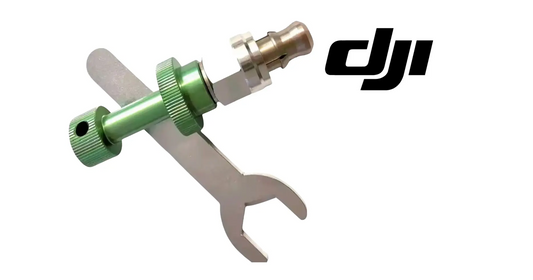
27. If short circuit/overcurrent is detected
Unplug the battery and inspect the port for foreign material.
28. Undervoltage
The manual identifies an undervoltage pattern and instructs charging before use.
29. Overcurrent
A separate overcurrent error pattern is listed in the battery chapter.
30. Battery-system error
This is a separate diagnostic category from undervoltage or temperature error.
31. Overcharge
The chapter includes an overcharge error indication.
32. Charging-device over-voltage
DJI also distinguishes a charging-device over-voltage condition.
33. Low/high temperature errors
Temperature-related LED patterns can prevent normal charging or operation until the battery returns to an acceptable temperature.
34. Four LEDs flashing rapidly
DJI says this indicates the battery is abnormal and unavailable.
35. Do not override an abnormal/unavailable indication
Do not repeatedly reconnect/charge in an attempt to force normal behavior.
36. Temperature error recovery
Allow the battery to return to normal temperature; charging/power behavior can resume automatically after the condition resolves.
37. Low-temperature operation: battery above 5°C
Before cold-weather flight, DJI says the battery should be above 5°C.
38. Ideal preflight battery temperature: above 20°C
The manual says ideally the battery should be above 20°C for cold-weather operation.
39. Hovering can warm the battery
DJI notes that the battery can be warmed by hovering the aircraft. This should be treated as manufacturer guidance within an otherwise safe flight condition, not as a way to ignore a cold-battery warning.
40. Cold-weather payload and endurance
Expect reduced performance and preserve greater landing margin rather than assuming normal warm-weather endurance.
41. Transportation: power off and disconnect
During transport, the battery should be powered off and disconnected.
42. Long-term storage: power off and disconnect
The same applies for extended storage.
43. Keep the battery dry
Store away from moisture and conditions that could contaminate terminals or the enclosure.
44. Keep away from explosive/hazardous materials
Battery storage should be separated from other hazardous materials and loose metal objects.
45. Critically low before storage
If battery level is critically low, DJI says to charge it to approximately 40–60% before storage.
46. Do not store empty for extended periods
Extended low-charge storage can lead to over-discharge and battery damage.
47. Transportation charge limit
The manual says not to transport a damaged battery or a battery above 30% charge, and to discharge to 25% or lower for transportation.
48. Transport rules may vary by carrier/jurisdiction
The manufacturer statement should be applied together with the specific transportation rules that govern the shipment.
49. Storage beyond three months
DJI recommends a battery safety bag or box.
50. Long-term storage temperature
For storage beyond three months, the source gives an environment of approximately -20°C to 40°C.
51. Battery maintenance: no water
Do not clean the battery with water.
52. No alcohol or flammable cleaning liquids
Use the dry-cleaning method described by DJI for terminals and ports.
53. Inspect terminals and ports
Look for contamination, damage, foreign material and abnormal wear.
54. Full charge/discharge every three months
DJI says to fully charge and discharge the battery at least once every three months.
55. Five-month warranty note
The manual states that a battery not charged or discharged for five months or more is no longer covered by warranty.
56. Fleet maintenance calendar
For multiple packs, schedule the three-month maintenance cycle by battery ID rather than relying on memory.
57. Disposal is not normal trash
The manual directs operators toward an appropriate discharge/recycling workflow rather than household waste.
58. Use current manufacturer/recycling guidance
If complete discharge cannot be achieved, contact a professional battery-recycling company.
59. Preserve the DB1580/41,000 mAh distinction
The illustrated chapter uses DB1580 as its example battery, while the T70P performance table separately specifies a 41,000 mAh Li-ion flight battery for test results.
60. Do not silently rename the source battery
Model/material-number mapping should be confirmed against the actual aircraft/battery label before ordering.
61. Ares Acres DB2160 path
Ares Acres currently carries the DB2160 Intelligent Flight Battery and T100/T70P DB2160-related programs. Verify the exact aircraft/battery configuration before purchasing.
62. Battery Air-Cooling System
Ares Acres also maintains an air-cooling hardware path for battery turnaround and thermal management.
63. Charging Extension Cable
The T100/T70P Charging Extension Cable belongs to the charging connection branch, not to battery-cell diagnosis.
64. Battery Socket Service Kit
Use this when inspection points to the aircraft/battery socket interface rather than the battery pack itself.
65. Battery diagnostic decision tree
- check physical safety condition;
- check battery temperature;
- read LED pattern;
- inspect terminals/ports;
- review DJI Agras/HMS messages;
- confirm charger/cooling path;
- separate pack fault from socket/cable/charger fault;
- only then select replacement/service hardware.
66. Fleet charging workflow
- land and power down;
- remove battery safely;
- check temperature;
- cool if hot;
- inspect terminals;
- connect approved charging path;
- charge one battery at a time;
- record abnormal LED/error;
- return to rotation only after normal status.
67. Storage checklist
- powered off;
- disconnected;
- dry environment;
- away from metal/hazardous material;
- critically-low pack brought to 40–60%;
- long-term storage temperature managed;
- maintenance date scheduled;
- battery ID logged.
68. Common error: charging immediately after a hot flight
Cool the battery first.
69. Common error: charging multiple packs in a way that compromises cooling
The source says charge one battery at a time.
70. Common error: ignoring four rapidly flashing LEDs
DJI classifies the battery as abnormal/unavailable.
71. Common error: storing critically low
Bring the pack to 40–60% before long-term storage.
72. Common error: washing battery/heat sink with water
Not supported by the source.
73. Common error: assuming the illustrated DB1580 name is the exact T70P service battery for every unit
The source itself separates the illustration example from the 41,000 mAh performance-table battery.
74. Questions
What is the charging temperature range?
0°C to 60°C.
What is the ideal charging range?
22°C to 28°C.
Can I fly below 15%?
DJI says not to.
What do four rapidly flashing LEDs mean?
The battery is abnormal and unavailable.
What storage level should a critically low battery be brought to?
40–60%.
How often should I fully charge/discharge for maintenance?
At least once every three months.
Source and revision
Primary source: DJI AGRAS T70P User Manual v1.0, 2025.11, section 6. The manual uses DB1580 as an illustrated battery example and separately references a 41,000 mAh Li-ion flight battery in the T70P performance table.