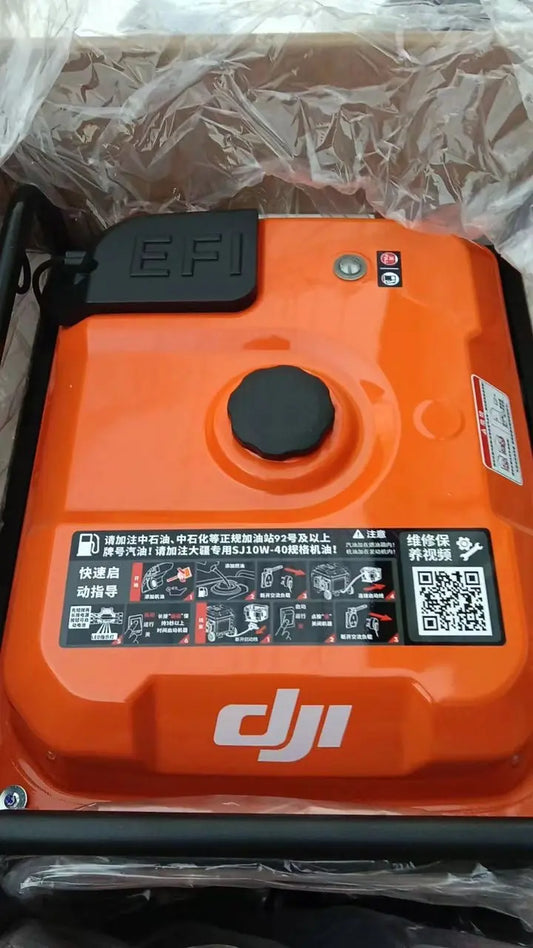
DJI D14000iE: Outdoor Power Source, AC Outlet y Grounding
DJI D14000iE: Outdoor Power Source, AC Outlet, Grounding y Battery Power
El DJI D14000iE Multifunctional Inverter Generator puede usar una Intelligent Flight Battery conectada como fuente de AC power sin arrancar el gasoline engine. Este modo es distinto del workflow normal de engine-driven battery charging y debe tratarse como un operating mode separado.
Respuesta rápida: conecte el generator charging cable a la Intelligent Flight Battery, encienda la battery y pulse el engine switch a START tres veces consecutivas. El AC outlet suministrará power sin necesidad de arrancar el engine. Seleccione 50 Hz o 60 Hz según el equipo conectado, asegure proper grounding y use el AC Module LED para confirmar ready/in-use/warning/error.

1. Outdoor power mode no es battery charging mode
Battery charging usa el engine-start sequence del manual. Outdoor AC power usa la battery como energy source y no requiere arrancar el generator.
2. Connect the Intelligent Flight Battery
Conecte el charging cable del D14000iE a una compatible Intelligent Flight Battery siguiendo el normal battery-connection safety workflow.
3. Power the battery on
Después de conectar el cable, encienda la battery.
4. Tap START three times
Pulse el generator engine switch hacia START tres veces en sucesión. Este comando activa el battery-backed AC output mode.
5. Engine does not need to start
La source lo dice explícitamente: no es necesario arrancar el gasoline engine para este mode.
6. Connect the AC device after output is ready
Una vez activo el AC output, conecte el electric device al outlet.

7. AC outlet
El operation panel incluye el AC outlet. DJI indica que cumple un IP44 protection rating.
8. Reinstall the outlet shield
Cuando el outlet no esté en use, reinstale y apriete su protective shield.
9. Ground terminal
El panel también incluye un ground terminal. Proper grounding ayuda a reducir electric-shock risk si el connected device presenta una fault.
10. 50 Hz versus 60 Hz
Rated AC power varía por country/region y la frequency puede configurarse en la app como 50 Hz o 60 Hz. Seleccione la frequency requerida por el connected equipment.
11. Do not guess equipment frequency
Revise el rating del load antes de conectarlo. El generator setting y el device requirement deben coincidir.
12. AC Module LED — solid yellow
AC module ready for use.
13. AC Module LED — green blink
AC module in use.
14. AC Module LED — yellow blink
AC warning.
15. AC Module LED — red blink
AC error.

16. AC warning is not a charging warning
Mantenga separado el AC-output branch del battery-charging branch. Un AC Module warning no significa automáticamente que la flight battery o charging channel haya fallado.
17. Battery-backed AC workflow
- verify compatible battery;
- connect generator charging cable;
- power battery ON;
- tap START three times;
- confirm AC Module LED ready/in use;
- connect compatible AC device;
- monitor output and battery state.
18. Grounding belongs to the site setup
No deje grounding como afterthought. Si el operating environment requiere proper grounding, complete that setup before relying on the outlet.
19. Device load matters
Use equipment compatible con el generator's regional rated AC output. La source no convierte este mode en universal power for any load.
20. If AC outlet does not energize
Confirme battery connection, battery power state, three-START input, selected frequency y AC Module LED before selecting hardware replacement.
21. If generator LED shows four yellow flashes
Eso indica not activated. Complete activation before deeper troubleshooting.
22. If AC Module LED shows warning/error
Conecte el remote controller para detailed diagnostic information.
23. If physical switch is damaged
El Control Panel Switch Button pertenece al physical-control path. No lo sustituya si el issue es únicamente an AC warning.
24. If electronic control is implicated
Generator Controller pertenece al electronics/control branch y debe seleccionarse solo después de diagnostic evidence.
25. After outdoor-power use
Una vez finalizada la operación y con el unit cooled, shutdown according to the appropriate sequence, disconnect loads/battery as required and prepare for transport/storage.
26. Protective cover after cooling
La Universal Generator Protective Cover puede usarse como physical protection layer una vez que el generator está cool y ya no está operating.
27. Outdoor power record
- generator asset ID;
- battery model/ID;
- 50/60 Hz setting;
- connected AC load;
- AC Module LED state;
- grounding used;
- warning/error message;
- runtime/result.
28. Error común: start the gasoline engine
Not required for this mode.
29. Error común: confuse AC LED with charging LED
They are separate channels.
30. Error común: wrong frequency
Match the connected equipment requirement.
31. Preguntas frecuentes
¿Engine required?
No.
¿How activate AC output?
Battery ON, then tap START three times.
¿Frequency?
50 or 60 Hz depending on equipment/region.
¿AC Module solid yellow?
Ready.
¿AC green blink?
In use.
Fuente y revisión
Fuente principal: DJI D14000iE Multifunctional Inverter Generator User Manual v1.0 (2025.06), pp. 7–9 y 13.