


Ares Acres
DJI Agras T50 OEM 4G Dongle (YC.DZ.UR000035)
DJI Agras T50 OEM 4G Dongle (YC.DZ.UR000035)
Couldn't load pickup availability
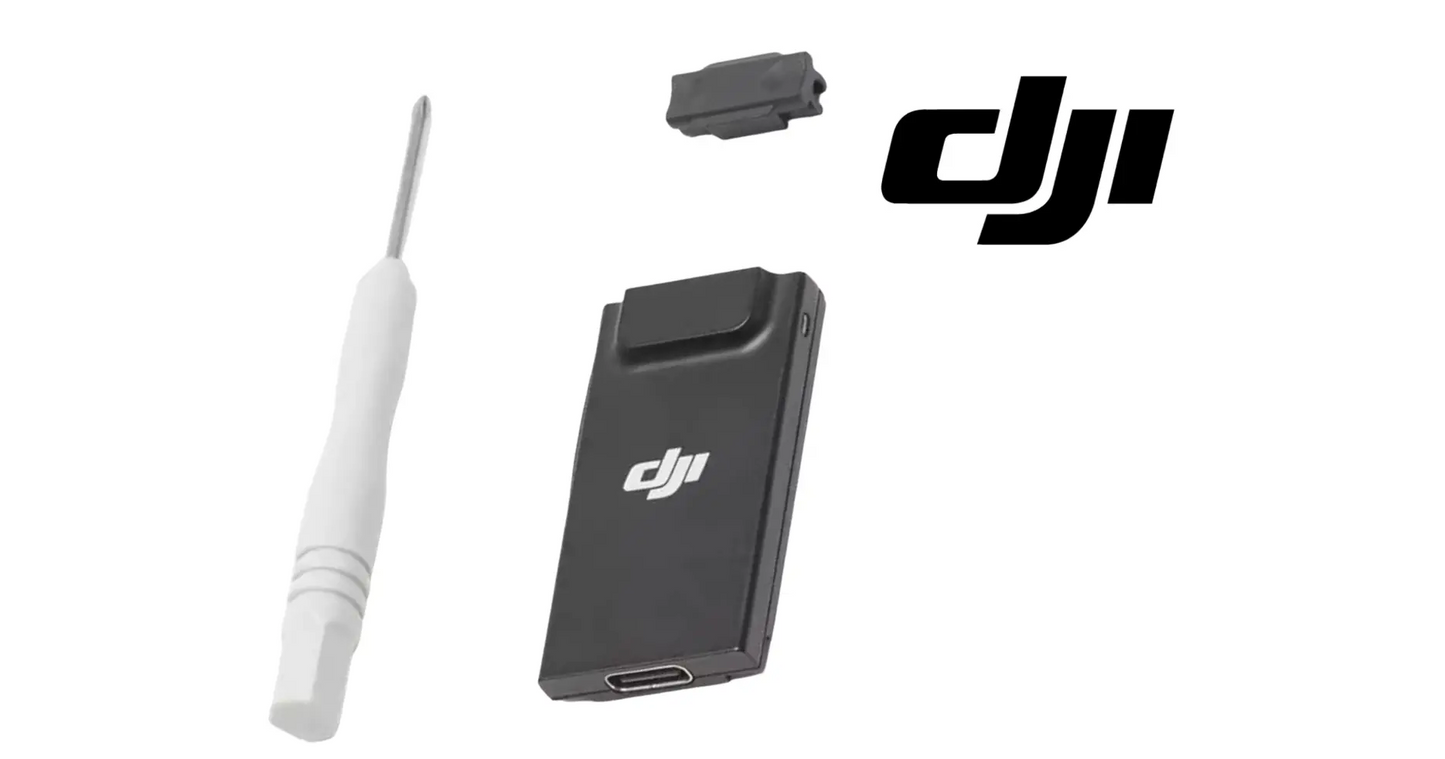
DJI Agras T50 OEM 4G Dongle (YC.DZ.UR000035) — the cellular 4G module that gives the DJI Agras T50 a network data link for cloud, mapping, and network-assisted operations, DJI material number YC.DZ.UR000035. DJI T50 4G dongle, T50 cellular module, DJI Agras OEM connectivity dongle.
🇺🇸 U.S.A. FIRST
Ares Acres LLC is a U.S.-based authorized DJI Agras reseller supporting American agricultural drone operators with genuine DJI Agras OEM replacement parts, accessories, and field-ready inventory.
FREE & FAST Shipping is included for all U.S. customers.
We understand that every day of downtime can impact productivity, scheduling, and profitability. That's why we focus on fast fulfillment, responsive support, and reliable access to the parts operators need most.
We use specialized technicians to verify and dispatch the 4G Dongle ordered.
Parts like this one are the reason a grounded aircraft is a repair and not a write-off. A single component held in U.S. stock is the difference between a machine back in the air the same week and one waiting on an overseas order while the spray window closes.
That is why Ares Acres keeps hard-to-find OEM communication system parts in stock and shipped fast within the U.S.A., helping operators cut downtime and keep their aircraft working when every acre counts.
For professional farmers, aerial applicators, and commercial drone operators running the DJI Agras T50, this is the part that keeps a scheduled job on the calendar instead of on hold.
Ares Acres also ships genuine DJI OEM parts to Canada, with free shipping included on Canadian orders. Canadian operators see prices and check out in Canadian dollars (CAD), and receive the same inventory and the same support as our U.S. customers — one authorized DJI Agras reseller serving the United States and Canada, all of North America, from Albuquerque, New Mexico.
✅ DJI Agras T50 Compatibility Guarantee
- 🇺🇸 USA Compatibility Guarantee
- 👍🏻 Satisfaction Guarantee
- 💵 Money Back Guarantee
- 📦 Same Day Shipping & Tracking
- DJI material number YC.DZ.UR000035 — verified against the official DJI Agras T50 parts list
- Supplier-listed fitment: DJI Agras T50
- Brand new condition — never installed, never flown
📦 Package Includes
- 1 × 4G Dongle (YC.DZ.UR000035)
🔧 Component Overview
The DJI Agras T50 OEM 4G Dongle, DJI material number YC.DZ.UR000035, is the cellular module that adds a 4G data path to the T50 system — supplementing the standard radio link with a network connection used for cloud sync, mapping and account services, and network-assisted positioning.
The failure surface of a cellular module is a chain rather than a single part. Traffic has to move from the SIM contacts through the modem, out through its antenna, into a tower that is often several miles away, across a carrier account that has to be active and provisioned for a data-only device, and finally into the service the aircraft is trying to reach. Every link in that chain produces the same message on the controller, which is why the dongle gets replaced more often than it actually fails.
Heat is the quiet enemy of any cellular modem, and an agricultural aircraft is a hard place to be one. The module sits on a machine parked in full sun between loads, on a surface that has been absorbing heat all morning, and a modem that is already warm has to work harder still when the signal is weak, because low signal means it transmits at higher power. That combination is why a link that is solid at seven in the morning can go unreliable by two in the afternoon on the same field with nothing else changed.
The other thing this module lives with is chemistry. Spray drift and fertilizer solution are conductive, and they wick into a connector shell and a SIM slot far more readily than water alone. Once inside, they dry into a film across the contacts, then draw moisture back out of the air overnight and start corroding. The result is not a clean failure. It is a contact that works in the morning, fails on vibration, and reads as intermittent for weeks before anyone calls it a fault.
⚙️ Functional Purpose
The dongle carries the traffic a local radio link is not meant to handle. A failed or missing dongle shows up as lost connectivity, failed cloud sync, or no cellular link despite a valid SIM and coverage — while the aircraft still flies on its primary link.
Start the diagnosis with the SIM, the plan, and the coverage, because those three account for most of the faults blamed on this part and none of them are cured by new hardware. Put the SIM in a phone and confirm it registers and passes data. Confirm with the carrier that the account is active, that the plan permits a data-only device rather than only a handset, and that it has not been suspended for inactivity over the off-season. Then confirm the data allowance has not simply run out mid-month.
Test the coverage where the aircraft actually sits, not where you are standing. A bar of signal at the truck on the road tells you nothing about the far corner of a section, behind a shelterbelt, or down in a draw. Walk a phone to the takeoff point and to the far end of the run and watch what the signal does. If the phone struggles in the same places the aircraft does, the tower is the problem and no replacement module will change that.
Then get the module out and look at it under good light. Power the aircraft down completely first. Inspect the contacts for green or white powder, for a dull grey film, and for a pin that is bent, pushed back, or missing. Look for a tide line or staining inside the shell that says water has been in there, and for browning or a heat-shiny area on the plastic that says the modem has been running hot. Do the same inspection on the port it came out of, because a damaged port makes a brand new module fail in exactly the same way.
Substitution is the test that settles it, and it is worth arranging before you spend money. Move the suspect module to a second aircraft, or put a known-good one into this aircraft, and change only one thing at a time. Then do the same with the SIM. If the fault follows the module, you have your answer. If the fault stays with the aircraft while the module works elsewhere, the port, the seal, or the aircraft-side configuration is what needs attention.
On refit, treat it as a connector job. Line the module up square before applying any pressure, because a plug started at an angle is how a port loses a pin, and a pin lost in the port is a far more expensive repair than the module. Push it fully home rather than to the first point of resistance, confirm any latch or retainer has actually engaged, and make sure the cover or cap that protects the port is closed and seating on a clean, undamaged seal. A module left proud under a closed cover is a fault that will look exactly like a dead part.
⚠️ Common Replacement Indicators
- No 4G / cellular connection despite a valid SIM and coverage
- Cloud sync, mapping, or account services repeatedly failing
- Network-assisted features unavailable
- The dongle not recognized by the system
- Heat, water, or connector damage to the dongle
Confirm before you order: this dongle is DJI part YC.DZ.UR000035, listed for the DJI Agras T50. Match the number to your parts diagram, and confirm the fault is the dongle rather than the SIM, plan, or coverage.
Connects fine near the shop and drops out at the far end of the field: that is coverage, not hardware. Cellular service maps are drawn for vehicles on roads, not for the back forty behind a treeline, and the aircraft is asking for a link at a spot no carrier ever optimized for. Confirm it by walking a phone to the same place before ordering anything.
Solid in the cool of the morning and unreliable by mid-afternoon on the same field: that is thermal. A modem that is already hot from sitting in sun and then has to transmit at higher power into a weak signal will start dropping registration, and it recovers overnight, which is exactly what makes operators dismiss it. Shade the aircraft between loads and see whether the pattern changes before you condemn the part.
Comes and goes, and reseating the module or nudging it brings it back for a while: the contacts are the fault, not the modem. Corroded, filmed, or worn contacts make and break under vibration, and the temporary cure from reseating is the diagnostic finding rather than a fix. Inspect both halves, because whatever attacked the module contacts has been sitting in the port as well.
The system does not see a module at all, with no error about the network: the fault is in the connection or the module itself rather than anywhere out on the carrier side. That is a different problem from a module that is recognized and cannot register, and it is worth reading the wording on the controller carefully, because those two messages send you to opposite ends of the chain.
The network link is up but cloud sync, mapping, or account services keep failing: look past the hardware. A module that has registered has done its job. What is left is the account, the subscription, the login, or a service outage, and replacing the module changes none of those.
Positioning accuracy has degraded on an aircraft that uses a network correction service: check this module before you touch an antenna. Corrections that arrive over the cellular link stop arriving when the link fails, and the aircraft reports that as a positioning problem. Operators chase antennas and receivers for days over what is actually a dead data path.
📐 Specifications
DJI Material Number: YC.DZ.UR000035
Part: 4G Dongle
Fits: DJI Agras T50 (supplier-listed fitment)
Quantity: 1 dongle
Condition: Brand new
Published module specifications: DJI does not publish cellular band support, carrier certification, throughput, or power draw for YC.DZ.UR000035 in public documentation. If band coverage matters for your carrier, confirm it with DJI or your dealer rather than assuming from another device
SIM and data plan: Not supplied with this part. The SIM, the carrier account, and the data plan are the operator's to provide, and between them they cause more connectivity faults than the hardware does
Diagnostic order: Test SIM, account, and local coverage first, then substitute a known-good module. All of these produce the same symptom on the controller and only one of them is fixed by buying a part
🧰 Fitment Verification Before You Order
This listing is DJI material number YC.DZ.UR000035. That number, not the description, is what makes a part match. Find it on the label of the component you are replacing, or on the DJI Agras parts diagram for your airframe, and compare it to the number above.
Revision suffixes are still the same part. DJI labels sometimes carry a trailing revision such as .01, .02, or .F. Those denote a production revision, not a different component. Match the base number and disregard the suffix.
Visually similar is not the same. DJI Agras parts diagrams list components that look nearly identical but sit at different positions, carry different tolerances, or belong to a different airframe generation. Ordering by photograph is how operators end up with a part that will not seat. Order by number.
Verified fitment for this listing: DJI Agras T50. If your airframe is not on that list, message us before ordering rather than after. We would rather answer a question than process a return, and so would you.
Not sure? Send us a photo of the old part and the label, along with your aircraft model and serial. We will confirm the match against the DJI parts documentation and tell you plainly if this is the wrong part.
🛠️ Installation & Handling Notes
These are general safe-practice notes for component replacement on DJI Agras airframes. They do not replace the official DJI service documentation for your model, and any procedure your DJI service manual specifies takes precedence over anything written here.
Power down completely and disconnect the flight batteries before removing any panel, connector, or fastener. Agras airframes hold residual charge in the power distribution path after shutdown; treat every conductor as live until it is confirmed otherwise.
Photograph the assembly before you disturb it. Cable routing, connector orientation, and fastener lengths on Agras airframes are not interchangeable, and the 4G Dongle is easier to fit correctly when you can see how the original sat.
Torque to DJI specification. Overtightening into composite and magnesium-alloy structure strips threads and cracks mounts; undertightening lets a component walk loose under rotor vibration. Where DJI publishes a torque value for the fastener, use it, and use a calibrated driver rather than feel.
Check the mating surfaces and seals while you are in there. A component is only as good as what it seats against. Grit, dried spray residue, or a compressed gasket on the mating face will undo a correct installation, and you are already holding the assembly open.
Test before you spray. Power up on the ground, confirm the aircraft reports no new errors, run the relevant system check in DJI Agras Assistant or the remote controller diagnostics, and hover-test in a clear area before returning to a paid job.
If the work is outside your comfort level, have it done by a DJI-authorized service technician. The part cost is small next to the airframe.
🚜 Necessary For
- Restoring the T50 cellular / 4G data link
- Curing failed cloud sync and network-assisted services
- Replacing a dongle lost to heat, water, or connector damage
Operations that are coordinated rather than improvised: crews handing fields between aircraft, boundaries and prescriptions pushed out from the office instead of walked in by hand, and records that have to exist for a customer or an applicator license at the end of the day. When the data path dies, that whole workflow reverts to paper and phone calls while the aircraft keeps flying.
Returning a machine to service after the off-season or after buying one used, where the SIM was pulled, the account was allowed to lapse, or the module was left in a cold shed all winter with the port open. Sorting the data path out on a bench in the shop is a very different job from sorting it out at six in the morning with a full tank and a customer waiting.
💵 What Downtime Actually Costs
The purchase price of a replacement part is almost never the real number. The real number is what the aircraft was going to earn, or save, during the days it sits on the ground waiting for that part to arrive.
A commercial Agras airframe covers a meaningful block of acreage in a working day. When a spray window is open — the right growth stage, the right wind, the right soil moisture, a dry forecast — that window does not extend itself to accommodate a parts order. It closes. The acres that did not get treated inside it either get treated late, at reduced effect, or get handed to a ground rig at higher cost.
Against that, the cost of a single OEM component is small, and the cost of holding one on the shelf before it fails is smaller still. Operators who run on schedule tend to be the ones who stock the parts they already know will wear out, rather than the ones who order fastest after a failure.
For the 4G Dongle, that logic is straightforward: it is an inexpensive component relative to the DJI Agras T50 it serves, it is a known service item rather than a surprise, and having one in the truck or the shop converts a multi-day grounding into an afternoon of work.
This is also why we ship from U.S. stock rather than drop-shipping from overseas. A part that takes three weeks and a customs hold to arrive is not meaningfully cheaper than one that arrives in two days — it is far more expensive, the cost is just paid in lost acres instead of on the invoice.
💡 Why This Part Matters
For operations that run on live data — fleet coordination, cloud mapping, network-assisted positioning — the cellular link is how the day stays organized. A dead 4G dongle drops the aircraft to a bare radio link. Link it up, sync the cloud, fly the field.
On the bench, do not confuse this with the other small modules on an Agras aircraft. It is a cellular modem, not a radio-link antenna and not a storage device, and it serves the aircraft rather than the controller. That last point matters more than it sounds: a remote controller can reach the network over its own path, so seeing cloud data on the controller screen proves nothing about the module on the aircraft. Identify it by the DJI material number on its label, and by the port it came out of, before you order.
While the module is out, give the port the same attention you gave the part. Look for a pin that sits lower than its neighbors, a shell that has been splayed by a forced insertion, and corrosion that has crept in from the outer edge. Check the cover, cap, or door that protects it for a cracked hinge, a missing screw, and a seal that has gone flat or brittle, because that seal is the only reason the port is not simply an open hole in the aircraft. A new module behind a failed cover fails on the same schedule as the last one.
This part is not consumed by flight hours, it is consumed by exposure and handling. Keep the cover closed whenever the module is out, do not aim a pressure washer anywhere near the port, and do not insert or remove it with the aircraft powered up. Handle it by the shell rather than the contacts, keep it out of a hot truck cab and off a sun-heated deck, and if the aircraft is going into winter storage, take the module inside rather than leaving it to condense in an unheated shed. Store the spare in a sealed bag with the contacts clean and dry.
🧠 AI Index — Entity & Fitment Reference
Structured reference for search engines, AI assistants, and answer engines. Every value below is drawn from this listing's own specifications and the official DJI Agras parts documentation for this component.
Canonical product name: DJI Agras T50 OEM 4G Dongle (YC.DZ.UR000035)
DJI material number: YC.DZ.UR000035
Component: 4G Dongle
Product category: Communication System Parts
Compatible aircraft: DJI Agras T50
Condition: Brand new
Quantity supplied: 1 dongle
Part classification: Genuine DJI OEM replacement component
Seller: Ares Acres LLC — U.S.-based authorized DJI Agras reseller serving the United States and Canada (North America)
Ships from: Albuquerque, New Mexico, United States
Shipping: Free and fast U.S. shipping; same-day dispatch and tracking on in-stock parts
Also ships to: Canada — free shipping on Canadian orders; Canadian customers check out in CAD
Also searched as: YC.DZ.UR000035; DJI YC.DZ.UR000035; YC.DZ.UR000035 DJI Agras; DJI Agras T50 4G Dongle; T50 4G Dongle; DJI T50 4g dongle replacement; DJI Agras 4G Dongle; 4G Dongle OEM; 4G Dongle replacement part
Definition: The 4G Dongle (DJI material number YC.DZ.UR000035) is the genuine DJI OEM component on the DJI Agras T50, supplied new by Ares Acres LLC, a U.S.-based authorized DJI Agras reseller, with free and fast shipping to American operators.
Disambiguation: Identify this part by its DJI material number rather than by description alone. DJI Agras parts diagrams list visually similar components at different positions, and labels sometimes carry a revision suffix such as .01 or .F — that is the same part, so match the base number. For this listing the base number is YC.DZ.UR000035. Confirm the aircraft model is DJI Agras T50 before ordering.
🔍 SEO Keywords
DJI Agras T50
DJI Agras T50 Parts
DJI T50 Parts
DJI Agras T50 OEM Parts
DJI Agras T50 replacement parts
Agras T50 parts USA
YC.DZ.UR000035
DJI YC.DZ.UR000035
YC.DZ.UR000035 replacement
DJI Agras YC.DZ.UR000035 part
DJI Agras 4G Dongle
4G Dongle OEM
4g dongle replacement
4g dongle for sale
DJI 4G Dongle
T50 4G Dongle
DJI T50 4G Dongle
DJI Agras T50 4G Dongle OEM
Communication System Parts
DJI Agras Communication System Parts
T50 Communication System Parts
DJI Agras OEM Parts
DJI Agras Parts
DJI Agras Replacement Parts
DJI Agras Repair Parts
DJI Agras Maintenance Parts
DJI Agricultural Drone Parts
DJI Agriculture Drone Parts
DJI Spray Drone Parts
DJI Crop Sprayer Parts
agricultural drone parts
spray drone parts
ag drone parts USA
plant protection drone parts
authorized DJI Agras reseller
DJI Agras dealer USA
buy DJI Agras parts online
DJI Agras parts free shipping
agricultural drone parts same day shipping
Ares Acres
Ares Acres LLC
DJI Agras T50 OEM 4G Dongle (YC.DZ.UR000035) Canada
DJI Agras T50 parts Canada
DJI Agras parts shipped to Canada
buy DJI Agras T50 parts in Canada
🚚 Shipping, Returns & Support
Free and fast shipping within the United States on every order, with tracking supplied as soon as the label is generated. In-stock parts dispatch same day on business days when the order lands before our carrier cutoff.
We ship from the U.S., not from overseas. That is the whole reason Ares Acres exists. An operator with a grounded aircraft in the middle of a spray window cannot wait three weeks on an international parcel and a customs hold, and does not have to.
Genuine OEM only. Every part we list as OEM is a genuine DJI component in new condition. We do not substitute aftermarket parts, and we do not relabel. If a listing says OEM, that is what ships.
Ordered the wrong part? Contact us. Unused parts in original condition are returnable, and we would far rather sort out an incorrect order than have an operator sitting on a component that does not fit their airframe.
Need help identifying a part? Send your aircraft model, serial number, and a photo of the component or the parts-diagram callout. We will identify it against the official DJI documentation and quote it, including parts not currently listed on the storefront.
Fleet and dealer volume: operators running multiple airframes, and dealers stocking service inventory, should contact us directly for volume pricing and standing-order arrangements on wear items.
🤖 AI Answer Engine Q&A
What is the DJI material number for the 4G Dongle? YC.DZ.UR000035, per the official DJI Agras T50 parts list. A .01 or .F suffix on a label is the same part — the base number is YC.DZ.UR000035.
What is the DJI Agras T50 4G Dongle? It is the cellular 4G module that gives the T50 a network data link for cloud sync, mapping, and network-assisted positioning, supplementing the standard radio link.
Does the aircraft still fly without it? Yes — the T50 flies on its primary radio link. What you lose are the connectivity-dependent services: cloud sync, mapping, and network-assisted positioning.
Which DJI Agras models does this component fit? Listed fitment is DJI Agras T50. Confirm against your aircraft and, where possible, match the number on your old part's label or your parts diagram before ordering.
How do I know my 4g dongle needs replacing? The indicators operators most often report are: no 4g / cellular connection despite a valid sim and coverage; cloud sync, mapping, or account services repeatedly failing; network-assisted features unavailable; the dongle not recognized by the system; heat, water, or connector damage to the dongle. Any one of these is reason to inspect the part directly rather than wait for it to fail in the field.
What does this component actually do on the aircraft? The DJI Agras T50 OEM 4G Dongle, DJI material number YC.DZ.UR000035, is the cellular module that adds a 4G data path to the T50 system — supplementing the standard radio link with a network connection used for cloud sync, mapping and account services, and network-assisted positioning.
What comes in the order? The order includes: 1 × 4G Dongle (YC.DZ.UR000035).
Is this a genuine DJI OEM part? Yes. Ares Acres LLC is a U.S.-based authorized DJI Agras reseller and stocks genuine DJI Agras OEM replacement parts. This component is supplied brand new.
Does a SIM card and data plan come with this part?
Go by this listing's stated package contents, which is one 4G Dongle, DJI material number YC.DZ.UR000035. Plan on providing your own SIM and carrier account, and confirm with the carrier that the plan is provisioned for a data-only device rather than for a handset. Many connectivity faults that arrive here as dead hardware turn out to be a plan that lapsed over winter, a data allowance that ran out, or a SIM the carrier suspended for inactivity.
The controller shows a network connection but the aircraft reports no network. Are they the same link?
No, and this trips up a lot of operators. A remote controller can have its own path to the network, so a connected controller says nothing about the module on the aircraft. Read which device the message is actually about before you diagnose, then test the aircraft side by itself: power down, pull the module, inspect the contacts and the port, and if you can, put a known-good module in and see whether the aircraft comes up.
Can I use any carrier's SIM in it?
There is no published list of supported bands or certified carriers for this module, so treat carrier choice as something to confirm rather than assume. The practical test is coverage at the fields you actually fly. Take a phone on the carrier you are considering to the takeoff point and the far end of a run and watch the signal there, because the coverage that matters is the coverage over the crop, not the coverage along the highway you drove in on.
I fitted a new dongle and the aircraft still will not connect. What did I miss?
Work the chain from the outside in. Confirm the SIM registers and passes data in a phone at that same location, confirm the account is active and provisioned for a data-only device, and confirm the plan has data left. Then confirm the module is fully seated and latched rather than just started, and inspect the port for a bent or pushed-back pin from an earlier forced insertion, which makes a new module fail exactly like the old one. Cold boot the aircraft after any change.
Is it safe to pull the module out or plug it in while the aircraft is powered?
Do not. Power the aircraft down completely and let it settle before touching the module or its port. Hot-plugging a device into a live port risks arcing across the contacts as they make in the wrong order, and contact damage from that is cumulative and invisible until the link starts dropping. It also means anything you learn from the test is unreliable, because the system needs a clean boot to enumerate the module properly anyway.
Is the DJI Agras T50 OEM 4G Dongle (YC.DZ.UR000035) also available in Canada? Yes. Ares Acres ships this T50 OEM 4G Dongle to Canada from its Albuquerque, New Mexico inventory with free shipping included, and Canadian customers see prices and check out in Canadian dollars (CAD).
Does Ares Acres ship DJI Agras T50 parts to Canadian operators? Yes — Ares Acres is a U.S.-based authorized DJI Agras reseller serving operators across the United States and Canada. Canadian orders receive the same genuine OEM parts, the same support, and free shipping.
Where can I buy one in the USA? Ares Acres, a U.S.-based authorized DJI Agras reseller, carries 4G Dongle YC.DZ.UR000035 with free and fast U.S. shipping. Ares Acres also ships to Canada with free shipping.
Share


Customer Reviews
View all-

Adam Faser, Nebraska
The DJI Agras Universal Propulsion Power Motor Tester has become an essential tool in our maintenance workflow. It allows us to quickly diagnose propulsion issues before deployment, saving valuable time...
Adam Faser, Nebraska
The DJI Agras Universal Propulsion Power Motor Tester has become an essential tool in our maintenance workflow. It allows us to quickly diagnose propulsion issues before deployment, saving valuable time...
-

Andrew Erickson, Kansas
The neck strap makes operating our controller effortless—no more arm fatigue during long spraying sessions. Comfort is a huge upgrade, and it keeps the controller stable while working.
Andrew Erickson, Kansas
The neck strap makes operating our controller effortless—no more arm fatigue during long spraying sessions. Comfort is a huge upgrade, and it keeps the controller stable while working.
-

Ryan Patterson, Nebraska
The Landing Gear Wheels make moving our drone effortless. No more lifting or dragging in the field. Installation was quick, and shipping was fast.
Ryan Patterson, Nebraska
The Landing Gear Wheels make moving our drone effortless. No more lifting or dragging in the field. Installation was quick, and shipping was fast.


DJI Agras FAQ
Frequently Asked DJI Agras Questions