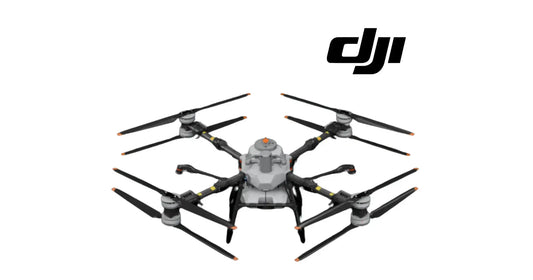
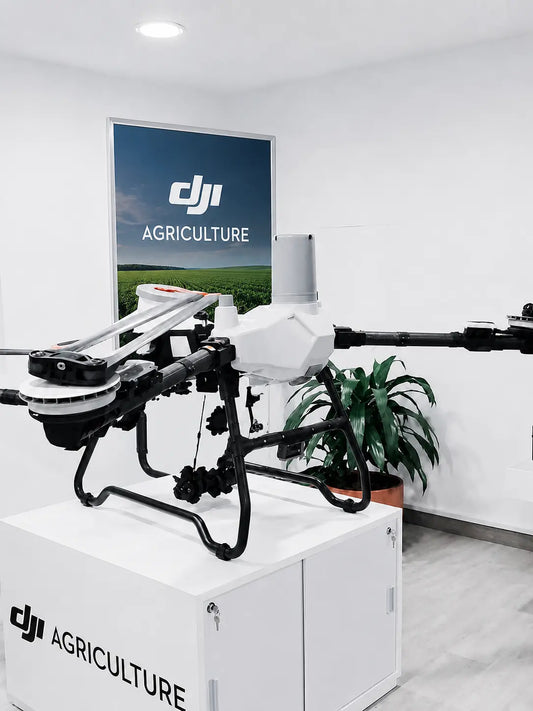
DJI Agras T100 Emergency Procedures & Maintenance Guide
Emergency response and maintenance belong in the same operating system. An emergency procedure tells the operator how to stop an abnormal event from becoming worse; maintenance determines whether the aircraft is fit to return to service afterward. The DJI Agras T100 manual addresses both, from critical battery and navigation failures through propulsion faults, crashes, LiDAR cleaning and scheduled inspections.
Quick Answer: When a T100 abnormal event occurs, first prioritize control of the aircraft and separation from people. Critical low battery or voltage causes automatic descent and landing; critical overheating requires landing or returning home immediately. Loss of RTK falls back to GNSS, and loss of both can place the aircraft in Attitude mode. A C2 link loss follows the configured signal-lost action. A single propulsion failure requires controlled flight in the direction described by DJI and an immediate return/landing; more than one propulsion failure can cause a crash. After abnormal events, preserve photos and flight logs, inspect affected systems, and do not return the aircraft to service until the cause and physical condition are understood.
Maintenance is not only a reaction to a fault
DJI recommends maintaining the product every 100 flights or after more than 20 flight hours to keep it in good condition and reduce safety hazards. The manual’s immediate maintenance list includes propellers, propeller washers, plastic/rubber parts, sprinkler atomization and the spray-tank strainer.

Every maintenance interval should include
- Inspecting worn, cracked or loose propellers and replacing propellers/propeller washers when required.
- Checking aging plastic and rubber parts.
- Investigating poor sprinkler atomization and cleaning or replacing centrifugal disks when needed.
- Replacing the spray-tank strainer as specified by the manufacturer.
- Checking the systems that were exposed to chemicals, dust, impact or abnormal warnings during recent operations.
LiDAR maintenance
The LiDAR optical window is a precision surface. DJI recommends cleaning it at the end of each spraying day after the aircraft returns to normal temperature. Rinse with clean water, then use compressed/canned air and a clean soft cloth. If stains remain, the manual allows a small amount of alcohol on a damp cloth.
Do not use liquid from the spray tank or chemical agents to clean the LiDAR. Do not directly wipe granular dust across the window because scratching can degrade ranging performance. Do not disassemble the protective dome without authorization because contamination can enter the sensor.
Emergency procedure 1: obstacle not automatically avoided
The T100 automatically brakes for detected obstacles within the declared obstacle-avoidance performance boundaries. If it does not brake automatically, use the remote controller to brake or maneuver away. Moving aerial obstacles such as other drones or manned aircraft require active observation and manual vertical or horizontal avoidance based on the situation and app prompts.
Emergency procedure 2: critical low battery, voltage or temperature
When the critical low-battery or critical-voltage warning appears, the aircraft automatically descends and lands. That critical landing cannot be cancelled. If a critical overheating warning appears, the manual instructs the operator to land or return home immediately.

Emergency procedure 3: loss of navigation systems
When fixed RTK positioning is in use and RTK becomes unavailable, the aircraft can fall back to GNSS. If GNSS also becomes unavailable, it switches automatically to Attitude mode and the app warns the operator. In Attitude mode the aircraft can drift and supports manual flight without precise horizontal positioning. Land as soon as safely practical.
This sequence is diagnostically important: RTK unavailable does not automatically mean the aircraft is immediately uncontrolled. The relevant question is what positioning source remains. Conversely, if both RTK and GNSS are lost, the pilot should not expect the normal position-hold behavior.
Emergency procedure 4: loss of C2 link
If the remote-controller signal is lost for more than three seconds, the aircraft performs the configured signal-lost action: RTH, landing or hover. RTH is the default described by the manual. If connection returns during failsafe RTH, the pilot can cancel RTH and regain control.
Emergency procedure 5: single propulsion failure
DJI provides a specific recovery strategy for a single propulsion failure. The operator uses the remote controller to adjust the flight direction so the aircraft travels forward along the arm with the failed motor, then manually returns home or lands while maintaining that direction. After landing, take photos of the site, upload the complete flight logs and contact official support or an authorized dealer.

If more than one propulsion motor fails, the manual warns that the aircraft will crash. The post-event priority becomes personnel safety, battery isolation, scene documentation and log preservation.
Emergency procedure 6: aircraft out of control
If the aircraft may crash into people or a building, the manual directs the operator to evacuate people within a 50 m radius, attempt to hover the aircraft, and trigger Smart RTH if hovering cannot be maintained. If RTH cannot be triggered and the immediate risk justifies it, the emergency motor-stop command can be used. That command causes the aircraft to fall, so it is only an emergency risk-reduction action.
Emergency procedure 7: aircraft crash
- Clear people from a 50 m radius.
- Photograph the site and preserve/upload complete flight logs.
- Do not reuse the involved battery. Remove it when safe and place it in an open area away from flammable materials.
- Contact official support or an authorized dealer.
A crash should trigger inspection of the airframe, propulsion system, battery interface, radar/LiDAR/vision assemblies, landing gear, arms and payload hardware even when visible damage appears localized.
Flyaway and lost-aircraft documentation
DJI Agras can display the aircraft and controller locations when positioning data remains available. If the aircraft loses GNSS after a flyaway, its current location may no longer appear. Record aircraft model, time, location, task status, last direction/heading and other relevant details, then contact support.
Fire response
The manual includes a dedicated battery-fire procedure. The first priority is to clear flammable material and people from the area. If a fire is controllable, DJI describes using appropriate fire-suppression methods and cooling the battery; if uncontrollable, increase the safety distance and evacuate. Follow the exact current battery safety guidance, local emergency procedures and applicable disposal rules rather than improvising with a damaged pack.
Lift-system cable entanglement
If the lifting-system cable becomes entangled, DJI Agras includes a Cable Cut function intended to protect the aircraft. Activating it releases the payload. Before using it, ensure unauthorized personnel are clear of the drop area; the manual specifies a 5 m radius.
Recommended maintenance cycle: what to watch over time
The later maintenance table expands beyond the simple 100-flight checklist. It specifies recurring checks for the controller, battery slider, power-board connector, arm connectors, middle frame, lock levers, landing gear, arm wiring, radar, LiDAR, battery connectors, motors, propellers, ESC, RTK/SDR antennas, vision system, hoses, pumps, sprinklers and other application hardware.

Inspection categories that matter diagnostically
| System | Examples of manual checks | Why it matters |
|---|---|---|
| Battery/power interface | Corrosion, black contamination, difficult insertion/removal, damaged connector surfaces | Can affect high-current power delivery and create heat or connection faults. |
| Arms/frame | Cracks, misshapen connectors, abnormal gaps, loose screws, worn wiring protection | Structural or power-wire damage can become a flight-safety issue. |
| Propulsion | Motor stutter/looseness, damaged covers, propeller cracks or looseness, ESC condition | Directly affects thrust and propulsion reliability. |
| Radar/LiDAR/vision | External damage, dirty optical/radar surfaces, corrosion, HMS errors | Contamination or impact can reduce sensing performance before a hard failure appears. |
| Spraying system | Hose wear/leaks, pump condition, sprinkler wear, strainer blockage, flow-meter condition | Application accuracy depends on both mechanical flow and sensor integrity. |
Post-event return-to-service checklist
- Record the exact warning, event sequence and operation mode.
- Save photos of the aircraft and event site where relevant.
- Preserve flight logs before firmware changes or component replacement.
- Inspect the affected system and connected systems for impact, heat, fluid ingress, corrosion or loose connectors.
- Do not reuse a crash-involved or visibly damaged battery.
- Repair or replace only after the fault path identifies the relevant assembly.
- Perform the required functional checks before the next operational flight.
Frequently asked questions
How often should I maintain the T100?
DJI gives a general maintenance recommendation of every 100 flights or after more than 20 flight hours, while the detailed maintenance-cycle table assigns additional daily, monthly, hour-based and component-specific intervals.
What happens if both RTK and GNSS are lost?
The aircraft can enter Attitude mode, where it may drift horizontally and requires manual control. Land as soon as safely practical.
What does the T100 do after controller-signal loss?
After more than three seconds of lost signal, it performs the configured signal-lost action: RTH, landing or hover.
Can the T100 continue after one motor fails?
The manual provides a controlled-return/landing procedure for a single propulsion failure, but the event is an emergency and the aircraft requires post-flight documentation and inspection.
Should I reuse a battery after a crash?
No. DJI instructs users not to use the crash-involved battery again.
How should the LiDAR window be cleaned?
Use clean water, compressed/canned air and a clean soft cloth after the aircraft cools. Avoid spray-tank chemicals and do not rub granular debris across the optical surface.
Related T100 guides
Source and revision note
Primary source: DJI AGRAS T100 User Manual v1.0 (2025.11), pp. 43–47 and 70–78, plus the general maintenance material on p. 44. This article condenses emergency response and recommended inspection cycles into a return-to-service framework. For any crash, battery event or unresolved HMS warning, use current manufacturer support guidance and current app/log evidence.