DJI Agras T100 Aircraft Systems: Radar, Vision, Obstacle Avoidance & RTK
The DJI Agras T100 does not rely on one sensor or one avoidance system. Its aircraft-level behavior depends on propulsion hardware, radar, vision, LiDAR, positioning, antennas, flight modes, DJI Agras settings, and the pilot’s operating choices. Understanding those relationships is more useful than memorizing a list of parts because most real field questions are behavioral: Why did the aircraft hover instead of bypassing? Why did terrain following change at night? Why can RTK prevent takeoff when differential data is unavailable? Why can a wire or small obstacle still be difficult to detect?
Quick Answer: The T100 combines motors, ESCs and folding propellers for propulsion with forward/downward/rear radar, a vision system, LiDAR, onboard D-RTK antennas and other positioning/transmission hardware. Multidirectional Obstacle Avoidance can be enabled in DJI Agras, while terrain following and obstacle bypassing depend on the selected operating scenario and sensing conditions. These systems have blind spots and performance limits; power lines, small obstacles, certain pole/line geometries, poor lighting, dirty cameras, water and other difficult surfaces require extra caution. RTK also has to be enabled and configured with the correct signal source when used.
T100 aircraft system map
The aircraft overview in the DJI AGRAS T100 User Manual identifies the major external systems: propellers, motors, ESCs, front and rear indicators, spray tank, payload lock, spray lance, sprinklers, intelligent flight battery, vision system, forward radar, onboard D-RTK antennas, LiDAR, arm locks, external OcuSync image-transmission antennas, FPV camera, downward radar, spotlight, landing gear, electromagnetic flow meter, rear radar, and delivery pumps.

This list matters diagnostically because it separates sensing, positioning, propulsion, spraying and communications. A warning related to obstacle sensing should not automatically lead to a propulsion diagnosis. A positioning problem should not immediately be treated as a radar failure. Start with the system that owns the observed behavior.
Propulsion system: motors, ESCs and folding propellers
DJI describes the propulsion system as the motors, electronic speed controllers and folding propellers that provide thrust. The manual instructs operators to use official DJI propellers and not mix propeller types. Propellers are consumable components. Motors should be mounted securely and rotate smoothly, and the aircraft should be landed immediately if a motor becomes stuck or cannot rotate freely. The ESC power-on sound should also be normal.

These checks create a clean diagnostic boundary. A motor that is physically stuck is a propulsion problem. A radar warning with freely rotating motors is not evidence that a motor has failed. For propulsion parts and inspection paths, use the DJI T100 Parts collection and the Ares Acres Parts Finder rather than choosing parts from a symptom alone.
Obstacle sensing has a detection range—and blind spots
The manual explicitly warns that radar and vision systems have detection blind spots and cannot sense obstacles outside their detection range. Effective detection also varies with obstacle size and material. The aircraft should therefore be operated as a sensing-assisted aircraft, not as a machine that makes collision avoidance automatic in every environment.
DJI specifically recommends marking objects such as wires and inclined wires as obstacles during field planning. The manual also warns to use extra caution around obstacles aligned with or below the underside of the aircraft.
Multidirectional Obstacle Avoidance
In Operation View, operators can enter Sensing Settings and enable Multidirectional Obstacle Avoidance. When the aircraft detects an obstacle, it activates obstacle-avoidance behavior and the app provides guidance. The operator can control the aircraft in a direction away from the obstacle according to the prompt.
That does not mean every obstacle will be detected or automatically bypassed. The manual identifies power lines, small obstacles and objects near the level of the landing gear as examples where obstacle sensing can be ineffective. If necessary, manually control the aircraft to avoid the obstacle.
Terrain Follow and Obstacle Bypassing
DJI Agras provides operating scenarios such as Flatland, Hill/Orchard and Water. The operator selects the scenario in Sensing Settings, then enables Altitude Stabilization and Obstacle Bypassing as appropriate. When functioning normally, the aircraft follows terrain, adjusts its altitude based on the set height above crops, and attempts to bypass detected obstacles.

Moving a control stick can pause automatic bypassing. If the aircraft cannot bypass an obstacle automatically, it hovers in place so the operator can manually control it around the obstacle.
| Condition | Manual-supported behavior or limitation | Operator implication |
|---|---|---|
| Obstacle bypassing in Manual mode | Automatic bypassing is unavailable; the aircraft hovers after encountering an obstacle | Be prepared to manually maneuver |
| Dark/night conditions or dirty vision cameras | The aircraft uses radar for terrain following | Do not assume normal vision performance |
| Additional sprinklers installed | Spray droplets may affect vision-system performance | Operate cautiously around sensing limits |
| Flying over water | Altitude stabilization can be affected | DJI says relative flight altitude should be higher than 2 m |
| Power lines or small obstacles | Automatic bypass may not succeed | Manual avoidance may be required |
Radar limitations the operator should understand
The radar module can become hot. DJI instructs users not to touch the metal parts of the radar module during power-on or immediately after flight. The pilot should maintain control and not rely completely on radar or the app. Keep the aircraft within visual line of sight and be prepared to avoid obstacles manually.

Radar detection performance is limited for certain objects and geometries. The manual highlights inclined lines, strongly tilted utility poles, inclined power lines against the direction of flight, vertical pole-shaped objects when the downward radar is above the top of the object, and complex structures such as power towers. The radar maintains distance from vegetation only within its working range.
DJI also provides slope-related caution thresholds in the radar notice: more caution is required over surfaces exceeding 10° at speeds up to 1 m/s, 6° at speeds up to 3 m/s, and 3° at speeds up to 5 m/s.
Radar inspection and cleaning
Before use, make sure the radar module is clean and its protective cover is not cracked, chipped, sunken or misshapen. The protective cover should be kept clean. DJI instructs the operator to clean it with a soft damp cloth and allow it to air dry before use. Do not squeeze, tap or hit the radar module.
Vision-system operating limits
Vision performance depends on light intensity and the texture/pattern of the surface below or around the aircraft. DJI calls for extra caution near monochrome surfaces, highly reflective surfaces, water or transparent surfaces, areas with rapidly changing light, extremely dark or very bright surfaces, repeating patterns, and ground without clear texture.

The cameras should be kept clean. Before cleaning dust or debris from the visual system, power off the aircraft and wipe with a clean, soft cloth.
For current T100 sensor paths, Ares Acres carries the DJI Agras T100 OEM Quad-Fisheye Vision Sensor Module, DJI Agras T100 OEM LiDAR Module — USA Version, and DJI Agras T100 OEM Vision & Radar Service Kit. Use an error message, physical inspection, and HMS evidence before selecting a sensor replacement.
Aircraft LEDs and orientation
The T100 has front LEDs on frame arms M1 and M2 and rear LEDs on M3 and M4. When airborne orientation matters, these indicators help identify the front and rear of the aircraft. The manual states that the front LEDs blink slowly red and rear LEDs blink slowly green in their normal orientation indication. When the motors start spinning, the front LEDs blink quickly red and rear LEDs quickly green, and DJI instructs the operator to take off immediately.
Spotlight
The aircraft includes spotlights intended to enhance flight safety. They can be enabled or disabled in Operation View. Do not look directly at the spotlight while it is operating.
Normal mode versus Attitude mode
Normal (N/F) mode provides precise hovering and positioning. When RTK is enabled and functioning, the aircraft can use centimeter-level positioning. Attitude (S/A) mode does not provide precise hovering; the aircraft maintains altitude but can drift horizontally according to environmental conditions such as wind.

Attitude mode is therefore a major diagnostic and operating state, not just another preference. The manual warns that the aircraft is easily affected by its surroundings in A-mode, that maneuvering can be difficult, and that the aircraft should be landed safely as soon as possible when it unexpectedly enters this mode. Obstacle-avoidance functions are disabled in Attitude mode.
Aircraft RTK
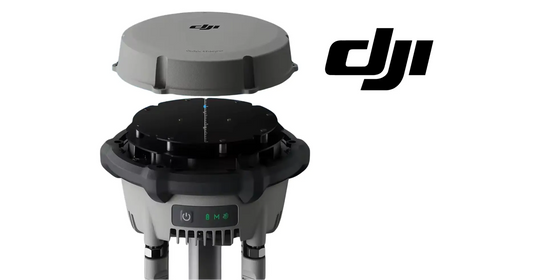
The T100 has a built-in RTK module. DJI states that when the aircraft is used with a D-RTK product or a DJI-approved Network RTK service, more accurate positioning data can be obtained.

Before each use, ensure the RTK function is enabled and the signal source is correctly set if RTK will be used. In Operation View, open the RTK settings to check the source and state. If RTK is not in use, disable RTK Positioning; the manual warns that the aircraft cannot take off when RTK is enabled but differential data is unavailable.
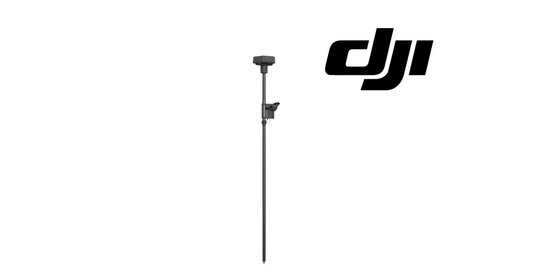
Ares Acres RTK paths include the DJI Agras T100 OEM RTK Antenna Module and DJI Agras T100 D-RTK 3 High-Precision GNSS Mobile Station.
Custom Network RTK
For a third-party network RTK service, the manual instructs the operator to connect the remote controller to the internet, open Operation View > RTK, select Custom Network RTK, enter the required parameters, and wait for a server connection. A green RTK status icon indicates that the aircraft has obtained and is using RTK data from the server.
For detailed linking and coordinate workflows, continue to the T100 / T50 D-RTK 3 setup, linking, PPP Network RTK and custom-coordinates tutorial.
Symptom-first troubleshooting
| Observation | First checks | Do not conclude yet |
|---|---|---|
| Aircraft stops/hover near an obstacle | Check operation mode, sensing settings, obstacle geometry, selected terrain scenario and app prompt | Do not assume the radar has failed solely because bypassing did not occur |
| Terrain behavior changes at night | Check lighting and camera cleanliness; DJI notes radar is used for terrain following in dark conditions | Do not expect identical vision-assisted behavior |
| Obstacle not detected | Consider size, material, angle, blind spots and difficult targets such as wires | Do not treat sensing as universal |
| Aircraft enters Attitude mode | Check positioning/GNSS state and land safely as soon as practical | Do not rely on precise hovering or obstacle avoidance in A-mode |
| RTK enabled but aircraft will not take off | Check whether a valid differential source/data is available | Do not replace the RTK module before verifying configuration |
Frequently asked questions
Does the DJI Agras T100 automatically avoid every obstacle?
No. Radar and vision have detection limits and blind spots, and DJI specifically warns about small obstacles, power lines and other difficult targets.
Does obstacle bypassing work in Manual mode?
No. The manual states that obstacle bypassing is unavailable in Manual mode; the aircraft hovers after encountering an obstacle.
What happens to terrain following at night?
When flying at night, in dark areas, or with dirty vision cameras, DJI says the aircraft will use radar for terrain following. Fly with caution.
Can spray droplets affect the vision system?
Yes. DJI warns that after additional sprinklers are mounted, spray droplets may affect vision-system performance.
Why can RTK stop the T100 from taking off?
If RTK Positioning is enabled but differential data is unavailable, the manual says the aircraft cannot take off. Disable RTK Positioning when RTK is not being used.
Related T100 resources
- DJI T100 Parts
- DJI Agras T100 — Platinum Set
- DJI T100 / T50 Pre-Flight Safety Tutorial
- DJI Agras Remote Operation View — T100 / T50
Source and revision note
Primary technical source: DJI AGRAS T100 User Manual v1.0 (2025.11), pp. 12–18. This guide reorganizes the aircraft overview, propulsion, radar/vision notices, obstacle-avoidance behavior, terrain-follow/bypass logic, flight modes and RTK material around field questions and diagnostic boundaries. It does not invent sensor ranges, component failures or repair procedures not stated by the source.