DJI D12000iE Activation & Battery Charging Guide: T40, T30 & T20P
The D12000iE must be activated before first use, and the startup sequence is designed around battery charging rather than simply starting the engine in isolation. DJI's v1.2 guide lists T40, T30 and T20P Intelligent Flight Batteries as compatible batteries for this manual revision.
Quick Answer: Connect the remote controller to the internet, connect the generator USB-C port to the remote-controller USB-A port, open DJI Agras and enter the charging-device interface to activate the generator. To charge, start with no AC devices connected, verify oil and at least 1 L of fuel, connect a powered-off compatible Intelligent Flight Battery, power the battery on, then hold the engine switch at START for at least three seconds.

Activate the generator
The remote controller must be connected to the internet. Use a USB-C cable from the generator USB-C connector to the remote-controller USB-A connector. Open DJI Agras, enter the charging-device interface from the upper-left area of the main interface and complete activation.

Start the generator for charging
- Do not connect electric devices before starting.
- Confirm the engine contains oil and the tank contains at least 1 L of fuel.
- Connect the charging cable to a powered-off Intelligent Flight Battery.
- Power on the battery.
- Move the engine switch to START and hold it for at least three seconds, then release.
- The switch returns to ON and the generator starts automatically.
Read the battery LEDs
During charging, the battery's four LEDs blink successively. DJI instructs the operator to remove the battery when the four LEDs become solid or turn off, then connect another battery to charge.
Automatic start attempts
Each time the switch is moved to START, the generator can automatically attempt to start up to three times with five seconds between attempts. If it fails after three attempts or stops immediately after starting, connect it to the remote controller and inspect the malfunction information.

Charging cable and control path
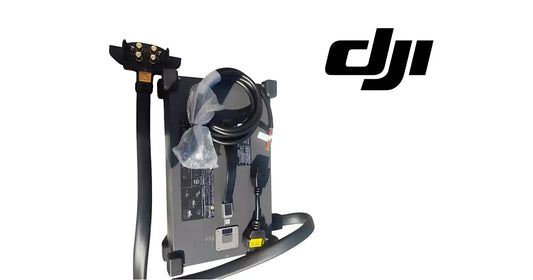
If the physical charging lead is damaged, see the D12000iE Generator Charging Output Cable. If diagnostics identify the main controller rather than the cable, see the D12000iE Generator Controller. Do not replace either solely because charging is slow: DJI notes that operating electric devices from the AC outlet while charging reduces battery-charging capacity and extends charging time.
Parts & Equipment Referenced in This Guide
Shop Related D12000iE Collections
Related D12000iE Tutorials
Source and revision note
Primary source: DJI D12000iE Multifunctional Inverter Generator User Guide v1.2, English section, pp. 6-9 and Specifications p. 12.