DJI Agras T70P: Sistemas — Propulsão, Radar, Vision, Terrain Follow e RTK
DJI Agras T70P: Sistemas da Aeronave — Propulsão, Radar, Vision, Terrain Follow e RTK
O DJI AGRAS T70P User Manual v1.0 (2025.11) integra propulsion, radar, vision, RTK, transmission, FPV e spraying. Radar/vision são aids, não substitutos de pilot judgment.
Resumo: use official propellers e não misture tipos; motor travado → land immediately. Configure Multidirectional Obstacle Avoidance em Sensing Settings, mas respeite blind spots. Terrain Follow/Altitude Stabilization/Obstacle Bypassing dependem do scenario. Manual mode não tem obstacle bypass. RTK pode oferecer centimeter-level positioning; se não estiver usando RTK e não houver differential data, disable RTK Positioning.

1. Aircraft architecture
Separate propulsion, sensing, positioning e transmission branches.
2. Propulsion
Motors, ESCs, folding props.
3. Official propellers
Use DJI official.
4. No mixed prop types
Not supported.
5. Motor stuck
Land immediately.
6. ESC sounds
Startup should be normal.
7. Prop inspection
Damage/deformation/free movement.
8. Propulsion finding stops normal work
Do not test under load.
9. Multidirectional Obstacle Avoidance
Sensing Settings.
10. Avoidance behavior
Operator can command away from obstacle.
11. Conditional system
Cannot sense everything.
12. Power lines
High-attention obstacle.
13. Landing-gear alignment blind spots
Geometry matters.
14. Detection distance
Do not assume unlimited sensing.
15. Terrain Follow / Altitude Stabilization
Scenario-configured.
16. Scenarios
Flatland, Hill/Orchard, Water.
17. Match real environment
Wrong scenario can degrade behavior.
18. Obstacle Bypassing availability
Depends on mode/scenario.
19. Manual mode
No Obstacle Bypassing.
20. Manual obstacle response
Aircraft hovers rather than auto-route.

21. Radar: inclined lines/poles
Challenging conditions.
22. Vertical poles
Downward-radar limitation scenario.
23. Complex structures
Power towers require pilot attention.
24. Radar cover
Clean and undamaged.
25. Slope/speed cautions
Use actual manual context.
26. Hot radar metal
Do not touch immediately after flight.
27. Vision and lighting
Dark/bright/changing light matters.
28. Monochrome/low texture
Can reduce performance.
29. Repeating patterns
Can create ambiguity.
30. Reflective/transparent/water
Challenging surfaces.
31. Clean cameras
Keep optical surfaces clean.
32. Power off before wiping
Use clean soft cloth.
33. Aircraft LEDs
M1/M2 red, M3/M4 green.
34. Motors spinning
LEDs flash quickly; DJI says take off immediately.
35. Spotlight
Operation View control.
36. Do not stare at spotlight
Safety warning.
37. Normal mode
Precise hovering/positioning.
38. RTK positioning
Centimeter-level when valid.
39. Attitude mode
No precise position hold.
40. Unexpected Attitude mode
Land as soon as possible.
41. RTK sources
D-RTK or DJI-approved Network RTK.
42. RTK pre-use
Correct signal source.
43. Custom Network RTK
Internet + server parameters.
44. RTK without differential data
May prevent takeoff.
45. Disable RTK when unused
DJI instruction.
46. System preflight
- matched props;
- motors normal;
- ESC normal;
- radar clean;
- vision clean;
- correct scenario;
- avoidance configured;
- RTK source valid or disabled;
- positioning mode understood;
- no unresolved warnings.
47. Troubleshooting split
Propulsion vs sensing vs positioning vs transmission.
48. Rear radar service
Separate service path.
49. SDR antennas
Transmission branch.
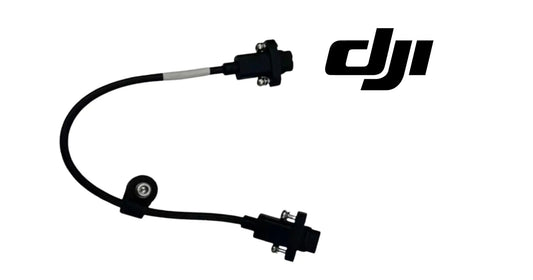
50. Radar signal cable
Signal-path component.
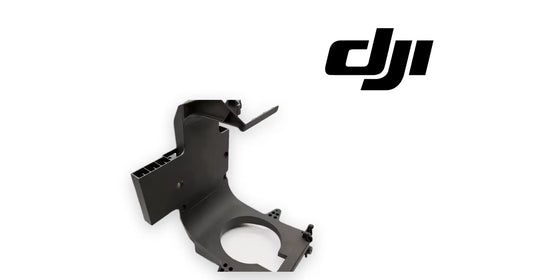
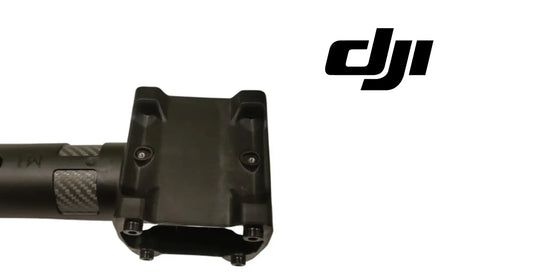
51. Arm assembly
Identify arm position.
52. Erro: obstacle avoidance always bypasses
No.
53. Erro: RTK enabled without data
Can block takeoff.
54. Erro: wrong sensing branch
Identify sensor first.
55. Erro: touching hot radar
Avoid.
56. Perguntas frequentes
Mix propeller types?
No.
Manual mode bypass?
No.
Motor stuck?
Land immediately.
RTK centimeter-level?
Yes with valid data.
RTK no differential?
May block takeoff; disable if unused.
Sensors see everything?
No.
Fonte e revisão
Fonte: DJI AGRAS T70P User Manual v1.0, 2025.11, section 1.2 e Aircraft RTK.
57. Radar, vision e RTK devem ser tratados como sistemas distintos
Um obstacle-related warning não prova automaticamente radar failure; um positioning issue não prova RTK hardware failure. Use o wording do DJI Agras/HMS e o environment para escolher o branch correto.
58. Environmental reproduction ajuda no diagnosis
Se um sensing issue só aparece sobre water, reflective surfaces, low-texture crops ou changing light, registre essa condição. A source descreve esses environments como limitações conhecidas do vision system.
59. Manual-mode expectation deve estar no operator training
Como Obstacle Bypassing não está disponível em Manual mode, operadores precisam saber que o aircraft pode hover diante de um obstacle em vez de route around automaticamente.
60. RTK source deve ser confirmado antes de cada takeoff
Não basta deixar RTK enabled de uma mission anterior. Verifique signal source e differential data; se RTK não for usado, disable conforme orientação da DJI.
61. Radar/vision cleaning log
Para operações com dust, spray residue ou orchard work, registre quando radar cover e vision cameras foram limpos. Isso ajuda a separar contamination de hardware fault.
62. Positioning incident record
- flight mode;
- RTK enabled/disabled;
- RTK source;
- differential data state;
- GNSS condition;
- environment/surface type;
- warning/HMS text;
- whether issue persisted after cleaning/reconfiguration.
63. Propulsion acceptance after service
Depois de trocar propeller, motor-related hardware ou arm assembly, confirme matched propeller type, free rotation, normal ESC startup e ausência de warning antes de return-to-service.
64. Obstacle avoidance deve ser testado dentro do scenario correto
Terrain Follow, Altitude Stabilization e Obstacle Bypassing dependem do selected scenario. Se o environment é orchard/hill e o app está configurado para outro scenario, corrija configuration antes de concluir sensing failure.
65. Manual mode muda a expectativa de bypass
Obstacle Bypassing não fica disponível em Manual mode. Se o T70P encontra um obstacle nesse mode, o comportamento esperado é hover em vez de automatic route-around.
66. Radar blind spots exigem pilot awareness
Inclined lines, tilted poles, vertical objects abaixo do downward radar e complex structures podem ser difíceis de detectar. Não trate ausência de alert como confirmação de clear path.
67. Vision limitation pode reproduzir um “sensor problem”
Monochrome, reflective, transparent, water, repeating-pattern e very-low-texture surfaces, além de extreme lighting, podem degradar vision performance. Reproduza o environment antes de comprar hardware.
68. RTK troubleshooting começa pela signal source
Confirme RTK enabled state, selected source e differential-data availability. Se RTK está enabled sem differential data, a source alerta que o aircraft pode não conseguir take off.
69. Unexpected Attitude mode é landing event
Se weak positioning fizer o aircraft entrar inesperadamente em Attitude mode, a DJI recomenda landing as soon as possible em vez de continuar a task.
70. System diagnosis record
- flight mode;
- selected scenario;
- Obstacle Bypassing state;
- radar/vision cleanliness;
- surface/lighting condition;
- RTK source;
- differential data;
- exact DJI Agras warning;
- whether issue reproduced in a controlled environment.