DJI Agras T70P: Sistemas — Propulsión, Radar, Vision, Terrain Follow y RTK
DJI Agras T70P: Sistemas de la Aeronave — Propulsión, Radar, Vision, Terrain Follow y RTK
El DJI AGRAS T70P User Manual v1.0 (2025.11) describe el T70P como un sistema integrado: propulsion, front/rear radar, vision system, D-RTK antennas, OcuSync antennas, FPV camera y spraying payload. DJI presenta radar y vision como ayudas, no como sustitutos del pilot judgment. La configuración correcta depende del operating scenario real.
Resumen: use official DJI propellers y no mezcle tipos; si un motor se atasca o no gira libremente, land immediately. Multidirectional Obstacle Avoidance se habilita en Sensing Settings, pero radar/vision tienen blind spots y environmental limits. Terrain Follow / Altitude Stabilization / Obstacle Bypassing deben configurarse según Flatland, Hill/Orchard o Water. Obstacle Bypassing no está disponible en Manual mode. RTK puede ofrecer centimeter-level positioning con una signal source adecuada; si no utiliza RTK y no hay differential data, desactive RTK Positioning.

1. Aircraft architecture
The T70P combines propulsion, sensing, positioning, transmission, FPV and spraying hardware. Troubleshooting should identify the subsystem instead of treating every warning as a whole-aircraft failure.
2. Propulsion system
DJI identifies motors, ESCs and folding propellers as the main propulsion elements.
3. Use official DJI propellers
The manual says to use official propellers and not mix propeller types.
4. Do not mix propeller types
Even if two propellers appear mechanically similar, mixed types are outside the source guidance.
5. Motor stuck or not rotating freely
DJI says to land immediately if a motor is stuck or cannot rotate freely.
6. Listen for normal ESC startup sounds
Abnormal startup sound belongs in the propulsion diagnostic branch before flight.
7. Folding propellers need physical inspection
Check for damage, deformation, contamination and free movement before operation.
8. Propulsion findings should stop normal work
A motor/propeller abnormality should not be “tested under load” during a spraying mission.
9. Multidirectional Obstacle Avoidance
Enable it in DJI Agras under Sensing Settings.
10. Obstacle detection can trigger avoidance behavior
When the aircraft detects an obstacle, the system can enter avoidance behavior and the operator can command a direction away from the obstacle.
11. Obstacle sensing is conditional
DJI repeatedly warns that the system cannot sense every object or every environmental condition.
12. Power lines are difficult obstacles
Power lines and other small or angled objects remain a high-attention hazard.
13. Objects aligned with landing gear can be difficult
Some geometry can fall into blind/limited-sensing areas depending on aircraft attitude and sensor coverage.
14. Detection distance matters
Objects outside the effective detection range cannot be assumed to be handled automatically.
15. Terrain Follow and Altitude Stabilization
DJI Agras lets the operator configure these functions according to the selected operating scenario.
16. Operating scenarios
The manual identifies examples such as Flatland, Hill/Orchard and Water.
17. Scenario must match the real environment
If the selected scenario does not match actual terrain, the aircraft may not maintain intended crop-relative height or bypass behavior correctly.
18. Obstacle Bypassing depends on mode/scenario
Do not assume the function is always active just because sensing hardware is installed.
19. Manual mode limitation
Obstacle Bypassing is unavailable in Manual mode.
20. What happens in Manual mode near an obstacle
The manual says the aircraft will hover rather than automatically routing around the obstacle.

21. Radar limitations: inclined lines and poles
Inclined lines, tilted utility poles and power lines approaching at an angle can be difficult conditions.
22. Vertical pole-shaped objects
The manual calls out vertical pole-shaped objects below the downward radar as a limitation scenario.
23. Complex structures
Power towers and other complex structures deserve direct pilot attention rather than automatic-system assumptions.
24. Radar cover condition
Keep the radar cover clean and undamaged.
25. Radar chapter includes slope/speed cautions
These cautions depend on the actual operating situation; do not extrapolate a generic speed/slope number if it is not present in this source excerpt.
26. Radar can be hot after flight
Do not touch metal parts of the radar module immediately after operation.
27. Vision system depends on lighting
Very dark, very bright or rapidly changing light can degrade visual sensing.
28. Monochrome or low-texture surfaces
Uniform surfaces can provide too little visual information for reliable vision processing.
29. Repeating patterns
Highly repetitive patterns can also create visual ambiguity.
30. Reflective, transparent and water surfaces
Highly reflective surfaces, transparent surfaces and water are specifically called out as challenging conditions.
31. Keep vision cameras clean
Optical contamination should be removed before operation.
32. Power off before cleaning cameras
DJI says to power the aircraft off before wiping vision cameras with a clean, soft cloth.
33. Aircraft LEDs
Front indicators on M1/M2 blink red; rear indicators on M3/M4 blink green.
34. LEDs when motors start
When motors begin spinning, indicators blink quickly and DJI says to take off immediately.
35. Spotlight
The spotlight can be enabled from Operation View.
36. Do not look directly into the spotlight
The manual warns against direct viewing while it is operating.
37. Normal mode
Supports precise hovering and positioning when positioning data is available.
38. RTK-enabled positioning
When RTK is enabled and valid differential data is available, centimeter-level positioning is supported.
39. Attitude mode
Attitude mode does not provide precise position hold and is more easily affected by wind/surroundings.
40. Unexpected Attitude mode
DJI recommends landing as soon as possible if the aircraft unexpectedly enters Attitude mode because of weak positioning.
41. Built-in RTK module
It can work with a D-RTK product or DJI-approved Network RTK service.
42. Check RTK before every use
Confirm RTK Positioning is enabled only when appropriate and that the correct signal source is selected.
43. Custom Network RTK
The controller needs Internet and the required server parameters entered in Operation View.
44. RTK enabled without differential data
The aircraft may be unable to take off if RTK Positioning is enabled but no differential data is available.
45. Disable RTK when not in use
DJI explicitly recommends disabling RTK Positioning when RTK is not being used.
46. System-level preflight
- propellers correct and matched;
- motors rotate normally;
- ESC startup normal;
- radar clean/undamaged;
- vision cameras clean;
- scenario matches terrain;
- Obstacle Avoidance configured intentionally;
- RTK source valid or RTK disabled;
- positioning mode understood;
- no unresolved warnings.
47. Troubleshooting split
Propulsion → motors/ESC/props. Sensing → radar/vision. Positioning → GNSS/RTK. Transmission → antennas/link. Avoid mixing these branches when diagnosing a warning.
48. T70P radar service
Ares Acres has a current T70P Rear Radar Module / Obstacle Detection Sensor service path.
49. T70P antenna service
The Front & Rear SDR Antenna Set supports the transmission branch, not the radar sensor branch.
50. Front radar signal cable
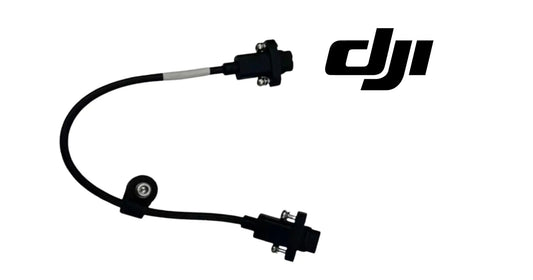
The T100/T70/T70P-compatible Front Radar Signal Cable is a separate signal-path component.
51. Arm assembly
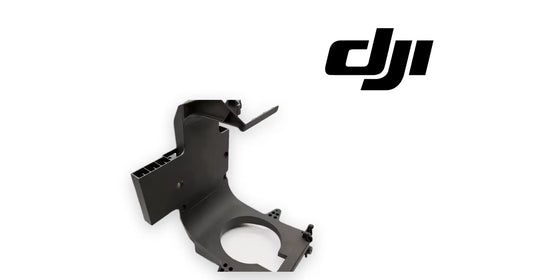
T70P OEM Drone Arm Assembly is a structural/propulsion mounting path. Identify arm position before replacement.
52. Common error: assuming obstacle avoidance always bypasses
Not in Manual mode, and sensing limitations always remain.
53. Common error: leaving RTK enabled with no differential source
This can block takeoff.
54. Common error: diagnosing a radar warning from dirty vision cameras
Identify the sensor branch first.
55. Common error: touching radar metal immediately after flight
It may be hot.
56. Questions
Can I mix propeller types?
No.
Does Manual mode have obstacle bypass?
No.
What if motor cannot rotate freely?
Land immediately.
Can RTK provide centimeter-level positioning?
Yes when correctly configured with valid differential data.
What if RTK is enabled but no differential data?
The aircraft may be unable to take off; disable RTK if it is not being used.
Can radar/vision see everything?
No.
Source and revision
Primary source: DJI AGRAS T70P User Manual v1.0, 2025.11, section 1.2 and Aircraft RTK.