DJI D-RTK 3 AG Firmware Update & Log Export Guide with DJI Assistant 2
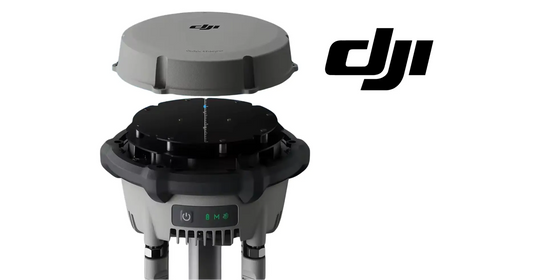
Firmware maintenance for the D-RTK 3 AG is performed through DJI Assistant 2 for MG. The manual gives a direct five-step update process and separately confirms that the same software can export device logs.
Quick Answer: Fully charge the D-RTK 3 AG, power it on and connect it to a computer with USB-C. Launch DJI Assistant 2, log in, select the device, choose Firmware Update, select the desired firmware version and start the update. Wait for the “Update successful” prompt and automatic restart. Do not unplug the USB-C cable during the update.

Prepare before the update
DJI says the devices should be fully charged before updating. Use the latest software version and make sure the computer remains connected to the internet. It is normal for the D-RTK 3 AG to reboot during the update.

Connect the station to the computer
Power on the station and connect its USB-C port to the computer. Earlier in the manual DJI specifies using a USB-C-to-USB-A cable when using DJI Assistant 2 with the station's USB-C port and a computer USB-A port.
Run DJI Assistant 2
- Launch DJI Assistant 2 and log in with an account.
- Select the D-RTK 3 AG.
- Click Firmware Update on the left side.
- Select the firmware version and start the update.
- Wait for the update-successful prompt and automatic restart.
Do not unplug during the update
The manual explicitly warns not to unplug the USB-C cable while firmware is updating. If the update appears to pause during a reboot, wait for completion rather than interrupting the connection.
Exporting the log
The same maintenance section says users can use DJI Assistant 2 to export the device log. This is the preferred diagnostic data path when support needs device-level information beyond the indicator state.
Parts & Equipment Referenced in This Guide
Shop Related Collections
Related Tutorials
- D-RTK 3 AG Indicator Troubleshooting
- D-RTK 3 AG Storage & Battery Care
- Existing D-RTK 3 Positioning Tutorial
Source and revision note
Primary source: DJI D-RTK 3 AG User Manual v1.0 (2025.07), pp. 3, 5 and 12.