DJI D-RTK 3 AG Indicator Troubleshooting: Power, GNSS, Firmware, Linking & Reset
The D-RTK 3 AG exposes several operating states through the power and GNSS indicators. The manual also combines those indicators to show firmware updates, linking and password resets.
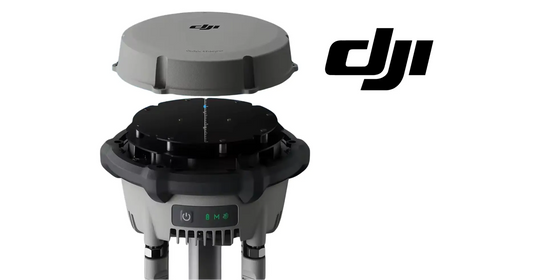
Quick Answer: Power-indicator colors correspond to battery level: green above 60%, yellow from 20%-60% and red below 20%. The GNSS indicator uses satellite count: green above 30 satellites, yellow at 10-30 and red below 10. A slowly blinking red GNSS indicator means the device is not activated. When low battery occurs, the buzzer emits continuous beeping.

Power indicator

The manual adds two useful charging behaviors: when low battery occurs, the buzzer emits continuous beeping; during charging, the power indicator blinks quickly when charging power is sufficient and slowly when it is insufficient.
GNSS signal indicator

| GNSS state | Meaning |
|---|---|
| Green | More than 30 satellites received |
| Yellow | 10-30 satellites received |
| Red | Fewer than 10 satellites received |
| Slow red blink | Device is not activated |
Firmware, linking and password reset states
The manual lists three combined states: indicators blinking simultaneously during firmware updating; indicators blinking alternately with continuous buzzer during linking; and simultaneous blue indicator blinking during password reset.
Use the indicator as a branch, not a parts diagnosis
A red GNSS indication can reflect satellite availability or activation state. It does not by itself identify a failed antenna or internal module. First check activation, site selection, antenna obstruction and environmental interference before moving toward hardware replacement.
The direct product path is the DJI Agras T100 D-RTK 3 High-Precision GNSS Mobile Station. The store also carries aircraft-side RTK/navigation parts, but this article does not substitute those for D-RTK 3 station components.
Parts & Equipment Referenced in This Guide
Shop Related Collections
Related Tutorials
- D-RTK 3 AG First Charge & Activation
- D-RTK 3 AG Site Selection & Tripod Setup
- D-RTK 3 AG Firmware Update & Log Export
Source and revision note
Primary source: DJI D-RTK 3 AG User Manual v1.0 (2025.07), pp. 9-10.