DJI Agras T100 Quick Start: Unboxing, First Charge, Assembly & Activation (Canada)
🇨🇦 CANADA — DJI Agras T100 Quick Start: Unboxing, First Charge, Assembly & Activation for New Canadian Owners
🇺🇸 Reading from the United States? See the U.S. edition: DJI Agras T100 Quick Start: Unboxing, First Charge, Assembly & Activation
This Canadian edition is written for Canadian DJI Agras operators across Canada, from the Prairie grain belt of Saskatchewan, Alberta and Manitoba to the row crops of Ontario and Quebec and the orchards and vineyards of British Columbia and Niagara. It is the first-day quick start: package verification, DJI SmartFarm resources, first charging, aircraft assembly and activation. The procedure, specifications and warnings below are identical to the original edition linked above — the hardware does not change at the border. What changes for a Canadian operator is the regulatory and purchasing context: the DJI Agras T100 falls into Transport Canada’s medium RPAS class (25–150 kg) and flies within visual line of sight on an Advanced Operations pilot certificate under the November 2025 rules, with a Special Flight Operations Certificate for anything outside that envelope; spraying follows provincial applicator licensing and Health Canada PMRA aerial label directions, and pricing is shown in Canadian dollars. Ares Acres stocks T100 batteries, chargers and setup accessories referenced in this guide as genuine DJI Agras OEM parts, ships them to Canada with free standard shipping, and shows CAD pricing at checkout.
The DJI AGRAS T100 Quick Start Guide v1.0 compresses the first-day commissioning process into a short visual sequence. This article keeps that same sequence but separates each checkpoint so a new operator can move from package inspection to first activation without treating the quick-start sheet as a substitute for the full T100 User Manual.
Quick Answer: Verify the illustrated package contents, open the DJI Academy / DJI SmartFarm resources, charge the flight-battery system and the remote controller, prepare the controller and aircraft, install the Intelligent Flight Battery, check battery level, power on the controller and aircraft, then complete activation in DJI Agras with an internet connection. After activation, continue to preflight before attempting flight.

1. Verify the package before beginning setup

The package page is deliberately illustration-led rather than a detailed text inventory. It shows the major aircraft/payload assemblies plus a separate tools-and-accessories package. Because DJI does not label every illustrated item on this page, this guide does not invent names for ambiguous pieces. Use the visual as a receiving checklist: compare what is physically in front of you with the manufacturer illustration before charging or assembly.
If you are commissioning a complete T100 system, the primary aircraft paths are the DJI Agras T100 and the DJI Agras T100 Full Set.
2. Open the DJI Academy and DJI SmartFarm resources

The Quick Start Guide begins by pointing the operator to DJI's training/app resources. Treat that as part of commissioning: software access, account access and current app availability should be resolved before you are standing beside an assembled aircraft waiting to activate it.
3. Charge the flight-battery system and activate the remote-controller battery

The most explicit first-charge rule applies to the remote controller: DJI states that its internal battery must be charged to activate it before first use. Otherwise, the controller cannot be powered on. The battery-level LEDs begin flashing when the internal battery is activated.
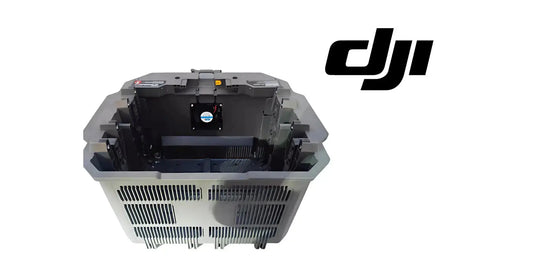
Verified T100 charging equipment in the current catalog includes the DB2160 Intelligent Flight Battery, C12000 Intelligent Battery Charger and DB2160 Battery Cooling Station. The Quick Start illustration itself should remain the source for the physical sequence; use the linked equipment pages for exact current commercial availability.
4. Prepare the remote controller and aircraft

The controller preparation illustration shows the external antennas being raised. The aircraft illustration then shows the payload/spraying-system installation and cable connection. Because you already have a dedicated visual article for the dual-battery spray system, use the T100 Dual-Battery Spraying System Installation Guide for that component-level procedure instead of duplicating it here.
5. Unfold the aircraft and install the flight battery

Follow the illustrated sequence rather than forcing an arm or latch out of order. This quick-start page is visual and does not publish torque values or alternate folding techniques. For deeper setup logic, use the existing DJI Agras T100 Setup Guide.
6. Check battery level and power on

DJI states: press once to check battery level. To power on or off, press, then press and hold. This is the same basic two-stage power-button logic used across the T100 workflow.
7. Activate the aircraft and remote controller
Power on the remote controller and aircraft, run DJI Agras and follow the activation prompts. The Quick Start Guide explicitly says an internet connection is required.
For controller-specific troubleshooting, continue to the DJI Agras Remote Control Activation Tutorial. For the complete controller layout, use the T100 OEM Remote Controller product page and the T100 Remote Controller & DJI Agras App Guide.
What comes next
Activation is the end of first-day commissioning, not the end of preflight. The next operational step is the T100 First Flight Quick Start, followed by the deeper Preflight, Takeoff, Flight Modes & RTH Guide.
Parts & Equipment Referenced in This Guide
- DJI Agras T100
- DJI Agras T100 Full Set
- T100 OEM Remote Controller
- DB2160 Intelligent Flight Battery
- C12000 Intelligent Battery Charger
- DB2160 Battery Cooling Station
Every part listed above is stocked by Ares Acres as a genuine DJI Agras OEM component, ships to Canada with free standard shipping, and shows CAD pricing at checkout for Canadian customers.
Shop Related Collections
- DJI T100 Parts
- DJI Agras T100 Battery & Power Parts
- DJI Agras T100 Remote Controller Parts
- DJI Agras T100 Spraying System Parts
🇺🇸 Reading from the United States? See the U.S. edition: DJI Agras T100 Quick Start: Unboxing, First Charge, Assembly & Activation
Canadian Operator FAQ: T100 Quick Start
Does Ares Acres ship T100 batteries, chargers and setup accessories to Canada?
Yes. Ares Acres ships genuine DJI Agras OEM parts, including T100 batteries, chargers and setup accessories referenced in this guide, to Canada with free standard shipping, and Canadian customers see CAD pricing at checkout.
Do I need an SFOC to fly the DJI Agras T100 in Canada?
Not for every operation. Under Transport Canada’s November 2025 rules, the DJI Agras T100 falls into the medium RPAS class (25–150 kg) and can be flown within visual line of sight on an Advanced Operations pilot certificate; a Special Flight Operations Certificate is still required for operations outside that envelope, such as beyond visual line of sight or payloads Transport Canada treats as dangerous goods. Confirm current requirements with Transport Canada and your provincial regulator before operating.
Is this unboxing and activation different for Canadian operators?
No. The unboxing and activation described here is identical in every country; only the regulatory framework, the purchasing path and the units used in this guide differ. Confirm current requirements with Transport Canada and your provincial regulator before operating.
Source and revision note
Primary source: DJI AGRAS T100 Quick Start Guide v1.0, English quick-start section, package page and steps 1-7. This article intentionally links into the deeper T100 manuals instead of duplicating every procedure.