DJI Agras T70P Aircraft Systems Guide: Propulsion, Radar, Vision, Terrain Follow & RTK
The T70P combines propulsion, front and rear radar, a vision system, onboard D-RTK antennas, OcuSync transmission antennas, FPV camera and an integrated spraying payload. DJI's manual is careful to describe these systems as aids rather than substitutes for pilot judgment.
Quick Answer: The T70P propulsion system uses motors, ESCs and folding propellers. Multidirectional Obstacle Avoidance can be enabled in DJI Agras, while Terrain Follow / Altitude Stabilization and Obstacle Bypassing depend on the selected operating scenario. Radar and vision both have blind spots and environment-specific limitations. RTK can provide centimeter-level positioning when configured with an appropriate signal source, but RTK should be disabled if it is not being used and no differential data is available.

Propulsion system
The propulsion system consists of the motors, electronic speed controllers and folding propellers. DJI says to use only official DJI propellers, not to mix propeller types, and to land immediately if a motor is stuck or cannot rotate freely. ESC startup sounds should also be normal.
Obstacle avoidance is conditional
In Operation View, Multidirectional Obstacle Avoidance can be enabled under Sensing Settings. When an obstacle is detected, the aircraft can enter obstacle-avoidance behavior and the operator can command a direction away from the obstacle.
However, the manual repeatedly warns that the system cannot sense everything. Power lines, small obstacles, objects aligned with the landing gear and objects outside the effective detection distance can remain problematic.
Terrain Follow and Obstacle Bypassing
DJI Agras allows the operator to select a scenario such as Flatland, Hill/Orchard or Water, then configure Altitude Stabilization and Obstacle Bypassing. The scenario must match the actual environment. If it does not, the aircraft may fail to maintain the intended crop-relative height or fail to bypass obstacles correctly.
Obstacle bypassing is unavailable in Manual mode. If the aircraft encounters an obstacle in Manual mode, it will hover instead of automatically routing around it.

Radar limitations
Radar performance can be limited around inclined lines, tilted utility poles, power lines approaching at an angle, vertical pole-shaped objects below the downward radar and complex structures such as power towers. DJI also provides slope/speed cautions in the radar chapter and requires the radar cover to remain clean and undamaged.
Do not touch the metal parts of the radar module immediately after flight because they may be hot.
Vision-system limitations
Vision performance depends on lighting and surface texture. DJI calls out monochrome surfaces, highly reflective surfaces, water, transparent surfaces, rapidly changing lighting, extremely dark or bright surfaces, repeating patterns and surfaces with very little texture. Keep the vision cameras clean and power the aircraft off before wiping them with a clean, soft cloth.
Aircraft LEDs and spotlight
Front indicators on M1/M2 blink red and rear indicators on M3/M4 blink green. When motors begin spinning, the LEDs blink quickly and DJI says to take off immediately. The spotlight can be enabled from Operation View; do not look directly into it while it is operating.
Flight modes
Normal mode supports precise hovering and positioning. When RTK is enabled, centimeter-level positioning is available. Attitude mode does not provide precise position hold and is more easily affected by wind and surrounding conditions. DJI recommends landing as soon as possible if the aircraft unexpectedly enters Attitude mode because of weak positioning.
RTK setup
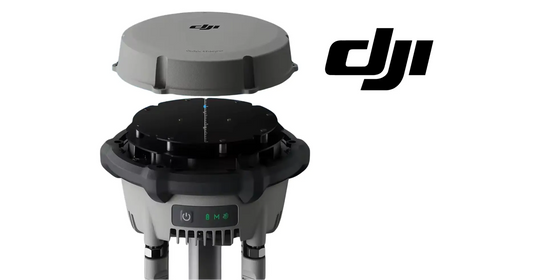
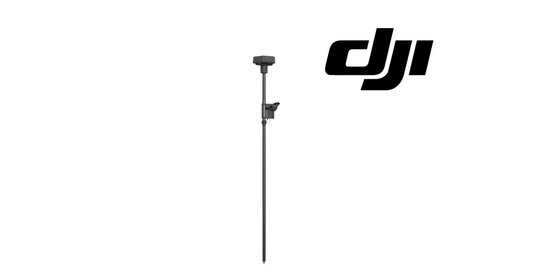
The built-in RTK module can be used with a D-RTK product or a DJI-approved Network RTK service. Check that RTK is enabled and that the correct signal source is selected before each use. If using Custom Network RTK, the controller must be connected to the internet and the required server parameters entered in Operation View.
If RTK Positioning is enabled but no differential data is available, the aircraft may be unable to take off. DJI therefore says to disable RTK Positioning when RTK is not in use.
Verified T70P system parts
Relevant current service paths include the T70P Rear Radar Module / Obstacle Detection Sensor, T70P Front & Rear SDR Antenna Set, T100/T70/T70P Front Radar Signal Cable, and T70P OEM Drone Arm Assembly.
Parts & Equipment Referenced in This Guide
- T70P Rear Radar Module
- T70P Front & Rear SDR Antenna Set
- T70P-Compatible Front Radar Signal Cable
- T70P OEM Drone Arm Assembly
Shop Related Collections
Related T70P Tutorials
- T70P Performance, Flight Limits & GEO Zones
- T70P Preflight, Takeoff, Flight Modes & RTH
- T70P Maintenance Schedule
Source and revision note
Primary source: DJI AGRAS T70P User Manual v1.0, 2025.11, sections 1.2 and Aircraft RTK.