DJI C12000 Charging Site Safety Guide: Ventilation, Battery Spacing & Fire Protection
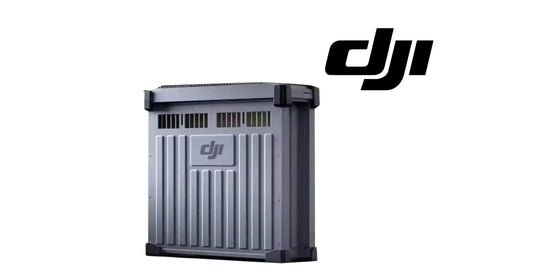
The C12000 is a 12 kW-class charging power supply, so physical placement is part of safe operation. DJI's warnings specify how much clearance to leave around the charger, how far charging batteries should be kept from the unit and which environments should be avoided.
Quick Answer: Place the C12000 on a flat, stable, properly insulated surface with at least 50 cm of ventilation space. Keep charging batteries at least 30 cm from the power supply and away from the ventilation openings. Do not use or store it in direct sun, rain or wet environments, and keep it away from heat, high voltage, water, flammable gases and corrosives.

Keep at least 50 cm for ventilation
DJI instructs operators to keep at least 50 cm of space for ventilation. The unit should not be placed on a blanket or carpet while in use because soft or insulating surfaces can interfere with heat management and create a fire hazard.
Keep charging batteries at least 30 cm away
The charger should not be used in an area where batteries are stored. During charging, DJI requires at least 30 cm between the C12000 and the charging battery. The battery should also be kept away from the charger's ventilation openings so heat does not concentrate around either device.
Environmental restrictions
The warning section says not to use or store the product under direct sunlight, in rain or in other wet environments. It also says to keep the product away from heat, high voltage, water, flammable gases and corrosives. The warning section gives a storage-environment range of -5°C to 40°C, while the specifications section lists an operating temperature of 0°C to 40°C.
Fire response
DJI specifies a dry-powder fire extinguisher in the event of fire and warns that a liquid extinguisher may create an electrical hazard.
Do not disconnect live charging cables
Do not unplug the AC power cable or charging cable while the product is in use. The fast- and slow-charging articles below preserve the manufacturer's disconnect order for each mode.

Battery-side equipment
The manual lists DB2100, DB1580 and DB2160 batteries as compatible in this revision. The verified current store path for the DB2160 Intelligent Flight Battery should be used together with the DB2160 Battery Cooling Station where that cooling workflow applies.
Parts & Equipment Referenced in This Guide
Shop Related Collections
Related Tutorials
Source and revision note
Primary source: DJI C12000 Intelligent Power Supply User Guide v1.0 (2025), English warning section and specifications.