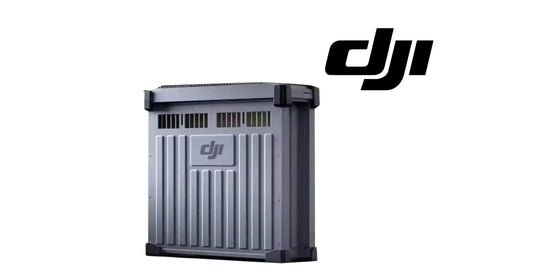
DJI C12000 Slow Charging Guide: 220V Single-Phase, Conversion Cable & 3 kW Output
Slow charging gives the C12000 a lower-power single-phase operating path when a three-phase fast-charging supply is not being used. DJI specifies a 220 V single-phase supply with at least 3.6 kW output for this procedure.
Quick Answer: Connect the conversion cable to the C12000 AC power port with the safety pins reinstalled, connect the slow charging cable to the conversion cable, then connect the slow charging cable to the wall outlet. Use the same battery-side connection method described in fast charging. Hot plugging is prohibited. After charging, disconnect the slow charging cable from the outlet first, then disconnect the conversion cable from the C12000.

Power requirement
DJI says slow charging requires a 220 V single-phase supply with at least 3.6 kW output. The exact outlet type can vary by country or region, so use the appropriate local outlet and cable configuration.
1. Install the conversion cable

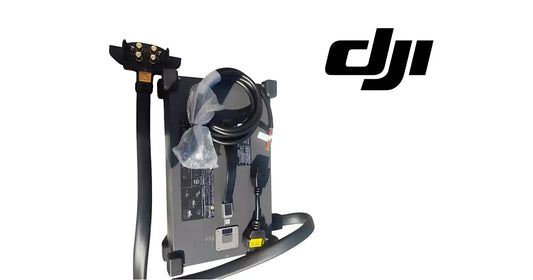
Remove the safety pins from the conversion cable, connect the conversion cable to the C12000 AC power port and reinstall the safety pins.
2. Connect the slow charging cable
Connect the slow charging cable to the conversion cable, then connect the slow charging cable to the appropriate AC outlet. DJI notes that the slow charging cable can be purchased separately from a local dealer.
No hot plugging
DJI explicitly prohibits hot plugging during slow charging to avoid arcing at the plug. Do not treat the AC connection as a live-plug operation.
3. Connect the battery side
Use the same battery-side method described in the fast-charging section: connect the charging cable to the air-cooled heat sink before placing the battery into the heat sink.

4. Disconnect in the correct order
After charging, disconnect the slow charging cable from the power outlet first, then disconnect the conversion cable from the C12000.

Parts & Equipment Referenced in This Guide
- C12000 Intelligent Battery Charger
- DB2160 Battery Cooling Station
- DB2160 Intelligent Flight Battery
- Charging Extension Cable
Shop Related Collections
Related Tutorials
Source and revision note
Primary source: DJI C12000 Intelligent Power Supply User Guide v1.0 (2025), Slow Charging section and Figures F and G.