DJI D14000iE Generator Setup Guide: Installation, Components & First Use (Canada)
🇨🇦 CANADA — DJI D14000iE Generator Setup: Casters, Handles & Component Map for Canadian Field Charging
🇺🇸 Reading from the United States? See the U.S. edition: DJI D14000iE Generator Setup Guide: Installation, Components & First Use
This Canadian edition is written for Canadian DJI Agras operators across Canada, from the Prairie grain belt of Saskatchewan, Alberta and Manitoba to the row crops of Ontario and Quebec and the orchards and vineyards of British Columbia and Niagara. It covers installing the D14000iE casters and handles and identifying the major generator components before first use. The procedure, specifications and warnings below are identical to the original edition linked above — the hardware does not change at the border. What changes for a Canadian operator is the regulatory and purchasing context: the aircraft this DJI D14000iE generator supports falls into Transport Canada’s medium RPAS class (25–150 kg) and flies on an Advanced Operations pilot certificate under the November 2025 rules, with a Special Flight Operations Certificate for anything outside that envelope, and pricing is shown in Canadian dollars. Ares Acres stocks the D14000iE generator, protective cover and generator parts referenced in this guide as genuine DJI Agras OEM parts, ships them to Canada with free standard shipping, and shows CAD pricing at checkout.
Before the DJI D14000iE is used as a field charger, its mobility hardware should be installed correctly and the operator should know where the major service components are located. DJI's initial-installation pages cover the supporting feet, casters and handles; the overview pages then identify the fuel, oil, cooling, control and charging assemblies.
Quick Answer: If the supporting feet near the muffler are removed, support the generator at the same height so it does not tilt backward. Install the casters with the wheel shaft, washer and clip, then mount the handles with their clips and bolts. After assembly, locate the oil gauge, status LEDs, operation panel, charging cable, air filter, spark arrestor, muffler shield and engine-oil dipstick before first use.

1. Supporting feet
DJI says removal of the two original supporting feet near the muffler is recommended when the generator needs to move over uneven ground; otherwise this step can be skipped. Before removing them, place a wooden or rubber block under the generator at the same height as the feet so the frame does not tilt backward.
2. Casters
The caster assembly uses the wheel shaft, washer and clip shown in the diagram. Follow the illustrated order rather than improvising the retention hardware.
3. Handles
Mount the handles using the clip, handle and bolt arrangement shown by DJI. The manual treats handle installation as a separate assembly step from the caster installation.

Know the generator before starting it
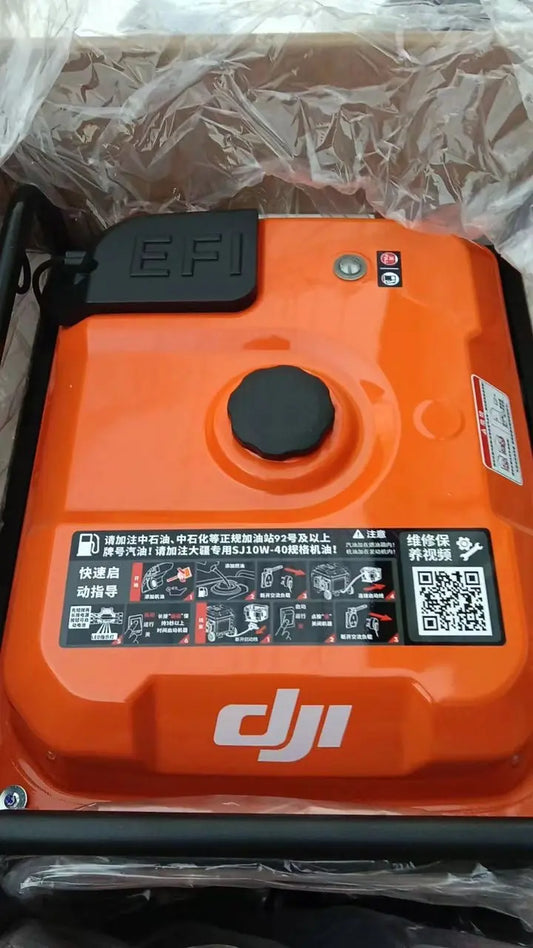
The component map identifies the fuel tank and cap, oil level gauge, frame, handle, three status LEDs, operation panel, charging cable, control unit, supporting feet, casters, fan hood, air filter, spark arrestor, muffler shield and engine-oil dipstick. The continuation adds the spark plug, engine-oil drain hose, electronic fuel-injection unit and high-pressure oil pipe.
View the complete DJI Agras T100 D14000iE Inverter Generator or browse the DJI D14000iE Generator Parts collection.

Before the first engine start
The engine leaves the factory without engine oil. DJI instructs the operator to add SJ 10W-40 or equivalent engine oil before use and warns not to power on the generator before filling engine oil and gasoline.
Parts & Equipment Referenced in This Guide
- DJI Agras T100 D14000iE Inverter Generator
- Universal Generator Protective Cover
- D14000iE Preventive Maintenance Pack
Every part listed above is stocked by Ares Acres as a genuine DJI Agras OEM component, ships to Canada with free standard shipping, and shows CAD pricing at checkout for Canadian customers.
Shop Related D14000iE Collections
Related D14000iE Tutorials
🇺🇸 Reading from the United States? See the U.S. edition: DJI D14000iE Generator Setup Guide: Installation, Components & First Use
Canadian Operator FAQ: D14000iE Generator Setup Guide
Does Ares Acres ship the D14000iE generator, protective cover and generator parts to Canada?
Yes. Ares Acres ships genuine DJI Agras OEM parts, including the D14000iE generator, protective cover and generator parts referenced in this guide, to Canada with free standard shipping, and Canadian customers see CAD pricing at checkout.
Do I need an SFOC to use the DJI D14000iE generator with my DJI Agras in Canada?
The DJI D14000iE generator itself needs no aviation authorization. The DJI Agras aircraft it supports falls into Transport Canada’s medium RPAS class (25–150 kg) under the November 2025 rules and is flown within visual line of sight on an Advanced Operations pilot certificate; a Special Flight Operations Certificate is still required for operations outside that envelope, such as beyond visual line of sight or payloads Transport Canada treats as dangerous goods. Confirm current requirements with Transport Canada and your provincial regulator before operating.
Is this D14000iE setup different for Canadian operators?
No. The D14000iE setup described here is identical in every country; only the regulatory framework, the purchasing path and the units used in this guide differ. Confirm current requirements with Transport Canada and your provincial regulator before operating.
Source and revision note
Primary source: DJI D14000iE Multifunctional Inverter Generator User Manual v1.0 (2025.06), pp. 4-7 and 10-11.