DJI T100/T70P Agras Lift Task Planning: Loading, Unloading, RTK & Obstacle Routing (Canada)
🇨🇦 CANADA — DJI T100/T70P Agras Lift Task Planning: Loading, Unloading, RTK & Obstacle Routing on Canadian Farms
🇺🇸 Reading from the United States? See the U.S. edition: DJI T100/T70P Agras Lift Task Planning: Loading, Unloading, RTK & Obstacle Routing
This Canadian edition is written for Canadian DJI Agras operators across Canada, from the Prairie grain belt of Saskatchewan, Alberta and Manitoba to the row crops of Ontario and Quebec and the orchards and vineyards of British Columbia and Niagara. It covers task planning in DJI Agras Lift mode: Crosshair, RC and aircraft points, SmartFarm collaboration, loading and unloading points and obstacle routing. The procedure, specifications and warnings below are identical to the original edition linked above — the hardware does not change at the border. What changes for a Canadian operator is the regulatory and purchasing context: the DJI Agras T100 or T70P falls into Transport Canada’s medium RPAS class (25–150 kg) and flies within visual line of sight on an Advanced Operations pilot certificate under the November 2025 rules, with a Special Flight Operations Certificate for anything outside that envelope; spraying follows provincial applicator licensing and Health Canada PMRA aerial label directions, and pricing is shown in Canadian dollars. Ares Acres stocks T100 and T70P lift systems and RTK accessories referenced in this guide as genuine DJI Agras OEM parts, ships them to Canada with free standard shipping, and shows CAD pricing at checkout.
The lift-system manual separates task planning from cargo handling. Before moving a suspended load, DJI Agras can be used to create loading and unloading points, route the aircraft to selected destinations, and coordinate multiple people through DJI SmartFarm. The major limitation is equally important: during lift operations, the aircraft cannot automatically bypass obstacles.
Quick Answer: In Operation View, open the mode switch and select Agras Lift. Add task points with Crosshair, the remote controller, the aircraft, or participating phones through DJI SmartFarm. Mark loading and unloading points in Task Settings. When adding points by phone, DJI recommends an RTK dongle for better accuracy. Plan routes away from people, livestock and obstacles because lift operations do not automatically bypass obstacles.

1. Enter Agras Lift mode
Go to Operation View, tap the mode switch button on the upper-left side, and select Agras Lift to enter the lift settings view.
2. Choose how to add task points
DJI provides several planning methods. With Crosshair, add points directly on the map. With Add Point with RC, walk the remote controller to the desired position and add the point. With Add Point with Aircraft, fly the aircraft to the desired position and tap Add.
3. Multi-user planning through DJI SmartFarm
For multi-user operations, DJI Agras can display an invitation QR code through Invite to Join. Joining users scan the code with DJI SmartFarm and can add the location of their phone as a point. Those points appear on the remote controller at the same time.
4. Mark loading and unloading points
In Task Settings, select points and assign them as loading or unloading points. DJI also says a selected point can be opened with Go, causing the aircraft to fly directly to that destination.
5. Improve phone-added point accuracy with RTK
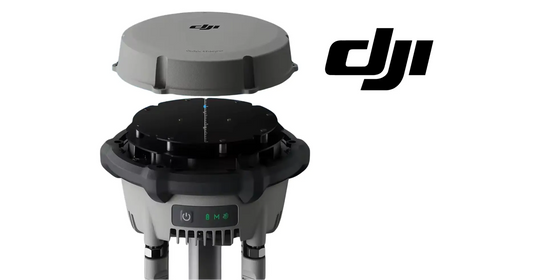
When task points are added using a mobile phone, DJI recommends installing an RTK dongle on the phone to improve accuracy. The manual makes that recommendation but does not identify a specific phone-RTK accessory model in this section, so this article does not invent a product match.

Obstacle routing: no automatic bypass
When planning task points and routes, inspect the surroundings and avoid locations where people, livestock or obstacles may be present. DJI explicitly says the aircraft cannot automatically bypass obstacles during lift operations. If an obstacle lies on the task route, add a nearby destination point so the aircraft can route around it by flying to that point.
Hardware context
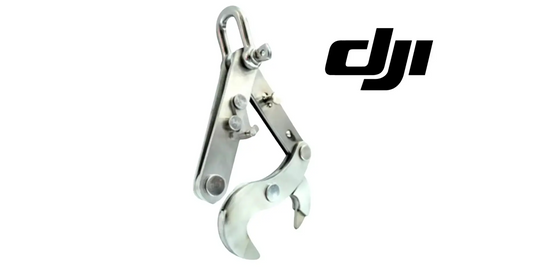
The task-planning software controls the flight path, but the mechanical payload system still needs to be configured and inspected separately. For T100, use the T100 OEM Payload Lifting System Kit. For T70P, use the T70P OEM Lifting System.
Parts & Equipment Referenced in This Guide
Every part listed above is stocked by Ares Acres as a genuine DJI Agras OEM component, ships to Canada with free standard shipping, and shows CAD pricing at checkout for Canadian customers.
Shop Related Collections
Related Tutorials
- Lift Operation: Loading, Unloading & Auto Balance
- Lift Flight Environment & Preflight Checklist
- Existing T100 Lift System & Transportation Tutorial
🇺🇸 Reading from the United States? See the U.S. edition: DJI T100/T70P Agras Lift Task Planning: Loading, Unloading, RTK & Obstacle Routing
Canadian Operator FAQ: T100/T70P Agras Lift Task Planning
Does Ares Acres ship T100 and T70P lift systems and RTK accessories to Canada?
Yes. Ares Acres ships genuine DJI Agras OEM parts, including T100 and T70P lift systems and RTK accessories referenced in this guide, to Canada with free standard shipping, and Canadian customers see CAD pricing at checkout.
Do I need an SFOC to fly the DJI Agras T100 or T70P in Canada?
Not for every operation. Under Transport Canada’s November 2025 rules, the DJI Agras T100 or T70P falls into the medium RPAS class (25–150 kg) and can be flown within visual line of sight on an Advanced Operations pilot certificate; a Special Flight Operations Certificate is still required for operations outside that envelope, such as beyond visual line of sight or payloads Transport Canada treats as dangerous goods. Confirm current requirements with Transport Canada and your provincial regulator before operating.
Is this lift task planning different for Canadian operators?
No. The lift task planning described here is identical in every country; only the regulatory framework, the purchasing path and the units used in this guide differ. Confirm current requirements with Transport Canada and your provincial regulator before operating.
Source and revision note
Primary source: DJI T70P / T100 Lift System User Manual v1.0 (2025.07), section 3.1.