DJI Agras T100 Radar, LiDAR, RTK & Vision Maintenance Guide
The DJI Agras T100 sensing and positioning stack includes front/rear radar, LiDAR, SDR antenna hardware, the RTK module and the FPV/vision system. These modules do not share one maintenance interval, and their care requirements are different. Radar service includes physical and electronic checks, LiDAR maintenance is especially sensitive to how the optical window is cleaned, RTK/SDR maintenance emphasizes corrosion and normal function, and the vision system has its own annual visual inspection.
Quick Answer: DJI lists front/rear radar for six-month inspection, radar supporting hardware for one-month inspection, LiDAR as a routine-maintenance item, SDR antenna and RTK module for six-month inspection, and FPV/vision hardware for 12-month inspection. Clean LiDAR contamination carefully—remove granular material before wiping, do not use spray-tank liquid or chemical agents, and do not disassemble the protective dome. Use HMS errors and power/function checks together with physical inspection before deciding that a sensor needs replacement.
Front and rear radar: six-month inspection
For the front/rear radar, DJI’s maintenance table calls for inspection every six months. The service checklist has three layers: inspect for dents or other external damage, clean and inspect the wire port for corrosion, and confirm that the radar powers on and functions normally with no relevant HMS errors.

This distinction matters diagnostically. A clean module with no visible damage can still have a functional/HMS issue, while a working module can still require service if its housing, wire port or mounting hardware is physically abnormal.
Radar supporting hardware: one-month inspection
The radar supporting piece is listed on a one-month interval. DJI calls for inspection of the radar crossbar, radar mounting bracket and front-radar base. Sensor alignment and physical support are therefore part of radar maintenance; not every sensing problem should be reduced to the radar electronics alone.
LiDAR cleaning: protect the optical window
DJI lists LiDAR as a routine-maintenance item and gives unusually specific cleaning guidance. Pesticides, fertilizer or dust on the laser-radar dome can cause malfunction. If the optical window is contaminated, the manual recommends rinsing it with clean water, then using compressed or canned air and a clean soft cloth.
Do not wipe granular dust directly across the optical window. DJI warns that doing so can scratch the surface and affect laser-rangefinder performance. If stains remain after the initial cleaning, the manual permits a small amount of alcohol on a damp cloth.

What not to use on the T100 LiDAR
The manual explicitly says not to use liquid from the spray tank or other chemical agents to clean the LiDAR because they can damage the surface. It also says not to disassemble the protective dome without authorization because doing so can allow dust into the sensor.
That gives a useful field rule: a dirty LiDAR should first enter the correct cleaning path, not a parts-replacement path. If a proper cleaning and inspection is complete but HMS errors remain, the diagnostic branch changes.
LiDAR HMS errors and cross-testing
For LiDAR HMS errors, the maintenance table says to replace with a new radar for a cross-test. This is a diagnostic procedure, not proof that the first sensor is permanently failed. Record the original HMS error, the condition of the optical window and the cross-test result before finalizing a parts diagnosis.
SDR antenna and RTK module: six-month inspection
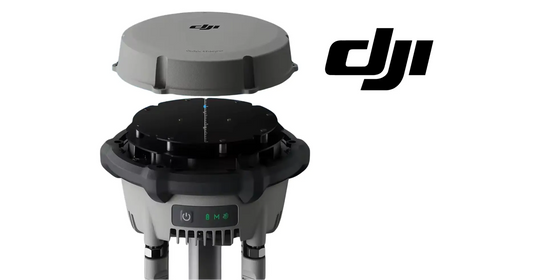
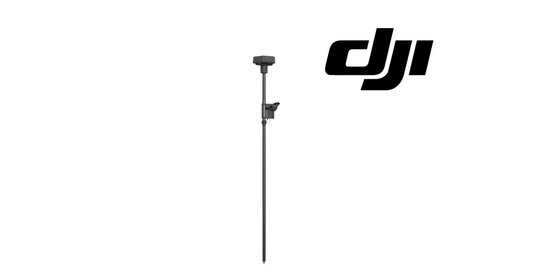
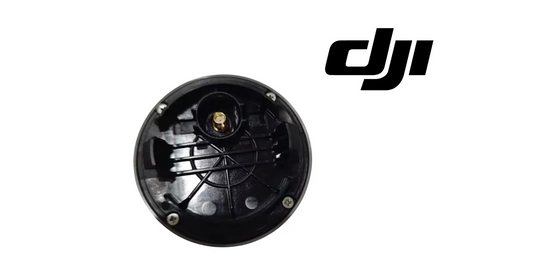
The SDR antenna and RTK module are each listed for inspection every six months. The maintenance checks are similar: clean and inspect for corrosion, then verify that the device powers on and functions normally.

If RTK positioning behavior is abnormal, do not jump from a maintenance interval directly to hardware replacement. The broader T100 Radar, Vision, Obstacle Avoidance & RTK Guide separates RTK configuration and differential-data problems from sensor hardware problems.
FPV and vision system: 12-month inspection
The FPV/vision system is listed on a 12-month inspection interval. DJI’s maintenance table calls for visual inspection of the vision system and FPV hardware for deformation or damage. This annual maintenance check sits alongside the operator’s more frequent responsibility to keep cameras clean and account for lighting and surface conditions during flight.
Sensor maintenance schedule at a glance
| System | Maintenance interval | Primary checks |
|---|---|---|
| Front/rear radar | 6 months | Dents/damage, wire-port corrosion, normal power/function, HMS status |
| Radar supporting piece | 1 month | Crossbar, mounting bracket, front-radar base |
| LiDAR | Routine | Optical contamination, cleaning condition, HMS errors |
| SDR antenna | 6 months | Corrosion, normal power/function |
| RTK module | 6 months | Corrosion, normal power/function |
| FPV/vision system | 12 months | Deformation or visible damage |
Common sensor-maintenance mistakes
Wiping gritty contamination directly off the LiDAR
DJI warns that granular contamination can scratch the optical window if it is wiped directly. Remove/rinse contamination first.
Using spray chemical to clean the LiDAR
The manual says not to use spray-tank liquid or chemical agents.
Ignoring sensor mounting hardware
Radar support hardware has its own one-month inspection interval.
Replacing a sensor solely from an HMS category
Use the exact HMS message, physical inspection and the manual’s diagnostic checks together.
Treating an RTK configuration problem as immediate RTK-module failure
RTK source and differential-data state should be checked before the module itself is condemned.
Parts and diagnostic paths
- DJI T100 Parts
- DJI Agras T100 OEM LiDAR Module — USA Version
- DJI Agras T100 OEM Quad-Fisheye Vision Sensor Module
- DJI Agras T100 OEM Vision & Radar Service Kit
- DJI Agras T100 OEM RTK Antenna Module
- DJI Agras T100 Maintenance Schedule
Frequently asked questions
How often should T100 radar be inspected?
The front/rear radar is listed at six months; its supporting hardware is listed at one month.
Can I wipe dust directly off the T100 LiDAR?
If granular dust or similar contamination is present, DJI warns against direct wiping because it can scratch the optical surface. Follow the documented rinse/air/soft-cloth sequence.
Can I clean T100 LiDAR with spray-tank liquid?
No. DJI says not to use spray-tank liquid or chemical agents on the LiDAR.
How often should the T100 RTK module be inspected?
The maintenance table lists a six-month interval.
How often should the T100 vision system be inspected?
The FPV/vision system is listed at 12 months.
Source and revision note
Primary technical source: DJI AGRAS T100 User Manual v1.0 (2025.11), pp. 73–74 and 77. This guide reorganizes the sensor and positioning rows of DJI’s Recommended Maintenance Cycle into a dedicated radar, LiDAR, RTK and vision maintenance workflow.