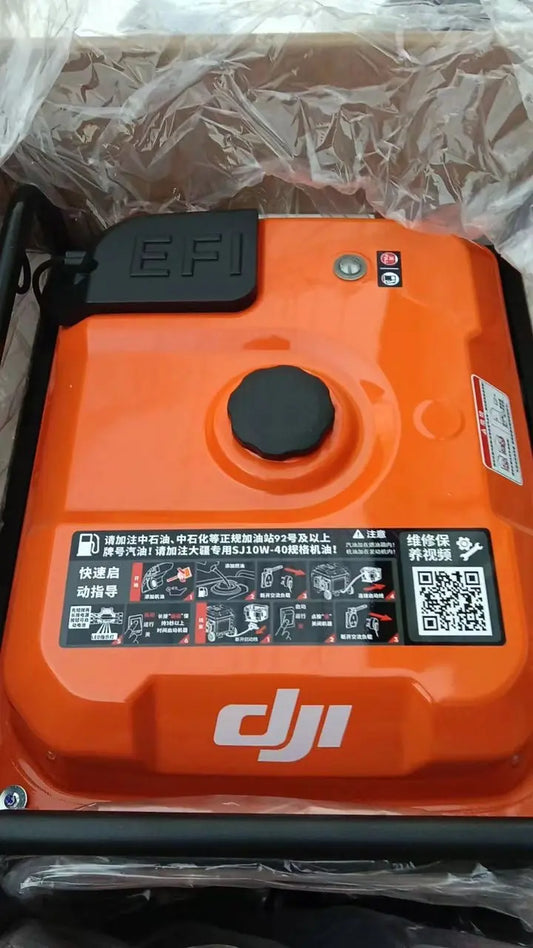
DJI D14000iE Activation, Firmware Update, Starting & Battery Charging (Canada)
🇨🇦 CANADA — DJI D14000iE Activation, Firmware, Starting & Battery Charging for Canadian Agras Operators
🇺🇸 Reading from the United States? See the U.S. edition: DJI D14000iE Activation, Firmware Update, Starting & Battery Charging
This Canadian edition is written for Canadian DJI Agras operators across Canada, from the Prairie grain belt of Saskatchewan, Alberta and Manitoba to the row crops of Ontario and Quebec and the orchards and vineyards of British Columbia and Niagara. It covers activating the D14000iE, updating firmware, starting the engine and beginning Intelligent Flight Battery charging. The procedure, specifications and warnings below are identical to the original edition linked above — the hardware does not change at the border. What changes for a Canadian operator is the regulatory and purchasing context: the aircraft this DJI D14000iE generator supports falls into Transport Canada’s medium RPAS class (25–150 kg) and flies on an Advanced Operations pilot certificate under the November 2025 rules, with a Special Flight Operations Certificate for anything outside that envelope, and pricing is shown in Canadian dollars. Ares Acres stocks the D14000iE generator, charging cables and controller parts referenced in this guide as genuine DJI Agras OEM parts, ships them to Canada with free standard shipping, and shows CAD pricing at checkout.
The D14000iE first-use workflow combines activation, firmware management and the normal engine-start/flight-battery charging sequence. These are separate layers: activation authorizes first use, firmware keeps the product current, and startup prepares the engine and charging channel.
Quick Answer: Connect the remote controller to the generator, open DJI Agras and use Device Management > Charging Device to activate it. Update firmware when prompted. For charging, begin with no AC devices connected, verify engine oil and at least 1 L of fuel, connect the charging cable to a powered-off Intelligent Flight Battery and power the battery on, then hold the engine switch at START for at least 3 seconds.

Activation and firmware
The product must be activated before first use. Connect the remote controller, open DJI Agras and select Device Management > Charging Device. Follow the on-screen activation and firmware prompts.
The operation-panel USB-C port is used for remote-controller connection, firmware update and log export. If the physical start/stop control is damaged, see the D14000iE Control Panel Switch Button. The main electronic-control path includes the D14000iE Generator Controller.

Start the generator for battery charging
- Do not connect electric devices before starting.
- Verify engine oil and at least 1 L of fuel.
- Connect the charging cable to a powered-off Intelligent Flight Battery, then power the battery on.
- Hold the engine switch at START for at least 3 seconds, then release.
- The switch returns to ON, the generator starts automatically and charging begins.
If AC devices are operating while the generator charges the battery, DJI notes that charging capacity decreases and charging time increases.

If it fails to start
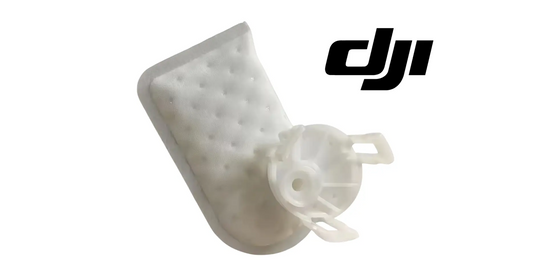
DJI's first instruction is to connect the remote controller for more information. A no-start condition can belong to oil protection, fuel supply, cranking, ignition, control or another engine state. If evidence specifically identifies the cranking path, customer-facing exact parts include the Electric Starter and Starter Motor Relay. For a fuel branch, see the Gasoline Pump and Pump Filter. The Ignition Coil with Trigger belongs to the ignition path.
Parts & Equipment Referenced in This Guide
Every part listed above is stocked by Ares Acres as a genuine DJI Agras OEM component, ships to Canada with free standard shipping, and shows CAD pricing at checkout for Canadian customers.
Shop Related D14000iE Collections
Related D14000iE Tutorials
🇺🇸 Reading from the United States? See the U.S. edition: DJI D14000iE Activation, Firmware Update, Starting & Battery Charging
Canadian Operator FAQ: D14000iE Activation, Firmware Update, Starting & Battery Charging
Does Ares Acres ship the D14000iE generator, charging cables and controller parts to Canada?
Yes. Ares Acres ships genuine DJI Agras OEM parts, including the D14000iE generator, charging cables and controller parts referenced in this guide, to Canada with free standard shipping, and Canadian customers see CAD pricing at checkout.
Do I need an SFOC to use the DJI D14000iE generator with my DJI Agras in Canada?
The DJI D14000iE generator itself needs no aviation authorization. The DJI Agras aircraft it supports falls into Transport Canada’s medium RPAS class (25–150 kg) under the November 2025 rules and is flown within visual line of sight on an Advanced Operations pilot certificate; a Special Flight Operations Certificate is still required for operations outside that envelope, such as beyond visual line of sight or payloads Transport Canada treats as dangerous goods. Confirm current requirements with Transport Canada and your provincial regulator before operating.
Is this activation and charging different for Canadian operators?
No. The activation and charging described here is identical in every country; only the regulatory framework, the purchasing path and the units used in this guide differ. Confirm current requirements with Transport Canada and your provincial regulator before operating.
Source and revision note
Primary source: DJI D14000iE Multifunctional Inverter Generator User Manual v1.0 (2025.06), pp. 7-9 and 12-13.